Composing using QCreatives

After a week in amazing San Antonio Texas presenting and attending TMEA I came back ready to get through our last week before February break. I tried a few new things this wonderfully hectic week which included learning composition and performance of rhythms and melodies. I focused on 2nd and 3rd grade for the following below with each ending off with an ‘A ha!’ moment for my amazing kiddos!

QComposer (2nd grade):

Materials:

  •    QComposer up on the projector
  •    Whiteboard and Markers
  •    Xylophones and mallets
  •    Recording device

Process:

  •    Our precursor to this is learning the rules of what makes a good melody. We review them and write them on the board.
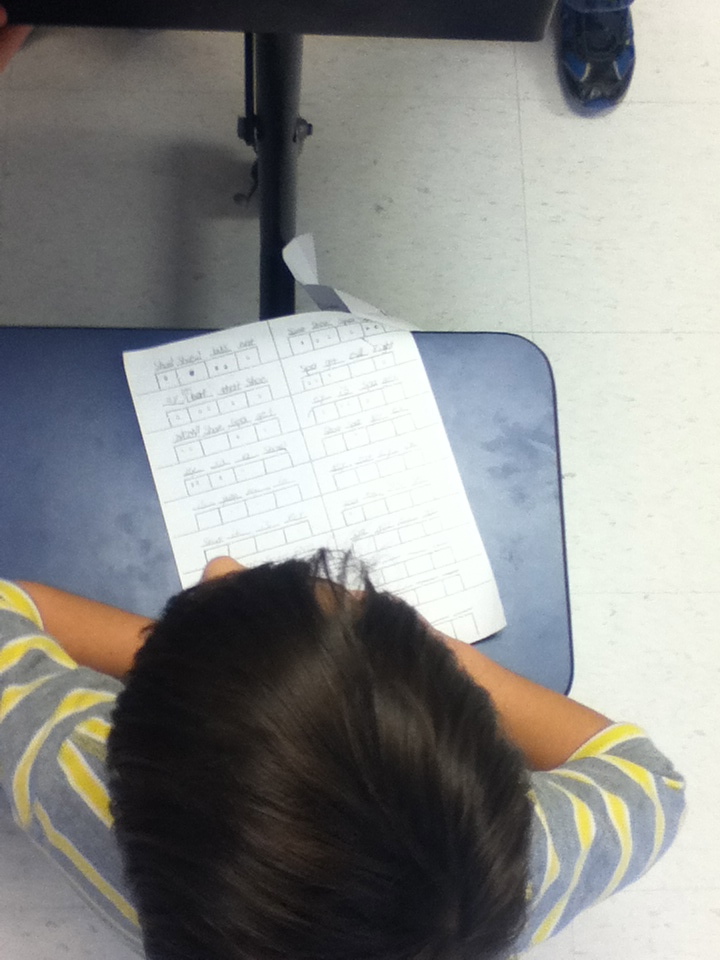
  •    We choose a starting note and I then go around the circle giving the students the option of going “up or down” to the next line or space. We use only quarter notes and always start and stop on the same note.
  •    We listen to it and using whiteboard markers we label the letter of the notes together.
  •    We clap to the beat and say each letter name.
  •    Our last step is to practice each measure on the xylophones and put it all together. The students were so proud to play their own work!
  •    If it sounds great and the students are focused I would head to the recording device you have and get it recorded! The teachers love to hear what their students are working on!

IMG_0087

QBackbeat (3rd grade):

Materials:

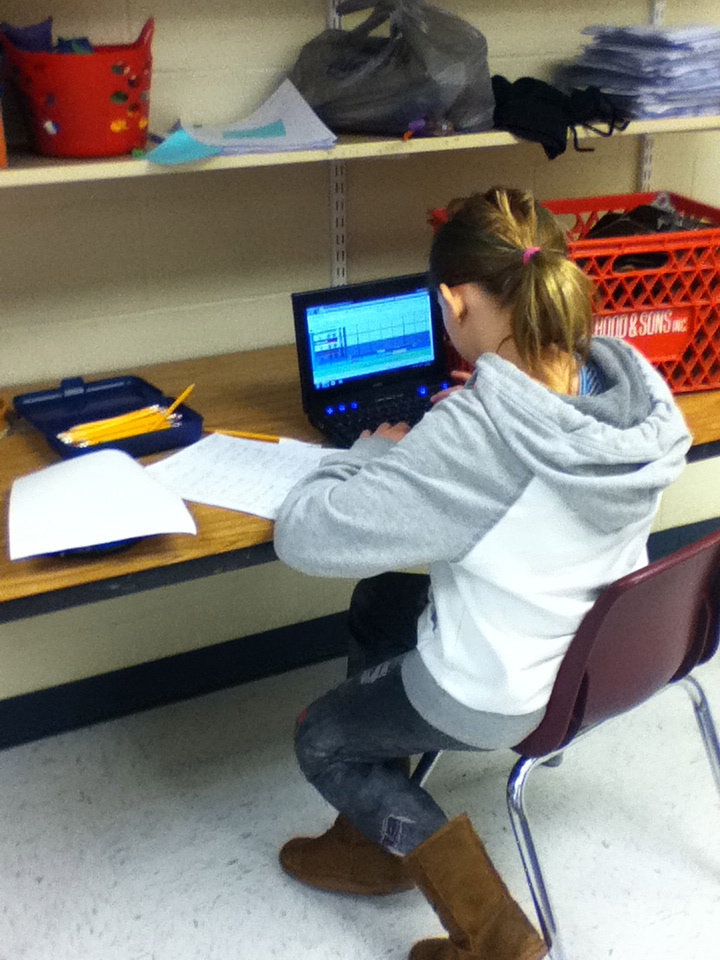
  •    QBackBeat up on the projector
  •    Whiteboard and Markers
  •    Rhythm sticks and a rug

Process:

  •  This was another activity as my students explored what percussion is all about.
  •  First, all you will need in QBackbeat is lines 1 and 3 (I called them the red and green beats)
  • Together I asked students what they thought a slow steady beat would look like on the red line. We ended up filling every other space until it filled the screen.
  • Next we practiced the beat using our voices with the word “Boom” acting like a bass drum and practiced saying “Boom” together as a class.
  • Next we added a green beat and I did this on my own as students watched because we are still working on eighth notes. I created the eighth beats in QBackbeat by clicking each box twice. The students wanted to say this beat as slow “Ticka Ticka” so we practiced saying this all together.
  • Next we divided the class in half, half said the red line beat and half said the green line beat before we switched parts.
  • Passing out the rhythm sticks I had them all sit in a horseshoe shape around the rug and we practiced each line saying and playing as one of my students pointed on the board.
  • Then we divided up the class again and each played the red and green lines together and after switched parts.
  •  I began playing the two lines at once as the class listened intently. After a minute one of my ‘chair drummers’ shouted out, “Hey! That’s a rock beat on the drum set!” I nodded my head with a grin and mouthed ‘try it’. They were so pumped I listened to the sweet sound of floor drumming for a good 10 minutes. All they needed was QBackbeat as a visual!

IMG_0089

These lessons were used both this week to great success and grabbed student’s attention right before break!

Day 3 is Done and the iPads Won

iPad Apps to check out:

 -Explain Everything

-Percussive

-Morphwiz

-Touchband Pro

-Sound Pixels

-Vid Rhythm


Amy’s iPad app Pinterest Page: http://pinterest.com/awillisburns/apps-i-use-in-my-prek-grade-3-music-class/


Richard’s iPad Pinterest Page: http://pinterest.com/ramccready/


  Traveling back home so early is hard, you don’t want to leave the excitement and the fun behind but know there’s a life waiting for you to come back to. As I leave Texas I carry with me a refreshed mind, a boost of self esteem and a bucketload of new resources and theories to think about and try. It’s been one of the best conferences I’ve been too, I felt like one of the cool kids hanging out with the TI:ME big wigs and hearing those who gave me shoutouts in their sessions as well as getting positive feedback on the sessions I did solo and with Amy. I felt like I’ve connected with long lost friends meeting some longtime Twitter friends, and it was great to see the Quaver crew face to face again, if you haven’t checked out their booth be sure to do so in the East exhibit hall before 2pm today!


Off to catch the last flight home. Safe Travels home everyone.

856357_848632656637_62715227_o

TI:ME/TMEA Day 2, Tweets, Resources, and a Moral of the Story! Oh My!

Quotable Tweets:

“The Loudness Wars” loudness and distortion becomes standard because that is the norm in today’s culture #time13


“If you mute the drums and effects, the music should be able to stand on it’s own.” @MusicEdTech


“Your mother is the compressor” #time13


Mixing is a lifetime study @MusicEdTech


#time13 “I believe the best way for kids to learn how music works is to create their own.”


“Students are more interested in experiencing music allied with a visual spectacle”


Dave Sebald: music curricula will broaden to accommodate new types of music making


“Individuality, Innovation, Critical Thinking”


New Resources to Check out: 

Musicfirst.com- If you have not check these guys out yet, it is a must before the conference is over. They are in the east exhibitor area! Jim Frankel is amazing for putting this together. Right off the bat I was amazed and could totally tell it was a tool I’ll be looking into for the future.

Dave Sebald- Our keynote speaker for TI:ME this year. He was funny and great to listen to!

Teaching Music Through Composition- Barb Freedman’s new book put out by Oxford Press. She’s signing autographs tomorrow 2-3 at their booth in the east exhibit hall. I bought my copy!

Music in Motion- I LOVE their booth, so many pretty colors and I walked out with some cute new puppet friends!

musicplay.ca- Denise Gagne’s website, I’m trying to add more to my classroom music repetoire and this site is perfect!


They say a conference is about attending sessions, its about sitting in a big room listening to a speaker talk about all they know about the subject. One could never imagine you could learn more from *gasp* sitting with someone and having a conversation! In the end it’s all about the connections you make at a conference because,  you might walk out of a session learning only one new thing but a one on one conversation with someone you look up to and have the utmost respect for can give you a whole new perspective on the theory behind what we do and how we do it. It all starts off with breaking that robotic tendency to go to session after session, go to the important ones and not just because they are there. Start spending time in the exhibit hall researching new resources and taking time with the exhibitors. Sometimes, you have to get through the spiel before you get excited about a product sometimes. The other great way to spend your time while taking a breath in between sessions is just to sit down with somebody you look up to and respect and have a conversation. I think I learned more about the essence of creativity by talking about it then I ever would have listening to a clinician. I know I’m at that point where resources and meaningful conversations are top of the ladder for me.


       Day 2, another day of fun and learning in the books. It’s been really fun finally meeting some online friends I had never met in person! It’s such a different vibe this year for me too. Last year I was the quiet one sitting in the corner tweeting and just wishing I could shake hands with Barb or Amy or Richard or Joe and now I’m hanging out with them? woah this is cool! Last day tomorrow, time to make it awesome!

 photo-3


A Newbie State of Mind: Day 1 at TI:ME/TMEA

Usually when I attend a conference I’m sitting in every session known to man kind. Just hoping to pull all the information I can from every presenter I know. Today was a complete 180, I was on the presenting side..I was the one letting others in on what I know. I don’t know if it’s the way I grew up or what but I’ve always had the principal to “respect my elders” now, this covered from those who were just a year ahead of me to those who were 50 or more years ahead. I’ve always looked to those who have had more experience than I and have always put them first and have always thought “they know more about everything I already know”. I know what you’re thinking “Catie, shut up” but it’s honestly what I have sunk into my head. It’s a notion that I might have to get surgically removed because, it’s not based on how long you’ve been around, it’s WHAT YOU KNOW. If you have the experience and you have the knowledge, you are supposed to go for it.

I’ve been teaching 3 years, just 3 and have several years experience in computer support and I now can say I’ve been a clinician, and I’ve had the privilege to present and hang out with some of the top music educators in this business. It’s a blessing and I feel so amazing to get to know them and learn from them. It’s really so cool to have your work and your thoughts recognized too.

Today has been all about making new face to face connections with online friends, reconnecting with friends from last year’s conference, and trying to give good information on what I do to great people! What’s up for tomorrow? FUN and MORE LEARNING!

812555_849144925047_257821547_o

TI:ME /TMEA Coloring Book

Yup, I’m trying to be silly and frankly my brain is not on right now due to our wonderful Noreaster Day that Nemo brought on New England. I decided to make a coloring book using this spiffy feature on my new awesome Epson Artisan Printer I received for Christmas. This is for those of us that will be spending most of the day in the airports early next week. I know I’ll be bringing mine with me as I travel most of the day on Tuesday!

It includes everything from the TMEA and TI:ME logos to a color your own bow tie to honor our TI:ME Teacher of the Year and bow tie fashion guru Richard McCready.

Feel free to print it out and color in its amazingness. Downloading to the iPad is also an option although I’m not quite sure how you would color it unless using the highlighters on the iBooks app. If you find an app to do so please post your findings in the comments section!

It is in PDF form under the following link (be warned it is a little light but leaves more room for those who appreciate the art of coloring outside the lines):

TI:ME / TMEA Coloring Book

Here is a downloadable PDF version on the front page of my website:

www.cdwinal.com

*Special Request: If you do use this coloring book I would appreciate photographic evidence!!

Coloring Book


The End Result Part 2

    I finally have part two of the end result with my Silly Rap Rhythms with Quaver project. This whole thing turned out to be a huge hit at both schools and now after doing it for both  I’ve learned what does work and what does not work when teaching how to do the project and setting the students up for success. 

    Since this was the first year for this project I also was experimenting with how to differentiate between grade levels for next year. 3rd will just be working on recording rhythms and a simple lyric set, 4th will record rhythms with lyrics and a QBackbeat, and 5th will record lyrics, rhythms, and Q Rap Loops. Also, the end step has now become changing the dot notation from the worksheet to actual notes and rests on QComposer (I told my 4th and 5th graders to change all of their 16th notes into 8th notes since Qcomposer only goes to 8th.) 

It’s time to put the project away for the rest of the year and begin others for me! Do you like this project? are you trying it out? If you are I’d love to hear how it’s going!

Be warned, with this school I tried to use the word silly as much as possible and I have to say these examples are very awesomely out there!

Worksheet Examples

ESS                       PSS

I Did Homework!

   So it’s been a while since I’ve taken a class that has tried to give me homework (I’m saving up my homework energy for grad school!) Last month I won the lottery to get in to one of district professional development opportunities entitled “Learn it and Earn it”. This class gives its attendees a brand new piece of technology and they have to attend 3 classes on this new technology in order to keep it for good. The money for this comes from our professional development funds our district provides to each staff member. I received a new iPad mini from this class and am one session away from it being mine!

Our homework for next class on the 31st is to create a short video or digital story on our iPad minis that we could potentially use in our classes. I love using Youtube videos to enhance my lessons and creating another video I could use was awesome, I’m starting to think about more videos that I could actually have students make or make with students.

Using the iMovie app and inspired  by Quaver Music’s song “Whole Half Quarter and Eighth” I decided on the subject of identification of notes and rests. The following is my current video, if you have any feedback before I turn it in I would love to hear it!

*Music by Quaver’s Marvelous World of Music www.quavermusic.com

**This video is unlisted in Youtube and is only available through this blogpost


Music Ed Motivation Archives! January 19th!

Thank you for everyone who moderated and participated today! You guys rock! I don’t know when the next date will be, it might be in 6 months, it might be next January! I’m easily persuaded if anyone ready wants a say in the next date! 

Twitter Archives from Today!

Our First Session was archived from our Moderator Jeff McCoach (@MrMcCoachBand) – Student Recruitment 

Our Session on Teacher Evaluation was archived by Heather McEndree (@MusicHeather) – Teacher Evaluation 

To see the rest of the Twitter archives from today check out – #musedmot Archives

Our Google Plus Video Hangouts were fantastic! I would Like to thank Caroline, Carol, and Rick for moderating them!

Caroline’s Notes from her Hangout on – Music Practice  

Stephanie Sanders Shared forms she uses with her students for practicing  7/8 and HS Symphonic Band

5/6 Grade Band 

My Notes on our Top Websites and Apps for class

Top Websites:

1.)  Quavermusic.com

2.)  http://listeningadventures.carnegiehall.org/ypgto/index.aspx

3.)  www.buttonbeats.com

4.)  http://www.vicfirth.com/education/rudiments.php

5.)  http://www.wesleyan.edu/vim/

6.)  www.dsokids.com

7.)  http://www.testing1212.co.uk

8.)  www.isleoftune.com

9.)  http://www.nyphilkids.org

10.) http://www.incredibox.com

11.)  www.Inudge.net

Top Apps:

  1. Orchestra App
  2. Piano Dust Buster
  3. Recorder Master
  4. Grade Book Pro
  5. Class Dojo
  6. Coach’s Eye
  7. Wavepad
  8. Evernote
  9. forScore-music reader
  10.  Tenuto
  11. Toca Boca Band
  12.  Vid Rhythm
  13. Garageband
  14. Rhythm Cat
  15. Dragon Dictation
  16. Splashtop
  17. iStopMotion
  18. iStopCamera
  19. ToonTastic
  20. MadPad
  21.  BeBot
  22. Jordan Rudness apps

Carol had a great session on iPads!-  iPad G+ Hangout

Here is the link to our Youtube Playlist and Hangout video! Hangout Video /  Youtube Playlist We Created 

Thank you to Rick for a great session on Cross Curricular Work!

 Another even more successful event, and a BIG thank you to the new PLN members who  tried out G+! I hoped you enjoyed it! Please be sure to check out our pages on G+ and Twitter, we will continue to stay in touch on those accounts and will try to organize some more practice G+ hangouts for interested parties!:

Google Plus Page 

@Musedmot Twitter Page

Musedmot Pinterest Page!

Musedmot graphic

#musedmot? What’s That?

A day long web day for music educators from all over to connect through different platforms of social media and talk about what we do. The idea was brought up sometime last year and on a dare (yes I was challenged!) it came to life.

We started strong in June of 2012 with a full schedule, and came around with a small event in September. Now it’s time for our winter event on Saturday January 19th! We begin with discussion topics and reminders about #musedmot in the best group on the Facebook, the MPLN Facebook group. If you are on Facebook and not in this group this is a travesty and needs to be corrected! Ask to join in today!

Continuing on to Twitter, and using the hashtag #musedmot you can use tools such as Tweetdeck or Tweetchat to keep up with the hour long talks. When the crowds switch over to Google Plus, the #musedmot hashtag become a back channel for discussion during our G+ time. New to Twitter? Take a peek at their Twitter guide 

After we begin the discussions on Twitter, the exciting part of jumping over to Google Plus begins. Every hour the moderator for the chat on our schedule starts up a G+ hangout and invites those who have signed up on their wall post (There can be up to 10 people on a hangout!). There is a specific topic that the attendees video chat about for that hour before moving on to the next video chat hangout! G+ Starter Guide

When the schedule is done and we are all tired, we party till the sun comes up (well not really, but you never know! could happen someday!)

For our January 19th date we are in need of some help! Moderators and ideas to fill our schedule are needed before the 17th!

Moderator Requirements:

-Motivated

-Willing to lead a discussion

-Excited

You don’t need to be an expert to be a moderator, just be excited and willing to lead a discussion on any topic in the realm of music education that gets you worked up and excited! Feel free to leave a comment if you are interested! You get lots of help to run a hangout!

We are also taking suggestions on how to fill our schedule. It becomes hard to find moderators and coming up with ideas for schedule slots that do not require a moderator would be such a big help!

Find the full schedule and more information on our official page here! www.cdwinal.com

Our G+ page is starting to get some attention! Add us to your circles for updates and tech help! Musedmot G+ page

Or you can follow my new #musedmot Pinterest board! Pinterest  

       Share this post and spread the word about #musedmot! The more the merrier!

Musedmot graphic

Movement Break Video Ideas

  You wait..and you wait for class to settle, but they just cannot seem to get their wiggles out. You know what it’s time for? A SHAKE BREAK. That’s what I call it when I might be in the middle of instructions and realize the poor students just need a minute or two to get their wiggles out before we go back to playing our instruments or listening to directions for activities. I have a lot of great kids in my classes who just seem to fall into bad behavior choices because they can’t sit still. Kids have to move, my K-2 kids are down for 5 minutes and up for 5 minutes, then repeat until our 40 minutes of class ends.

DanceBreak

My mission lately has become to find more up to date dances they can do. I’ve turned to Youtube and have created a playlist of dance videos to do as a class. They all either show or explain how to move to the song and are simple enough for my kindergartners to complete. None of them are over 4 minutes long, I’ve even begun to share this list with classroom teachers who use it when the students need a movement break in class or need to move during indoor recess!

Movement Break Youtube Playlist

          Do you have any favorite dance songs you do with your classes? I’d love to add more!