Help! I’ve Been Tagged!

My wonderful friend Sarah (@musiced20) pulled me into the PLN blogging challenging. I was hoping I would skate by here it goes! 😉

My 11 Random Facts

1. I played field hockey for almost 10 years. I started taking camps in 3rd grade and played goalie from middle school to senior year of high school.

2. I have wicked bad wanderlust. If someone was to hand me a plane ticket today and say “I need you here tomorrow” I would go no hesitation.

3. I had a lot of learning challenges when I was younger, from fine motor to processing. I couldn’t even skip till Kindergarten. Picking up an instrument helped me adapt and was one of the few places I could walk in and be on the same level as everyone else in the room.

4. I see an allergist and have since I was at least a teenager. I have major asthma issues when I get sick and tend to be out for the count for at least a couple of weeks when this happens.

5. There has been a lot of “no” in my life. I’m not the kind of person who leaves with a “no” though.

6. I’m deathly afraid to touch or eat fish. I don’t mind looking but touching is a big no no. The last person to get me to eat anything from the ocean was Buzz from Quaver who got me to eat a piece of calamari at MMEA last year! (He was so nice I just couldn’t say no)

7. I’m a huge SyFy nerd. I grew through my awkward teen years addicted to Babylon 5. So much so I made some life long friends through it. I still write Fanfiction based on the series and have been for many years.

8. I don’t think I could ever live away from a body of water. I’ve been practically raised in a kayak and have ha my NH boating certificate since I was 16. Where ever I move too next needs to be close to water.

9. I wanted to be like Laura Croft when I was younger..I wanted to specialize in Egyptology and work with Zahii Hawass at the museum in Cairo and go on adventures..I still do. Anybody got a Mummy problem?

10. My dream music teaching job would be part instrumental part music tech. I occasionally find myself looking through the online classifieds for such a wonderful position.

11. I’m a daydreamer who’s full of hope that one day we’ll all be at peace among the stars.

My answers to Sarah’s questions:

1. Why do you blog? I blog because it is really my weekly brain dump. I think about things all through the week and being able to get it on “paper” finally makes it stop bouncing around in my brain. Also, I blog to help other music teachers I’ve met along the way enhance their tech skills to be the techy ninja they know they can be.

2. Who is the most intelligent person you know? Probably my Mother, I have had many brain freezes in my life and she guides me through them (most of the time without judgement like my sister does)

3. Name 1 professional accomplishment you are particularly proud of. As I write this? Probably having my story heard in NAfME’s October issue of Teaching Music Magazine. I have something else I’m dying to gush about but I don’t want to jinx it.

4. If you could quit your current profession and take a new one up, what would you choose? Archeologist, I want to dig up bones and play in the dirt and get chased by mummies.

5. Name the most interesting place you’ve ever visited. Right now it’s gotta be Seattle, it has been one of the furthest places I’ve been from home and was a really cool experience. I want to go back to visit soon.

6. Mac or PC? Do I really need to answer this? As I’m surrounded by 3 iPads, an iPhone, 2 MBs…etc..

7. If you were given $1,000,000 to give to charity, what cause(s) would you give to? Speedway Children’s Charities. I’m a diehard NASCAR fan and wouldn’t give it to anyone else.

8. Name a movie you can say most or all of the dialogue along with. AnchorMan 1..I need to go see 2..

9. Where did you complete your undergrad? Plymouth State University in Plymouth NH

10. Where would you like to live when you retire? Ireland or Scotland probably..I wanna meet a nice guy with a cute accent and a kilt and settle down there 😉

11. If someone were to visit the city where you live, what would be the best thing to see or do there? Visit me? hehe or they can hit up Pitman’s Freightroom for some killer jazz and blues nights.


Now, For Your Homework Assignment

1. Acknowledge the nominating blogger.

2. Share 11 random facts about yourself.
3. Answer 11 questions the nominating blogger has created for you.
4. List 11 bloggers
5. Post 11 questions for the bloggers you nominate and let the bloggers know they have been nominated. Don’t nominate a blogger who has nominated you.
6. Post back here (in the comment section) with a link to your finished assignment.

11 Bloggers

1. Amy Burns (@awillis2)

2.  Barb Freedman (@Musicedtech)

3.  Joe Pisano (@pisanojm)

4.  Joanna Griffin    (@IJoannacg)

5.  Richard McCready (@rammccready)

6.  Julia Jackson McCready (@macsmom)

7.  Ruby Boyden (@RubyVBoyden)

8.  Margaret Lundberg (@mklundberg723)

9.  Eric Bonnett (@musicteacher25)

10.  John Martin (@edventures)

11. Nick Greenwood (@njgreenwood)

My 11 Questions for You

  1. What was your favorite food when you were a child?
  2. What’s the #1 most played song on your iPod?
  3. What is one of your favorite quotes?
  4. What’s your favorite indoor/outdoor activity?
  5. If you could choose anyone, who would you pick as your mentor?
  6. If you could witness any event past, present or future, what would it be?
  7. When you have 30 minutes of free-time, how do you pass the time?
  8. What would you name the autobiography of your life?
  9. What was the last movie, TV show or book that made you cry or tear up?
  10. What did you do growing up that got you into trouble?
  11. Where’s IS Waldo?


To those tagged..enjoy! 🙂

Coloring time

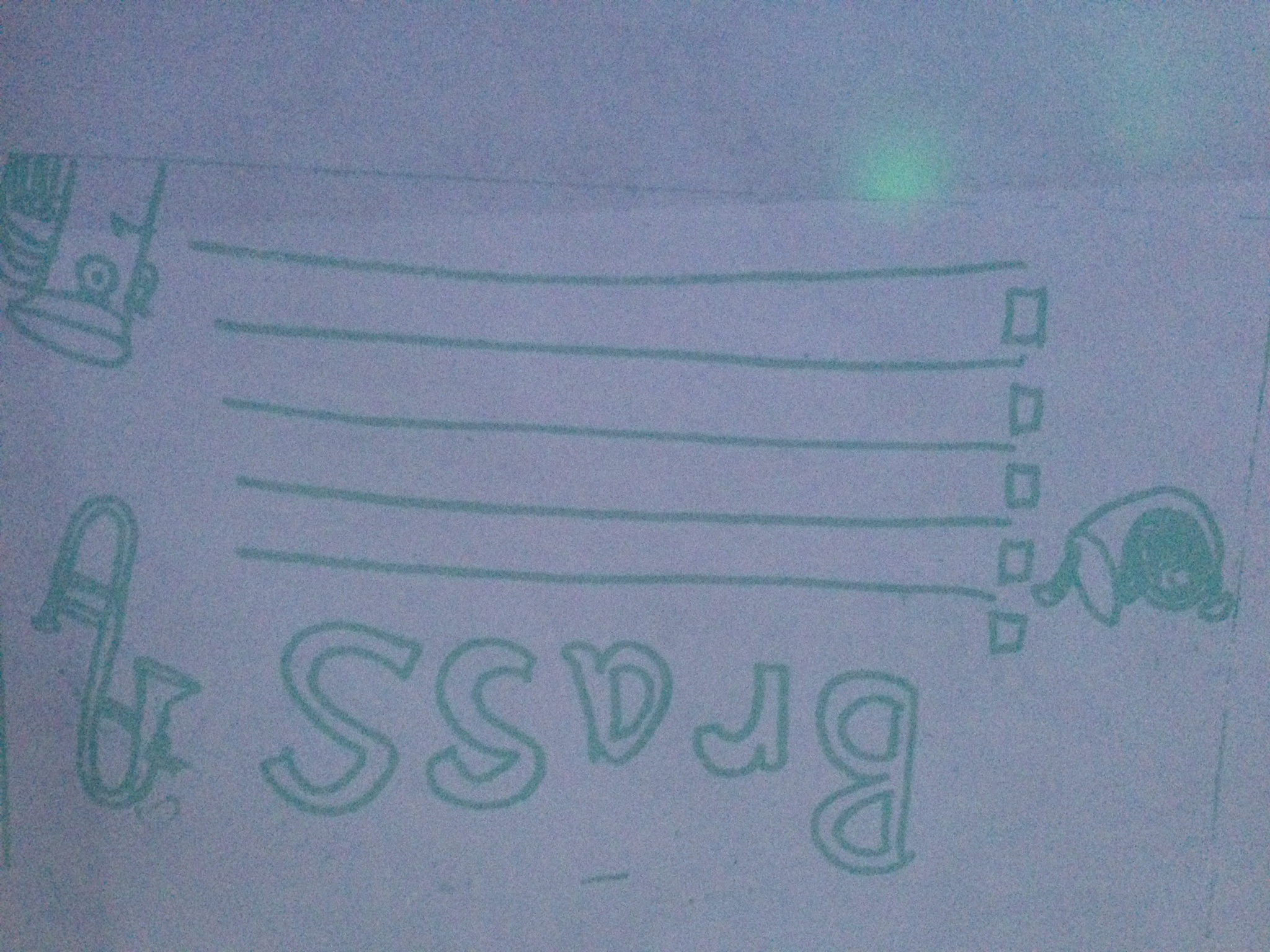
I’ve been sick most of this week with some sort of respiratory plaque that has tried to slowly kill me. I love to draw so today to keep myself busy I drew a cute little coloring notebook you are more than welcome to steal when your classes are learning about instrument families. It is a short little book with 5 lines on each page for each student to write down facts about each family and then color the page before moving to the next family. It would make a nice step by step activity and each student would have a cute book all their own after they are done learning about all of the families. 

I couldn’t find my printer USB cable to scan these in properly so if there is an interest for it I will scan them at school. Leave a comment below if you would like a better quality.

Here are the original drawings:

IMG_0263


Front Page:

IMG_0268Woodwinds:

IMG_0264


Percussion:

IMG_0265


Strings:

IMG_0266


Brass:

IMG_0267


Again, these are jpegs take with my phone, if you are interested in PDFs of the original drawings just comment below. Little books like these are a great interactive lesson for your students that encourages them to listen and teaches basic note taking skills!


Makey Makey Me Some Problem Solving

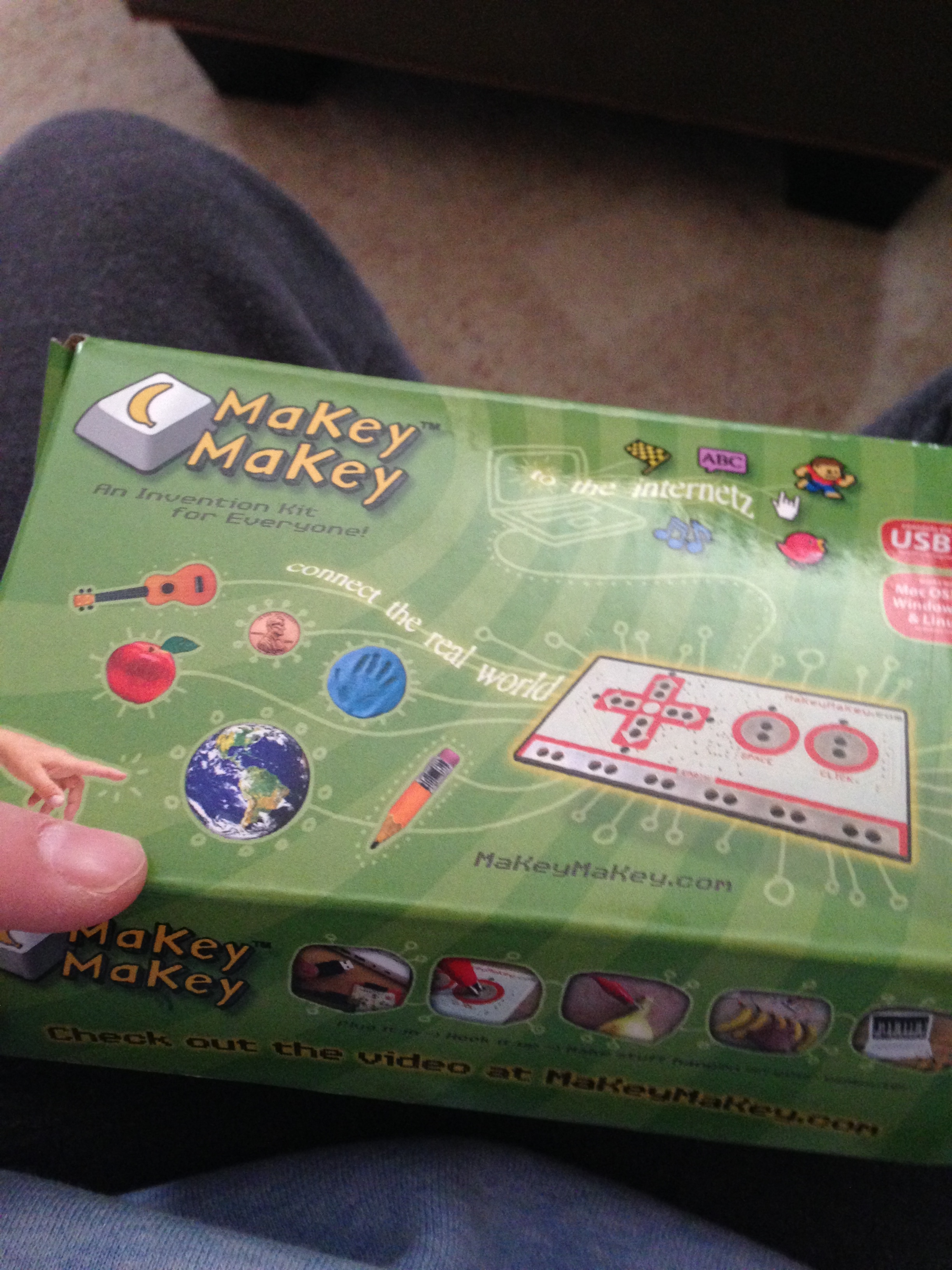
  I hope everyone had a wonderful holiday! Mine is still filled with family, friends, and really cool new toys. One toy I have been in love with is a Makey Makey set my Sister got me for Christmas. I had been looking at this for a long time but came to the conclusion I would never buy it for myself, she got it for me this Christmas. If you are unfamiliar with Makey Makey visit: www.makeymakey.com . 

   The kit is basically is a circuit board programed to act like a game controller. You hook the circuit board using a USB cable to your computer and it acts like an alternative keyboard. Using alligator clips you connect to the board and then electrical conducting materials to the other end. When the circuit is complete you can use the software  Makey Makey has designed on their website to use your new controller with. 

After playing with this sweet toy my geeky side came out and I began to think..this would be a fantastic demonstration for our District STEM Committee! STEM for those who do not know is a newer educational initiative standing for ScienceTechnologyEngineeringMathematics. ( http://www.stemedcoalition.org ) way of integrating all 4 areas into the classroom to promote critical thinking, problem solving, and encourage career paths into those 4 areas (especially with female students.) We have a district committee based entirely on that initiative and helping educators in our district bring more of it into all of our schools. 

A newer initiative that is being petitioned is to turn STEM into STEAM, adding Arts into the mix. Now STEM has been around for a few years, STEAM being captained by the Rhode Island School for Design is trying to prove that the Arts are needed at the center for this STEM initiative to promote the integration of Arts and Design and influence employers that they need to hire artists and designers to drive innovation. ( http://stemtosteam.org )

     Now having been in both worlds of STEM and STEAM (I’m a computer nerd, car junkie, with electrical experience who is a musician who likes to craft and create artwork on the side.) I see both sides to this argument. I know from an Arts standpoint promoting creativity and innovation for our future is a must. STEM will only go so far, its the being able to think outside the box and emotional connections that the Arts teaches will create well rounded children who will go out into the world and will make it better. It will promote careers in areas such as Music Technology, Graphic Design, and so many more new career paths that are created every day. On the other side of it, there has been such a drop in students going into careers in the 4 STEM subjects, especially females. When I was in college working at the computer help desk. I got a good look into the computer science department workings (almost switched majors my freshman year!) and the lack of females was scary, there is a need to promote these careers and the systematic and problem solving thinking they teach. To come up with solutions through a step by step process, to promote how to come up with multiple solutions and test each hypothesis until the correct solution is found, to learn how to be able to research the proper ways. It has a purpose, STEM and the Arts promote to each their own. Now for those of you who are reading and thinking I am on the STEM or STEAM side..I’M ON NEITHER..I have researched both and understand both sides. I am an Arts person so if it came down to it I would be with STEAM, but, I know and understand both reasonings and am just typing this to educate and not champion.

        Now back to those Makey Makeys

Like my whip cream piano? I created that using the Makey Makey kit! I had to find a conductor for the piano program, and whip cream was just one experiment. Then I had to make sure I completed the circuit before I experimented to find out how Jingle Bells worked on it.

So I:

  • Used the scientific process to create an experiment
  • Problem solved when my circuit wasn’t working
  • Designed my whip cream piano
  • Used my creativity to find a unique conductor
  • Put my technology skills to work using the program on the website to create the circuit and use the program.

Perfect STEM or STEAM project right? There can be so many projects out there that can be STEM projects involving the Arts. This simple project involved all of that. What project could you do in class that could be STEM projects integrating the Arts into it?

IMG_1789

Happy Holidays!

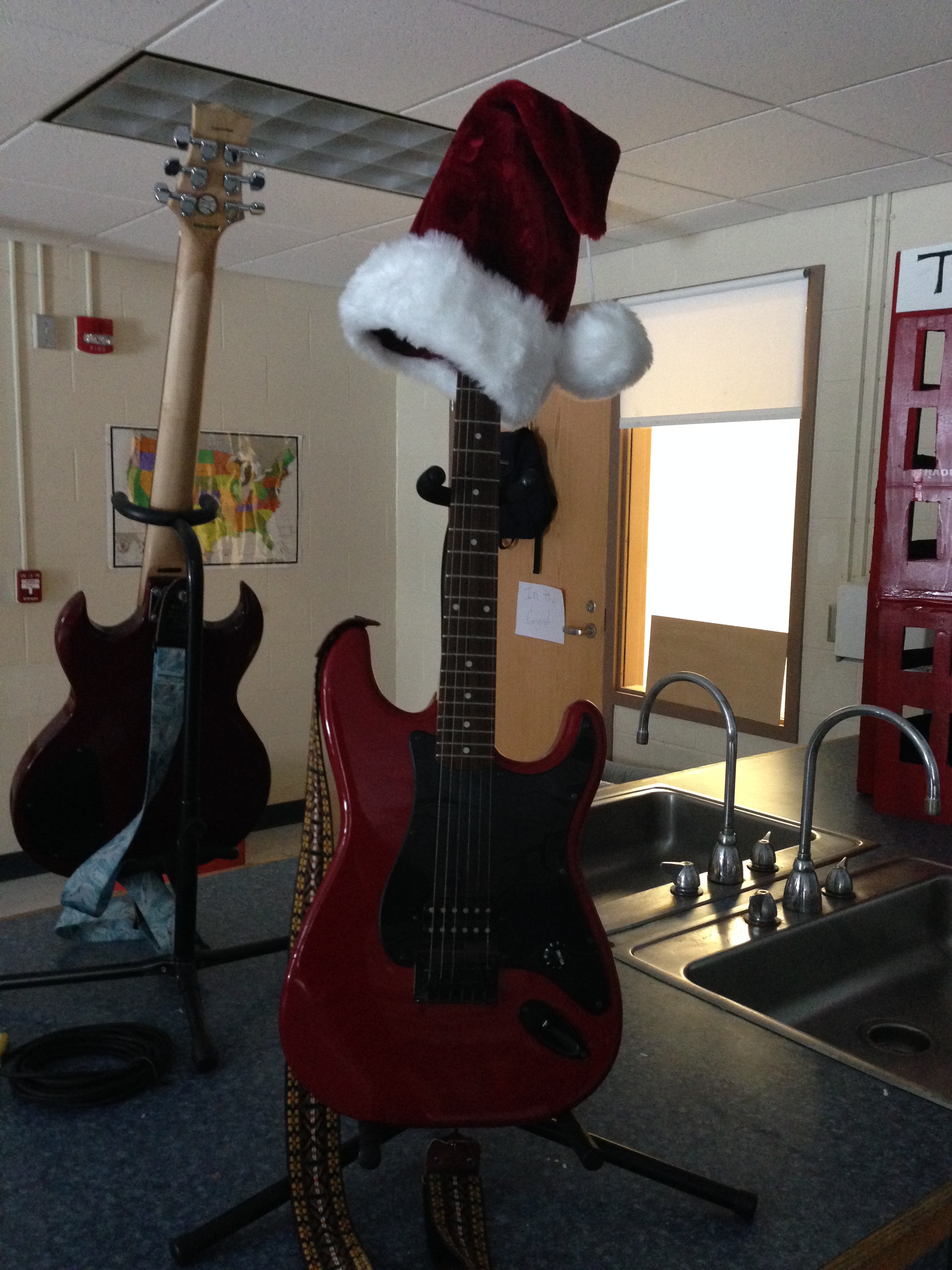
   I’m in full Christmas Spirit swing (probably because it’s Friday and I’ve got my Santa hat on.) I had another post in the works for today but you know what, I can use another week on it and I wanted to give you guys a little holiday fun as a Thank you for reading my weekly ramblings. I have kept this blog for over 2 years now and still am amazed at the stats this produces on a weekly basis when I check in on Fridays. So..Thank you! and Happy Holidays!

  I thought it would be fun to share (or reshare) some resources I have put together or created over the past few years. Here are some of the top looked at posts/tools!

1.) The Essential Centers Kit: Post Here This has been a highly pinned pin on Pinterest (How many times can I fit the word Pin into a sentence?) I work on centers with my 3rd-5th graders and have a kit put together that goes for any center.

2.) Movement Breaks: Playlist Here Over 50 different dance videos on Youtube that are appropriate for K-5. From a 5 minute end of class dance break to an indoor recess lifesaver for a classroom teacher. This list is constantly updated with new material.

3.) Quaver Webquests: Learn More Here Part 2 I think I’m up to about 26. If you’re an avid Quaver user like myself these are a great smaller activity or homework.

4.) Anatomy of a WebQuest: Post Here This randomly showed up on Pinterest (not my doing) and has been shared a lot recently. I what I think about when writing webquests for any website and how anyone can write a killer quest.

5.) Centers: Post 1 Frosty MIOSM Post 2 I post a lot of center ideas, check out some different ideas for your own classroom.

6.) Music Ed Motivation Day: www.musedmot.webs.com What is a better resource than actual PD that is useful? I created Musedmot as a way of PD for any music educator from anywhere on the globe to get creative, connect, and have an excuse to stay in their jammies alllll day.

7.) Polar Express Mix: Playlist Here Sharing my holiday cheer with a playlist I put together from my favorite book/movie.

8.) Pinterest Page: Board Here Want some Cool Classroom ideas? I have a pretty crazy pinterest page going on.

9.) Skype: Post Here I’ve done a lot of Skyping this year, learn the equipment I use and add me on Skype! musiccargirl14

10:) FB Page: www.facebook.com/celticnovelist updated at least once or twice a week with posts, tips, tricks, and everythign you need to be a techy elementary music educator.

                                  Ho Ho Ho! Happy Holidays!santa guitar

It’s the Appiest Time Of The Year

    Like the title? It’s been a very busy week with my face in my lessons and head constantly focused on the work at hand. You can tell it is getting closer to holiday break! All work and no play make me..well you know. I’ve been organizing and getting my iPads cleaned up and getting ready for Texas in February. Here are some new apps I’ve been using in the classroom. Remember, there is always a way to use an app whether it is a one iPad or class set of iPads classroom. Just remember to stay creative and have fun!

Aurasma- Download  An app all about augemented reality. You create a target picture and a video or picture that would overlay when the app is on and pointed at the photo. It is actually a really cool experience and turns something as simple as a word wall into an interactive must have. I printed out my dynamic and tempo words I teach students and made videos of myself playing them on the xylophone and overlaid over each photo. Now when a student uses an iPad with Aurasma and points at the target picture, they can see the video play.  The best part about this whole app is that the overlay picture is a 3D experience. The students get a kick out of it.

Book Creator Free- Download I just started using this app a few weeks ago with some students who do not celebrate holidays. We have a schedule part of each lesson that is dedicated to singing holiday songs a few weeks before our school holiday singalong.  During this time I have a few students who work on books about our music room. They take pictures, label instruments and write tips on how to use them. It has been very cool to see them work on these and they have found it easy and are still learning as the rest of the class are singing the holiday songs for our sing a long.

Piano Mania- Download  Another Joytunes masterpiece. This app dives deeper into beginning piano taking reading music to a new level. Instead of attacking dust pieces with a feather duster they are actually reading notes and rests as they scroll across the screen on the staff. My beginning piano students use this as either a warmup or a cool down during a private lesson. Lately I have caught a few of my students who use iPads as a behavior incentive or just during a free time during the day playing it as well!

Keynote- Download I never know where I am going to be some days. I never know if my older computer is going to work. My holiday song lyrics are in powerpoint form so I always keep an extra copy on my iPad in the Keynote app. I can easily play the lyrics off the iPad using the reflector app or an Apple TV.

      Have any cool new apps to share? Post them in the comments! I’m always looking for more to try out!

Ipads

Music Ed Motivation Day: PD in your PJs

  Call for moderators has gone out! I know it is a little while before we return for our June event but you can never put the word out too early! Visit www.musedmot.webs.com for more information and to sign up!

  Have you ever just thought to yourself: man, I really am not getting as much out of this professional development as I should be. I wish I could just create my own. That is how Music Ed Motivation Day came around. I sat down and said to myself I really wish there was a way to create my own PD where I got something out of every second instead of only bits and pieces. When you want something done right you better do it yourself!..right?

   Using the popular vehicle of social media, this day was created. A day where anyone could be an expert and anyone who wanted to could join in. All you need is a little motivation. Of course we are always going to change and become better with every time. Just like a teacher is ever learning and changing for the better so is musedmot. It is just me behind the scenes, there is not a whole crew. I enlist the help of friends to create this day and A LOT of technology! I have been very grateful for press about this event by many friends and a great mention in an article about myself on page 22 of NAfME’s October issue of Teaching Music Magazine! The word needs to still be spread! Continue telling your friends to join us in June!

     Have a Twitter account, maybe a Facebook? How about access to Google Plus? We spend time on all 3! Make sure you like our Facebook Page for updates about Musedmot events. Our day begins with a whole bunch of Twitter chats following the hashtag #musedmot. Follow the Musedmot Twitter handle @musedmot for more information. Inbetween these Twitter chats we have occasional breaks for Google Plus Hangouts! Add our page to get more info or friend me if you are planning on attending a hangout at our next event this coming June!

      Are you a brave soul who would be willing to moderate a chat or even a hangout? I dare you to try! You never know how much fun you will have and how much you will learn until you try it out. Visit our moderator page on our website to submit a topic and your prefered time slot! (All times are Eastern Standard Time) I LOVE to meet new people who are willing to stand up and lead discussions about various Music Education topics! We are already partnered up with Musical Ear for another event and would love to have another company on board!

    Still not convinced? Try it out, this a come and go as you please event. Come for any topics you like. You do not need to stay the whole day. Many of us do because it becomes just so much fun and we end up walking away from the day motivated to get ready for another year. (Well I pass out on the couch for a few hours afterward but then I get motivated!) Our next big event is June 25th with a new bi monthly #musedmot night Twitter chat starting in August. Visit www.musedmot.webs.com for more information.

     Anyone with questions, comments, or willingness to lend a hand getting the word out and bringing in moderators please leave a comment, contact me on social media, or email cedwinal@plymouth.edu. I would love to hear from you. I want as many people as possible to get involved and get something out of this and will take any help that is offered! Stay tuned to Musedmot social media and this blog for updates as our June event gets closer.

Musedmot graphic

Starting Up and Using a Cloud Based File Storage System

For years I carted around a keychain with usb keys holding all my most coveted documents. The more documents I had, the bigger my collection of usb keys got. Eventually I moved onto a hard drive but even after a while, that became just a place to backup my computer. What I found was online file storage systems. Places like Google Drive, iCloud, and Dropbox came around as fast as I could say the word “file” and you know what happened? I left those usb keys in my desk, took a leap of faith, and never had to carry around another file storage piece of hardware again.

Why did I change?

  • It was easier to float from computer to computer without dealing with “incompatibility issues”. I always hated when I had an important paper to print and could not get the computer to read my key because it wasn’t formatted to that system!
  • I’m a forgetful person, I write lists for pretty much everything and would probably forget my head if it wasn’t attached. I would often forget my usb keys and would have to retrieve them!
  • The room for files increase significantly, many times I would have to transfer a movie or audio clip I edited and could not transfer. The size of my Dropbox is ten times bigger than all of my keys and hard drive combined!
  • Even email couldn’t save me, attachment limits on email systems are evil. It’s sometimes a messy way to transfer files from one person to another. In Dropbox or even Google Drive, I can easily share with another person who is halfway across the world and simultaneously work on the same document at the same time.
  • There are so many ways to use it for your teaching.

I have all of the online storage systems you could imagine. From SkyDrive to Dropbox I’ve got it. Each system allows me to keep different things on it.

iCloud: Mac based system that stores all of your purchased music and movies, and most of your files from programs such as Keynote and Pages. I use iCloud for music and movies, it is so convenient to be walking down the hall with my iPod to go teach a class and downloading the new song I purchased on my computer the night before to my iPod Touch without any wires and no where near my computer.

Google Drive: Part of the Google family of products, I find Google Drive great for collaboration and sharing documents. I can put student work up there and privately share with others or publicly. I’m a sci-fi RPG writer and can collaborate with another writer halfway across the country on a new story or can work with another amazing educator on a presentation or important document without ever being in the same room.

SkyDrive: The Microsoft version of iCloud. Our school acquired this system this year when we switched to Microsoft 365. Each one of our students K-12 received a SkyDrive to store their work and have the ability to access it on any computer. This is great for me when I have them work on something, they can save to their SkyDrives from a netbook and then access later from the computer lab. It can be very helpful especially if collaborating on a project with another teacher. Students can work on documents right in Skydrive as well.

Dropbox: I use Dropbox everywhere for personal files. With the ability to access online through the website, on an iDevice, or downloading the program to your desktop. Dropbox is easy and the least stressful way to keep my files. I keep my greetings for my classes updated on there, projects, articles in progress, pretty much everything. What is perfect about the Dropbox program is that even if I forget to print out or grab a file from school to work on at home. I can access my files from one of my machine while lying on the couch and it automatically updates everywhere as soon as I save it.

So how about those usb keys? the Cloud provides so many new ways for collaboration and flawless storage from one devices to another. It opens up so many more opportunities for you and and your students.

SanDisk_Cruzer_Micro.png

(Photo credit:http://en.wikipedia.org/wiki/USB_flash_drive)


Did you know?

          This blog is now on Facebook? Like our new page today for instant post updates and other helpful technology hints! https://www.facebook.com/Celticnovelist

Web Quest Challenge Week: All New Quests!

  As most teachers know, the week before a planned school break can sometimes be a living nightmare, the kids are excited for a few days off and sometimes you can’t help but to start to feel the same. What I did inorder to not get pulled into the “it’s almost vacation!” vortex was give myself a challenge this week. I wanted to keep my brain moving at least until friday and then come in for the two days of school next week only hoping to have fun.I challenged myself to see how many new webquests I could write and I do have to say..I went a little nuts.. but in a good way. It was a nice creative challenge for my brain. Something I could go into work every morning and spend 15 minutes outlining and then type out during my lunch time. These quests are going to be great new challenges for my students, I can print one out and let students take them for extra credit to continue to discover about music at home! I think my #Webquestchallenge week was a great sucess not only producing some new quests but also a really cute iBook that I made for my iPad with all my new and old Quaver quests!

The following are my 5 days of quest entries, most are Quaver but I have a few others mixed in as well from Music Delta, Incredibox, and SFSKids! (The grade level and lessons beside each Quaver quest are suggested curriculum lessons that the quest might go along with)

Day 1:

Quavermusic.com- Chorus (3rd Grade Lesson 4- Identifying Different Voices)

     A choir is a group of people who get together and sing! No instruments other than their voices. Did you know there are 4 different types of voices in a choir? Soprano, Alto, Tenor, Bass. Follow the steps to discover whom a choir is all about!

1.  Head into the shop, but do not worry! You are not there to purchase anything, click on the Jukebox near the guitars in the window and try to find a song that has more than one person singing in it! Do their voices sound the same or different?

2. Madrigals were written hundreds of years ago in the Renaissance and early Baroque time periods and were written to be sung without any instruments, just the singers! They had many voices singing different parts all at the same time! Head to the Phonebox and travel to the Madrigal time period to read the book and answer the questions!

3. Usually choirs sing in more than one part but at the same time. Do you know that we can call that a chord? Head to the Ear IQ carnival in the lab to test your listening skills in the chord game! Try to listen to each individual voice!

4. Now here is your big challenge! I need you to head to QComposer on the stage in the Studio. Using the Chord Builder, build me a C to F to G to C chord progression and then listen to your creation and try to hear each note as it is played. After, try to find and place a C to F to G to C phrase in the bass line to add your 4th voice!

Day 2-

Incredibox.com- Loops/ Vocal Ostinatos

  An ostinato is a short repeated pattern! Can you make your own using Incredibox? Follow the steps below to layer voice ostinatos together and create one rocking tune!

  1. Choose one loop from each section and put it together. Try muting a few or soloing one. Can you hear each voice?
  2. Now mix it up! Take out at least 3 of your guys and put in 3 new ones of your choosing! Do you like how it fits together? If not what do you need to change?
  3. Press the record button towards the top left of the screen and record it at least halfway through. After, press share and share your creation with your teacher!

Quavermusic.com Dynamics- (5th lesson 15, 3rd lesson 18, 1st lesson 25)

  Dynamics make a piece of music more interesting by allowing it to get LOUD and soft at different times. It adds a little spice to turn in a simple melody into a killer tune! What do you know about Dynamics? Follow the steps around the Quaver world to test your skills!

  1. Did you know that the Italian clavichord and harpsichord maker Bartolomeo Cristofori created what we know now as the piano in order to give musicians an instrument to better play loud and soft on? He opened the world of dynamics up to many musicians! Travel back to his time on the Phonebox and read the book and answer the questions to find out more!
  2. Next, head to the Jukebox in the Shop and click on the Shop episode songs. Listen to the Use Dynamics track and sing along to learn more about why we use dynamics!
  3. Here is the test, go to the QComposer on the stage in the studio and get out your composing brain! Using only the treble clef line, create a 4 measure melody where the dynamics change 2 times! Try for one loud dynamic marking and one soft. You can change dynamics by clicking the dynamic button on the bottom left and choosing your dynamic, then clicking where you want the level to change in your melody!

Day 3:

  QuaverMusic.com ( 3rd lesson 8, 2nd lesson 13, 1st lesson 16)  Melodic Contour.

   Many times, a melody flows smooth up and down the staff like a river. Sometimes it goes way up and sometimes it goes way down. Float down the river of directions below to lean about how a melody flows.

  1. We call how a melody moves up and down the staff a melodic contour. Head to the painting easel called Songbrush in the Shop and practice making lines that flow up and down across the staff. Listen to them and hear how the notes go up and down!
  2. You will need a piece of paper and a pencil for this one. Now head to the Jukebox and double click the Classical music in the menu. Choose a song and write the title at the top of the page. Now listen to that song and try to draw a line like you did in Songbrush on the page. Play the song again after you are done and trace the line with your finger. Do you think you followed it?
  3. Here’s your turn to make your own melody that goes up and down like a river on the staff. Head to QComposer and using just the treble clef line create a 5 measure melody using only quarter notes that looks smooth with no big jumps. Save it and play it after for a friend after to see if they can follow along.

    SFSkids.com Composing and Creating

      It’s your turn to be a future famous composer like Bach or Beethoven! Follow the steps to learn how to create a melody yourself.

  1. Head to the Music lab first, you will stay in the lab for this whole quest! Click on The Basics and take notes about different parts of making music. You will need this knowledge for later.
  2. Head to Symbols and practice dragging and dropping different symbols in each area of the melody and pressing play. How do they sounds? What makes each one different? Do they add their own little spice to the melody?
  3. Now you need to visit the Composerizer last to try your luck at creating a beautiful piece of music!

  Music Delta- Beatles

  The Beatles were a very famous pop band that changed pop music forever when they arrived in the US! Follow the steps to learn more about the band from England that changed music.

  1. Click on the History menu at the top of the screen and select Popular. Now on the left click Beatles and read the article right on that page to learn more about their history. Was there anything unique about them? Any funny things that stood out to you?
  2. Now select the Help video from the featured video links to the right and watch the Beatles in action. What makes their performance different than what you see today.
  3. Now up at the top hit the Planet link to be taken to Music Delta Planet and select the England group toward the top left of the globe. Walk your character to the building John Lennon is standing in front of. Let Lennon introduce himself before you enter the building and start playing with the Beatles on the stage. Place them where ever you would like and click play. Experiment with moving them, what

Day 4-

Quaver Music- Tempo (4th lesson 17, 1st lessons 22-24, K lessons 25-27)

      Tempo can be so tricky! Some times a song might go slow, and sometimes it might go fast! Just like a racecar! Let’s discover how to find tempos as we travel around Quavermusic.com. 

  1. You need to turn on your listening ears for this one! Head to the Jukebox in the Shop and find one song that is presto (fast) and one song that is largo (slow.) Write down your findings to share in class!
  2. Did you know that when music first started having different tempos how fast you could go was because of the genre of music you were playing? Head to the Metro and find two different stops that have two different types of tempo. Find a stop that has mostly fast music and one that has mostly slow music.
  3. Now your challenge is to head to QBackbeat in the Studio and create a beat at either Largo, Presto, or Moderato. After click Play-along track and select a track at the same tempo. Do both of the tracks fit together?

Quavermusic- Phrase ( 2nd lesson 14)

       A musical phrase is like a sentence, it has a beginning, middle and an end. You can hear when it starts and when it ends but sometimes it can be a challenge. Lets start turning on our listening ears and find those phrases in the music.

  1. Head to the Metro and travel to the Classical stop. Click the menu and click music. Select the Aquarium from the Carnival of the Animals and try to count how many different phrases you hear in the music.
  2. As we have already said, phrases are like sentences. Go to QSkits in the Shop and come up with a skit that only has 5 different sentences. Sometimes in music it does not have many phrases but still says a lot! Make sure your skit says a lot without really saying many different things.
  3. In QComposer in the Studio click the melody maker and choose 3 different melodies/phrase and place them how you would like in the staff. Can you hear where  each melody starts and ends?

Day 5-

 Quavermusic – Intonation (1st lesson 15, K lessons 10-12)

          Intonation means how accurate you are singing a pitch kind of like hitting a target with an arrow. It takes practice and not everyone can do it! I know you’ll be able to do it. Follow the steps to practice your accuracy.

  1. How smart your ears are is a big deal with intonation! Travel to the Lab and click on the EarIQ carnival. Practice the Pitch and Interval games to train your ears!
  2. Now it’s time to practice your accuracy, what is better than a little target practice? Head to the music room and play QSplat in the arcade!
  3. Time to compose and sing! Prance over to the Studio and head to QComposer. Using only the treble clef create a 2-measure melody practicing how to sing the notes as you place each one. After hit the play button and practice how to sing it!

Quavermusic- Theme and Variation

          Every song has a theme or a specific melody; sometimes that theme is changed to create a variation on that melody! There can be one theme but more than one variation. Explore Quaver using the step below to find out more!

  1. Dance on over to Songbrush on the Shop to create a masterpiece! This is your theme, play it and then change it just a little bit, listen to your first variation and then change it again. How do your variations sound compared to your theme?
  2. Now to head to the Jukebox in the Shop and double click the Shop Episode songs in the menu, listen to the B Section Baby song! Did you know the B section in a song is like the variation and the chorus of a song is the theme!
  3. Here’s the test, go to QComposer on the stage in the Studio, use only the treble clef line and place four quarter notes in the first measure. Now take those 4 quarter notes and figure out what the note names are those are the only four note names you can use now! In the second measure take those same four notes and change them up, then do the same in the third. After, copy your first measure in the fourth measure. Listen to your creation! Do you hear the theme in measures in one and four and the variations in measures two and three?

I created a book..  after all of this quest writing this week I went a little further with my Quaver quests and used iBooks Author to create an iBook with all 26 of my Quaver quests I have written. With 90% of the quests now are suggested lessons in the curriculum that the quest might be a nice homework or extra credit assignment for. They also might be fun for a full class of younger students to do together as a nice before vacation activity.

bookphoto

Proud of my little book!

  I created the book as a way to keep all my quests all in one little place and have no plans to hit the publish button myself or share the full book online in a public place. If you are interested in a copy you can email me at dwinalc@yahoo.com and I would be more than happy to share it privately with you!


How to Quest: A Video Walkthrough

  Now that my switch to school #2 is starting to calm down. I can start to focus on how I am going to change-up and improve the rest of the year hoping to continue the good streak that I am on! I sat down and went through my curriculum trying to align it with the Quaver curric that I am using and acquired a few ideas. I’m trying to get better about posting how-to videos and walkthroughs. I’m not the greatest at recording myself but hopefully it will change with practice!

  Posted is a video I  created using Quicktime Player (my apologies for the audio troubles in the beginning, this is the first time I’ve used the Quicktime Player recording feature) showing you how I walk through a Quavermusic.com webquest with the kids. I started writing these a few years ago and write new ones occasionally. After trying out the free items Quaver had to offer I just had to get more and now I have the whole family of programs and enjoy every minute. So try out this brand new quest created just for this post, I guarantee you’re going to love it so much you’ll be hooked on Quaver for good.

Patriotic songs:

What does the word patriotic mean to you? The meaning of the word is: for the love of one’s country. Patriotic songs were written just for that purpose, to celebrate our country. We have many patriotic songs about America but how many do you know? A lot of them were written many years ago and some have started to be sadly forgotten. Follow the steps below to discover more about the tunes we use to celebrate the United States of America.

1.) Francis Scott Key wrote the words to our national anthem The Star Spangled Banner. He wrote them right after he watched a battle during the War of 1812 take place. I want you to travel back to his time in the Phonebox and click menu. Select the music player and click the Audio Drama. Now close your eyes and put yourself in Mr. Key’s shoes, does his inspiration inspire you?

2.) We consider a lot of our patriotic tunes to be marches. John Philip Sousa was considered the king of marches. Go to his stop in the Phonebox to listen to one of his most famous pieces Stars and Stripes Forever. What do you think the title means? What can you picture in your head as this song plays?

3.) Now it’s your turn to be like Sousa and Key. Go back to Francis Scott Key’s time in the Phonebox and go back to that music player. Choose Yankee Doodle and listen to the tune, can you write some words to go along with the melody of Yankee Doodle? Write it down on a nearby piece of paper and try to perform it!

Are you teaching patriotic songs in your classes? How do you teach them? Are their ways you could see yourself using this quest for your lessons?

Playing with an Apple TV

  So I am pretty excited, I have moved to school number 2 for the next quarter and have found time to actually start playing with some really cool new tech tools to use in the classroom! I cannot wait to start using them and I am very sure I will be blogging about them soon!

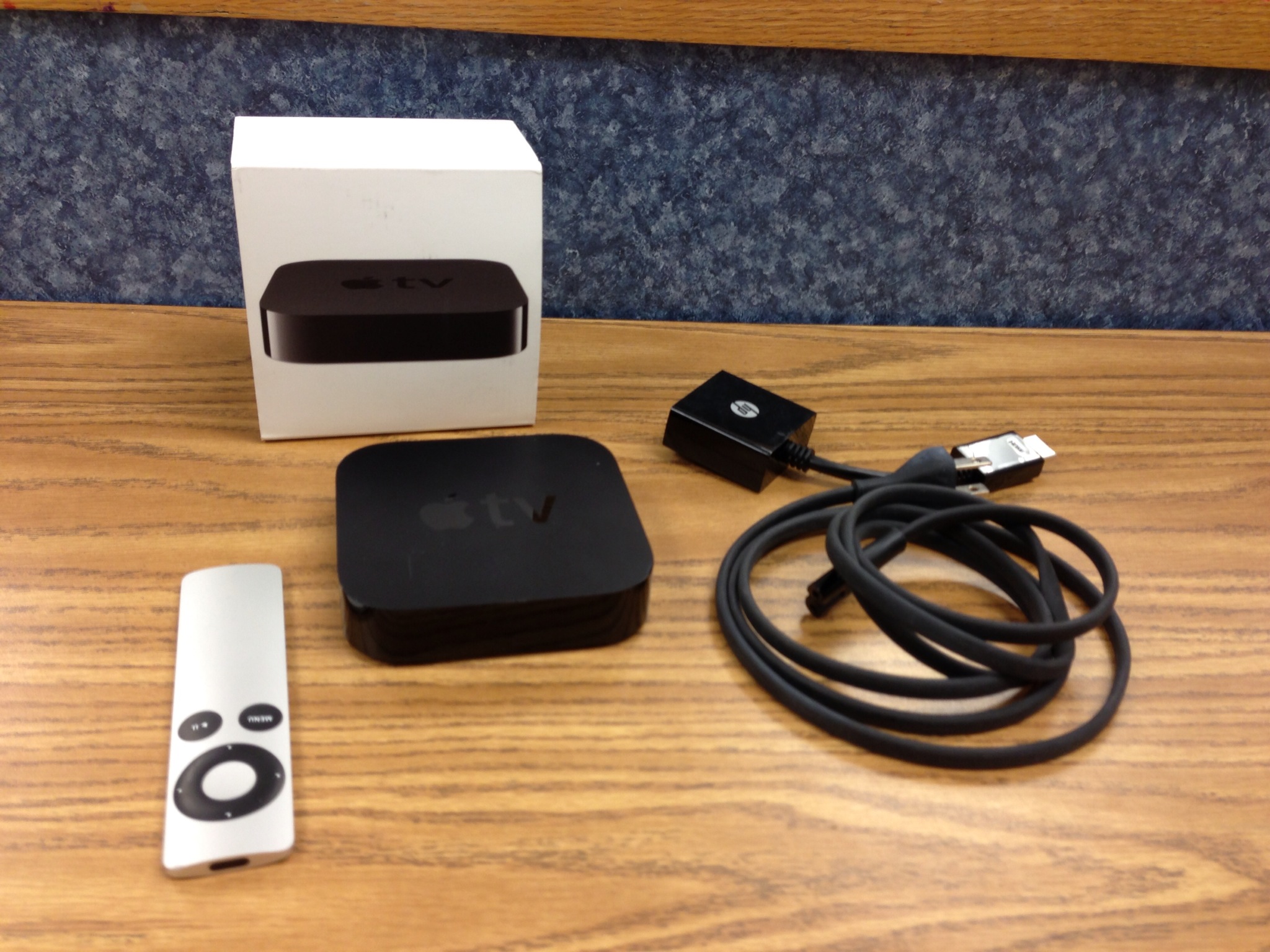
Last week I composed a blog about using Bluetooth as a way of sending music to an output devices as a way to use your device and move around and not have to stay connected to a cable at the front of the room. This week I wanted to show you how I use my Apple TV for the same purpose but instead of sending music I send visuals from my iPad that can be projected to the screen so the whole class can see. You can use new apps like Reflector to do the same sort of thing but I rely on my Apple TV because it is easy for me to connect and reliable with my wireless network set up at my school.

IMG_0005

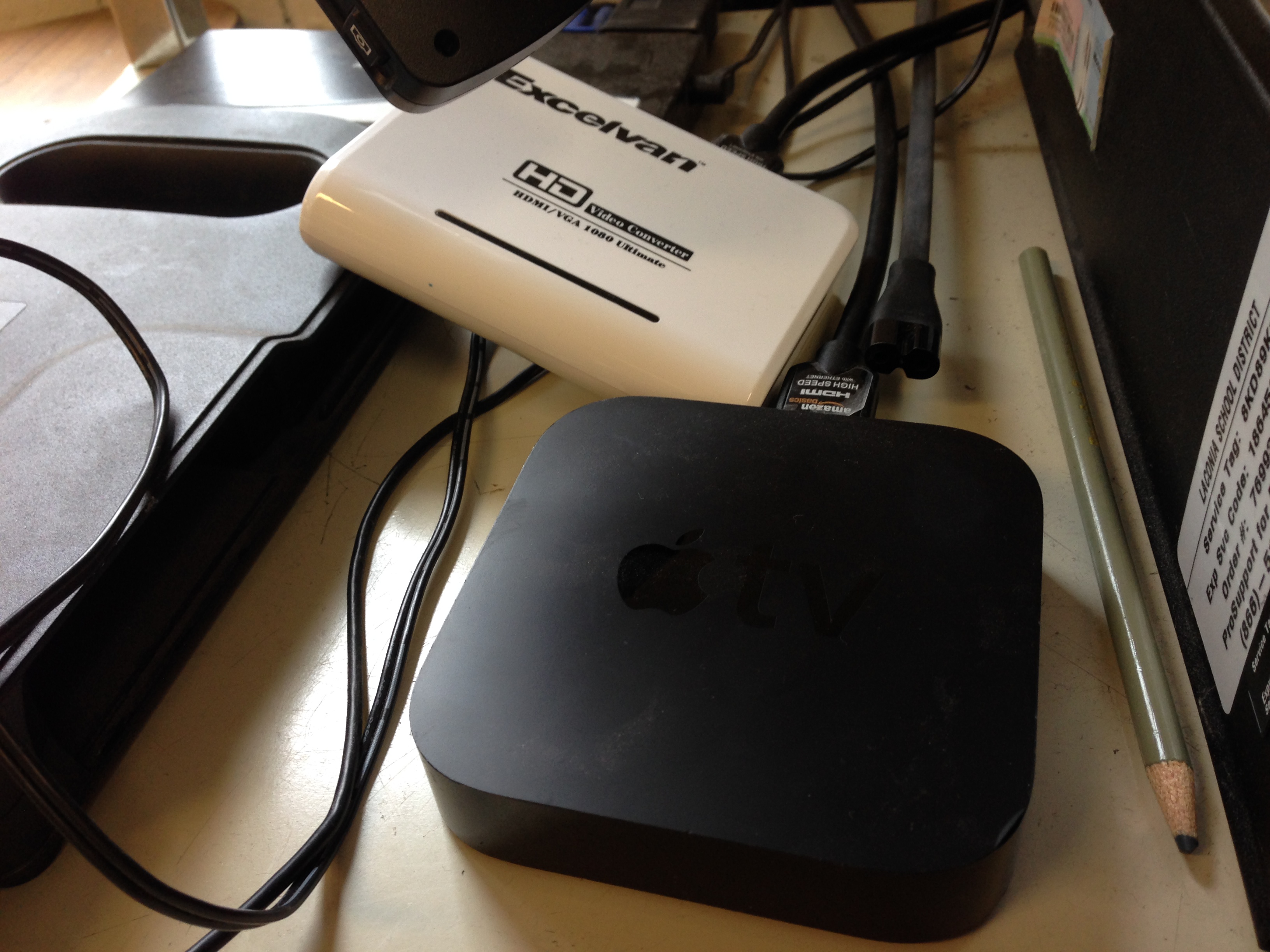
To set up your TV at school you first need to figure out, Do I have a projector that has an HDMI setup? Do I have a projector that has a VGA setup? Or am I using a TV? I have a VGA projector so I need a video converter box I bought off Amazon for about $30. This box allows my video and audio to be converted so it can play on my VGA projector.

Copy of ATV

Into that box I need to plug in the HDMI cable from the Apple TV, the power cord, the VGA cable to the projector, and the audio jack from the back of the computer. Once those are plugged in and the power cable to the Apple TV is plugged in the TV should turn on and be visible on your projector screen. After you are connected using the remote you can navigate the screen to connect your Apple ID so you can play your music, connect your Youtube ID to play your playlists, and my favorite, you can mirror your iPad to the screen using Airplay. There are two ways to turn on Airplay depending on the iOS you have running on your device;

iOS6 or earlier: Double click the home button and swipe all the way to the right to get to the Airplay menu. Touch the Airplay button and select the device you want to connect to. After hit the toggle switch to turn on mirroring and your iPad should then be visible on the screen.

iOS7 or later: Swipe using 1 finger from the bottom of your device up to reveal the tool menu. Right next to the button that is labeled “AirDrop” should be the Airplay button. Hit that button and select the device you would like to connect to  and do not forget to turn on the toggle button to turn mirroring on. After your iPad should be visible on the projector.

photo 1

photo 2

After you have connected your iPad you can now walk around the classroom and show your students exactly what you are doing on the iPad. This is great especially for classroom management. I can be teaching from the floor next to some of my favorite students and not have to stop class to keep my favorite students focused. It is also great for 1 iPad classrooms! All of the students can see and share the one using it sort of like a Smartboard Slate.

I use this tool a lot when teaching from my iPad, my students love to use Toca Boca Band, Garageband, Dolce Music Flashcards and I have all kinds of instrument apps we can use together.

This tool helps me replace a Smartboard. I do not have one in my classroom so my Apple TV is a cheaper solution!

  Do you have an Apple TV? How do you use it with your students?