Mozilla’s Open Badges

I recently spend time at NHCMTC or the New Hampshire Christa McAullife Technology Conference where I not only had a great first conference presentation ever but also attended some great sessions. One was from a friend of mine, John Martin who is a video game design curriculum guru. For the presentation I attended he talked about Mozilla’s Open Badges program . It is an incentive program for students giving badges for achievements instead of grades just like in the Scouts program.

I really loved this idea especially for music class. Listening to some success stories in the room this program not only works for high achieving students but also for misbehaving students as well. Grades are starting to really become meaningless to a lot of students, a letter or number on a report card isn’t as interesting as a colorful badge they can get in class for doing good work or achieving above and beyond the call of duty and show it off to everyone through the use of the Open Badge Backpack

Imagining the possibilities in the music classroom with this program got me really excited. I have lots of student who not only could use more attention because they love music and want to do more but also for those students who have behavior troubles and need a little extra attention with helping to make better choices. Students could work on badges for mastery of such subjects as basic theory, song composition, recorder black belt status, recording room master, or audio editing genius. Behavior students could work on badges for a certain amount of good work completed, participating, being a good example in class for a whole week, and much more.

There are a few programs out there that teach you how this program works and how to create badges yourself like P2PU Challenge and for those who want a management system to keep track of all your students that work with badges you can check out For All Badges 

I’ll be taking the P2PU challenge when my workload dies down and hope to try this out beginning next year on at least a small group of students, if you are interested in trying this out with me let me know or stay tuned to this blog for more!

Badgemockup

TO THE PHONEBOX! : Challenge accepted, Challenge completed.

This is a story about two cardboard boxes and a woman who went without social media for two weeks. What happened, you ask? A marathon crafting session of epic proportions…

It was a regular Friday afternoon. I had gone without social media for several days now and had checked a lot of work off my to do list deciding it was time to give my brain a nice long break. When I give my brain a break though it usually entails doing a mindless yet productive activity to keep my hands busy. I love to build with my hands, crafting, woodworking, gardening, automotive and electrical work, it makes me happier than a computer ever would. I even have a few years of experience working as in an electrical supply store lighting showroom maintenance and sales person fixing ceiling fans, selling and maintaining light fixtures, etc.  Well, My students had recently issued a dare to me knowing I was at least going to ponder it..it went past the pondering stage and into reality and I’m going to show you how I did it:

That’s right, BOOM CHICA BOOM a Quaver Music Shop Phone Box. I made this one from scratch! Here’s what you need to make one yourself:

-Two large moving boxes from Lowe’s

-Lots of duct tape

-Lots of pictures of composers and a control unit for ultimate time travel.

-A box cutter

-Spray paint

-Construction paper

-4 Foam core boards with the word “Telephone” painted on one side.

-aandd I know this is gonna be hard but grab that lasso and go get yourself a mighty fine black hole to harness it’s awesome time travel power. I’ve got 8!

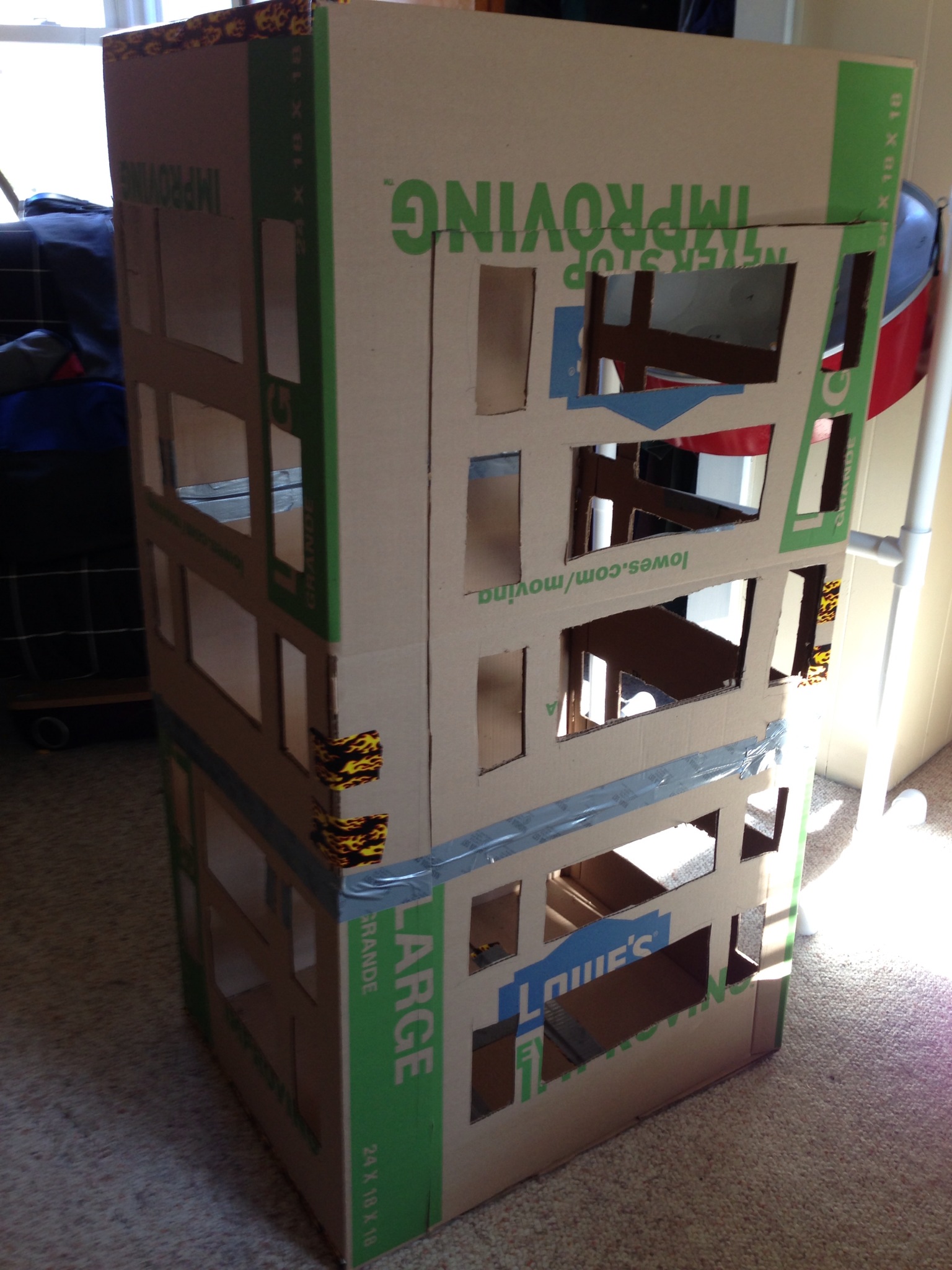
First what you have to do is to duct tape those two boxes together to make your shell.

Make sure to cut a door so you can get in and out of it. BE CAREFUL, one wrong move and you are caught in that box like a mouse in a mouse trap.

Help!I’m stuck!

    Next is the windows, a real phone box has that pattern of windows on three of the sides including the side with the door. My box has 5 rows of windows on each side with a window pattern of small-big-small on each level.

      I used a regular box cutter to cut out each window after I measured them all out. Be VERY careful when using the box cutter though, especially if you’re accident prone!:

PacMan Kisses Make it all Better

      NEXT we inhale some spray paint, JUST kidding..well just don’t sit inside that thing without a respirator..I made that mistake and am still sneezing black! I had 3 cans of red for the outside to get a nice glossy red coat and 1 can of black covered the inside nicely. Do it outside and make sure to wear icky clothes..and a respirator..yup DON’T FORGET THE RESPIRATOR! 

      After I let the box dry for at least a few hours, I grabbed those 4 foam core boards that had Telephone painted on them and glued them around the top outside of the box and clamped them gently so they would not fall.

As those were drying I chose to cut plastic wrap out and glued it to the inside creating that window effect. (You do not have to do this part it will look pretty similar without it.)

   When everything is dry it is time to lasso those black holes and paste them to your ceiling in order to create and cool effect when the students look up so they feel like they are traveling back in time with Quaver. I also lined the border of the pictures with black construction paper to give a neater appearance. After the ceiling is done crawl right in there and start glueing your favorite composers to the back in a nice display. I found all of my pictures here: Composer coloring sheets (I also lined these pictures with black construction paper to give a neater appearance)

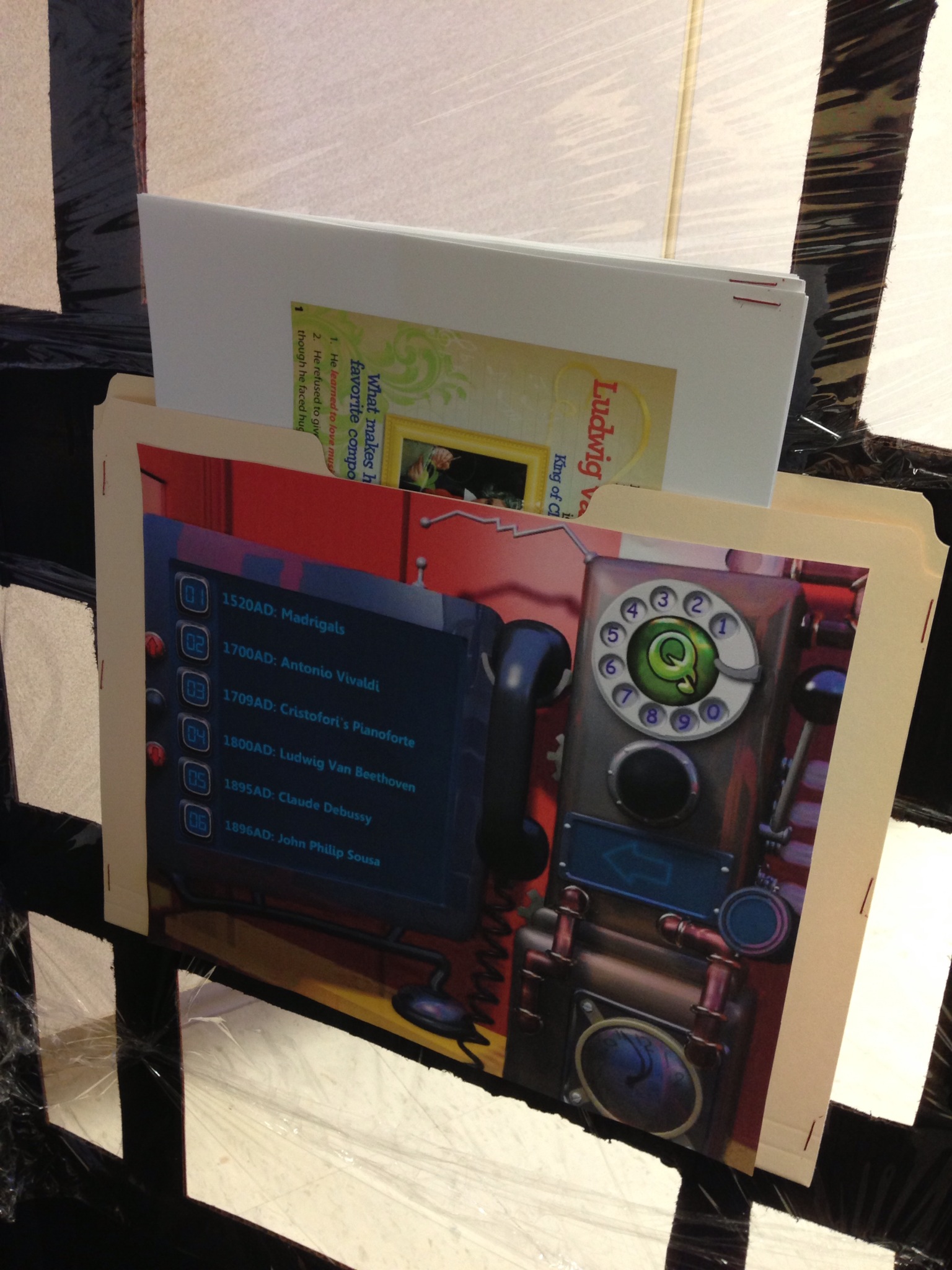
      NOW you’re almost there! I took a screen grab (you can draw your own) of the controls in the phone box on the website which I pasted to a manila folder and duct taped to the inside of the box. In the folder I personally printed out packets of information on the different composers and some things about madrigals. You can put anything in there you wish students to discover.

BOOM CHICA BOOM! YOU ARE DONE!

 *WARNING*

Strange students/sisters might “accidentally” get stuck in there.The eject to the 1500s button is located on the roof OR put it out of reach until you want to have it used.

Happy Crafting!

NHCMTC “Music Tech Made Simple” Presentation.

   It’s only a few days away and I’ve spent weeks going over what I want to do and say. It all goes down at 10:30am est on Tuesday 11/27. Below is the link to my powerpoint and handout for my very FIRST conference presentation all by myself at NHSTE’s Christa McAuliffe Technology Conference. I plan on going through technology found in the normal classroom and showing how it can be used in the music classroom setting giving examples, resources, and suggested activities for most of it. I hope to demonstrate the most important resources from my favorite MPLN heroes and promote the best PLN in the world giving who ever is in my audience a better look on how the music classroom is changing with the help of technology. 

Conference Presentations

     Hopefully I’ve got plenty of caffeine (I’ll gladly accept more!), a friendly and revved up audience, and possibly a few MPLNers cheering me on! I’m so nervous!! 

 Any comments with tips and advice would be great appreciated!

Rhythm Spies

I know I didn’t post on Friday, I’m trying to be strong and not use social media until the Sunday after Thanksgiving just to see if I can do it (So don’t suck me back in! I’m weak!) Feel free to promote this on twitter or facebook if you find this. If you have my email I’m still allowing myself to use that! hehe.  This is a cute activity I’ve been doing with my students as a right before break activity.

Rhythm Code:

  • When students walk into the room have a secret code written on the board and say you will take 5 guesses as soon as you are done attendance. Let them guess anything but don’t give away any answers until the 5 hands have been done.
  • My code looked like this: 

  • I recieved guesses all over the board on this one. From Turkey to dominoes to a beat it was pretty funny. When I got my 5 hands it was then I revealed that the code on the board was “Tah” “TeeTee” “Rest” “Tah”. It was then I got a bunch of “Ms. Dwinal! You’re a good spy!”  To which I replied “Now it’s your turn”
  • The key for building these rhythms is as follows:

                                       No Dots= A Quarter Rest (Whisper ‘rest’ or say nothing) / One Dot= A Quarter Note (Tah) / Two Dots= Two Eighth Notes (TeeTee) / Four Dots= Four Sixteenth Notes (TicaTica)

  • Now, hand out a piece of blank paper and a pencil to each student. Have them fold the paper into 4 sections and then unfold it. They will then draw 4 boxes like above in each of those sections and then using the key they will write a secret rhythm code in each of those 4 sections.
  • When everyone is complete students will then make their way around the room asking 2-3 people per rhythm to “decode” it by saying the rhythm out loud with all the correct “Tahs” and” Tee Tees”  When someone gets one of their rhythms right they write their name down in that section of the paper. The students can ask 1 person up to two rhythms on their paper before finding another classmate to ask.
  • When everyone is done their papers should look a lot like my example:

Rhythm Spies Example

         The kids get a kick out of trying to write their own “code” and pretending to be spies. They are also practicing their rhythm reading as well! You can use any rhythm counting system you have with this.

Understanding What a Measure is Using Blooms Taxonomy

Today during out district PD day I ended up in a workshop with other elementary specialists on using Blooms taxonomy and special questioning techniques more in our lessons. It was very interesting to look at some of these techniques that I normally don’t think about when lesson planning and try to apply it to what I do in the music classroom. In our Blooms Taxonomy session we thought up a concept in our content area and went through each step one at a time while coming up with activities and key questions to use in our classroom that applied to each area of Blooms Taxonomy. My colleague was all over this activity which got me excited and the both of us created the following for understanding all about measures using the steps of Blooms Taxonomy:

All About Measures

Remembering:   

Activities- Questioning and Discussions

Key Questions- What is a measure? Where does it start and end?

Can you point out where the measure starts and ends?

How many beats are in the measures in front of you?

Understanding: 

Activities: Explaining and Interpreting

Key Questions: Can you count the measures in front of you? How did you get that number?

Applying:   

Activities: Label the first 32 measures of the song in front of you, perform or find an 8 measure song, Compose an 8 measure song

Key Questions: How did you label the measures? How do you identify a measure?

Analyzing:  

Activities: Analyze measures in different meters

Key Questions: How many beats make it up? Can you break it down by note or rest? If we have a song that is 16 measures and each measure has 3 beats, how many beats are in the song total?

Evaluating:    

Activities: Give students a piece of music without a meter and have them identify the meter, give students a worksheet and have them divide beats into measures of 2, 3 and 4.

Key Questions: How would you figure out what meter a piece of music is in?

Creating: 

Activities: Play or compose a short song in a meter of ___(2/4,3/4,4/4)

Key Questions: Can you compose a piece of music in the following meter? How many ways can you create a measure in the following meter?


                  What concepts would you use the steps of Blooms Taxonomy for to come up with lessons and questions?

The End Result

A couple of weeks ago I posted about an upcoming project my students were going to be working on as a cumulative assessment to end their quarter: Silly Rap Rhythms with Quaver. Now that the quarter has ended, the projects are graded, and I have piles of great work and a whole library of new recordings. I chose some of the best worksheets and recordings to share. The student work in this post is from 3rd-5th graders!

Lyrics and rhythm worksheets:

Pie Rocks

Drums Go

Ipods Like Ice Cream

Pancakes

Recordings on Sound Cloud:

Christmas

Drums Go

My Dog Has Fleas

M&M

Chocolate is Good

Music is Our Life

Harry Larry

Lemonade Stand

Diamonds

Muppets

Ice Cream

My wonderful students created these songs from the ground up. I usually focus on the basics of creating rhythms during the first quarter I see them and this was a perfect wrap up for everything. They created the lyrics, they composed the rhythms (We used dot notation as explained in the Quaver Music Rhythm episode), and then they logged into www.quavermusic.com and created a background song for their recording in QGrooves creative using Quaver Music’s new rap loops. After ALL of that they learned how to work a mic and run a recording app on the iPad and recorded on their own in the recording studio.

 It took a while to complete all of this but it was a great time for independent learning and discovery for my students and also great one on one instruction time. The project received wonderful reviews from my students and I can’t wait to do it again at school #2 this quarter!

Why I Put a Recording Space in My Classroom

Some people think of me as crazy (well..most people do), I like to consider it “out of the box thinking”. One recent “crazy” improvement to my classroom has been a recording space for my students.

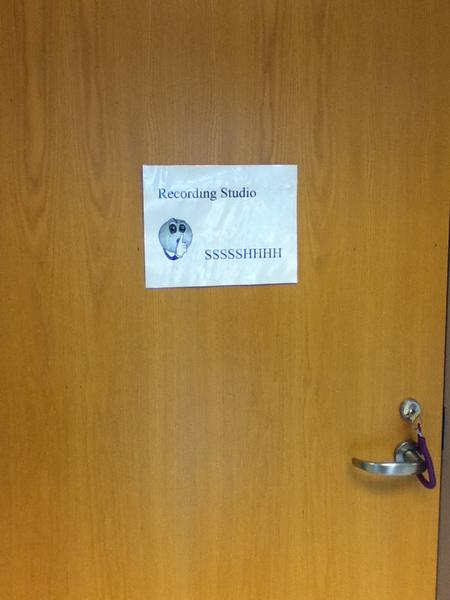
I set this space up for my students to work on their new and improved rhythm projects. It was a space of pure and utter mystery while it remained locked during the beginning stages of their projects ( I just put the sign on the door and hadn’t done anything yet! hehe)

Thinking about durability because of my younger students I kept set up simple. A few chairs, a music stand, a mic stand, an IRig Mic and an Ipad2 with the Wavepad app downloaded to it.

I know it is a closet, but it was perfect to have small groups go in to, to record. The space was small, quiet, and away from normal traffic where they could record quietly. Before students were even allowed to sign up they had to ask themselves the question “Am I ready?” Ready meant:

  •             I have practiced
  •             I have completed the requirements to be ready to record.
  •             I am in control, focused, and ready to record at this very second.

Once they could say yes to all 3 of the above I began to call them in by group going down the signup list one by one. They had to bring in all of their required materials, I showed them how to record, then I let them know to exit as soon as they were finished so we could know the next group could enter. As with any class, some students were faster than others and some were caught red handed goofing off. I didn’t send them in there without rules and procedures to follow though. Posted on the wall were rules made up by each class which usually were centered around:

  • Do not touch the things on the shelves
  • Do not touch the microphone
  • Use the Ipad with respect
  • Work Together
  • Stay QUIET in and out of the studio except for when performing!

The Wavepad app was the easiest way of recording I could find. I showed my students how to use it, asked each group to label their songs with all of the first names of their groups (I can tell who is with who) and after that it was Red Record Button–>Stop Button–>File–>Save. After that they were done and could exit the room!

So why did I give my students this new place? It not only promotes excitement towards doing their best on the projects in order to have a good recording. It also; let’s them feel more trusted and independent in class, gets them using technology gaining skills for later on in life, gives them insight to what some of their favorite music artists go through when making a song,  and is an exciting experience they might remember for the better part of their school career.

5 Fun and Useful Ipad Apps

 It’s been a busy week with a lot on my plate, when my brain has gone numb I look to my iPad to play around and recharge. Here are 5 apps that caught my eye this week!

My Story:Bookmaker for Kids– This app by High Def. Web Solutions is a fantastic app to create quick and easy Ibooks with kids. You can have them write simple sentences, design pictures for each page, take photos, and even record voices. The books can be exported to Ibooks after or emailed to show off wonderful student work!

Splashtop IWB– Another fantastic app from the makers of Splashtop. This app remote desktops into your teaching machine using your iPad as an IWB slate. It lets you manipulate whatever is on your screen while you walk around the room teaching and provides the same tools an IWB would provide. (Yup! I use this with my Quaver IWBs!)

Chakra Chime– This app I actually found and recommended to a kindergarten teacher  who was just looking for a simple chime app. It is normally meant for yoga or meditating but its tone and duration is a perfect attention chime for classes. You can not only just hit it when you need to, you can also put it on a timer to go off at certain times.

Pete the Cat– This is a very cute app you can use as a 5 minute filler after reading one of the Pete the Cat stories in class. It is a find it game based a lot on the second Pete the Cat book “Rockin’ in my School Shoes” I will have my students in front of the projector with this one and I will use my Apple TV to mirror my Ipad to the projector. They will then take turns finding the different objects on the list while we sing the songs from the books!

AtPlayMusic’s Recorder App– I have not had a chance to really use this in class yet but am in the process of going through it myself and find it very impressive. The app is divided into  lessons and songs teaching students how to play the recorder. The lessons are animated conversations between a teacher and a student about how to play the recorder with playing together and games in between to reinforce the new concept. I love how they integrate the teaching concept of I/We/You in one app.

It Got a “Sweetastic” On The Kindergarten Approval Scale

Quick activity idea post before I lose it outta my brain.

      Did you know that there is a NEW creative on www.quavermusic.com? It’s called Songbrush (The new art easel in the shop) and my kindergartners and first graders gave it awesome reviews! Here’s a quick listening activity we did today.

    In K-2 I like to focus on critical listening and discovering the movement, emotion, and style in music. One way we do this is by listening to music we have created and talk about how it made us feel, what is the tempo and dynamic, and how the music moves. Today we used Songbrush. I started out by just drawing a few sweeping lines along the staff and had them describe what they heard melodic contour wise (up, down, left, right, swirling, etc.) Then we learned that every name has a little music in it as I drew a few names in each class and talked about them.

          The whole class was mesmorized on the screen with smiles drawn across their faces. One of my little kidnergartners after having his name drawn on the board piped up “Ms. Dwinal! That was a sweetastic time!” ..aahhh the little moments that make you smile.

Silly Rap Rhythm Projects with Quaver

I’ve been working with the whole Quaver music program this year and decided to take my quarter end rhythm projects for grades 3-5 in a different direction going along with the way Quaver has helped me teach rhythm this year. Below are the instruction worksheets students will be following and using to create their rap masterpieces.

Did you know that Quaver Music just added a bunch of awesome new rap loops to their QGrooves creative on their free kids website? I made a last minute change to include these into the project check it out! www.quavermusic.com

Name(s): _________________________________________________________________________

Step 1: Choose whether your group and write your names on the top of the paper.

Step 2: Pick the instrument or instruments you are going to play with your rap rhythms and write it down below:

_______________________________________________________________

_______________________________________________________________

_______________________________________________________________

_______________________________________________________________

Step 3:  Using the worksheet in this packet write your rhythms in the boxes using dots for the notes and blank boxes for rests.  Use the whole worksheet for your rhythms.

In one box

No dots= one quarter rest

One dot= one quarter note

Two dots= Eighth notes

Four dots= Sixteenth notes (4th and 5th only)

Step 4: Remember when Quaver created that song using those silly words? It’s your turn. Write a silly rap song in the blanks above each box on the worksheet you were using in step 3. Remember only one syllable per box (example: El-e-phant-soup takes up 4 boxes)

Step 5: Practice you creation!

Step 6: Log into Quavermusic.com (Only one of you needs to log in if you are in a group).  Using the sweet new rap loops in QGrooves in the studio. Make a backbeat to go along with your rap and practice with the music.

Step 7: Check in with me!

Step 8: Sign out for a recording space, go back and practice until a space opens up. When you go to the recording space bring your instruments and QGrooves song.  Start your QGrooves piece then press record on the computer and perform your song. Remember to press stop as soon as you are done your song.

Step 9: Return to me so I can help you save your song and the next person can use the recording space.  Put away your materials and open up QComposer. Using your dot rhythms on your worksheet and the key on the board, change thosedots into real notes and rests!

Rap Worksheet

20121003-140815.jpg

Here is the google docs version of the instruction sheets: Project instruction sheet and CD Cover Worksheet / Rap Worksheet PDF