What it Means to Lead

  This week has been exhausting, I’ve been focusing on creating and impleteing new lessons, new thoughts, new ideas, and just new ways to be better. The kids have been off the wall but most in a good way. Looking through the week as I reflect it has really shown my strengths. I can be strong, I can stand up and lead, and now with two new specialists in our building and with two principals who know what I can do with tech and want to use that skill, I’m falling into a leadership role and really enjoy it.  I took a few minutes today to remind myself what it means to be a leader.

IMG_0117

What does it mean to be a leader? What do you do that makes you a leader in your own way?  I have so many PLN members that I look up to and are leaders to me,Who do you look up to as a leader?

A Leader:

  A leader listens to their peers. They are always there to be an ear to listen to your problems or your sucesses regardless of what they are.

  A leader  isn’t afraid to speak up. I know I’m shy but if I feel it is the right thing to say I will stand up and say it. I know I’ll regret it later if I don’t say my peace. I might still be a young teacher but that doesn’t mean you should count us out. We have our own experiences and even though we’re still learning we aren’t afraid to stand up and say our opinion.

Offers advice, who doesn’t need advice every once in a while? A leader is willing to be a second opinion to your own actions helping to guide as best they can.

A leader can compromise. A leader knows it’s not always their way or the highway, there is an amount of give and take they know needs to happen and will make sure it does.

A leader has strength even in times of weakness, we have times when we feed off the negativity and despair created in our enviroments. A leader has the ability to break down those invisible forces and be immune. They have enough positive energy that is infectious and doesn’t get caught up in what is around them. They always hope and push for positive change.

 A leader can take critisism wisely. They always have ambition to better themselves and take the good and bad feedback and turn it into advice for change and growth.

They don’t stop until the job is done, a leader has a hard work ethic and knows that no matter how hard the job is they do it all the way through even if they don’t want to.

A leader pushes the boundaries of creativity creating solutions, experiences, and products that are so out of the box they are past the point of amazing. A leader is a creative person and leads others to be creative as well.

They can take risks. A leader is the first one to jump the cliff even though they have no idea whether or not they will land softly. They jump with such grace and enthusiasm that others follow in hopes of a successful land on their feet.

 Most of all, a leader always offers a smile or a laugh. It is a known fact that others work harder and work better being happy. A leader, whether it is a boss or a coworker always knows the right times to offer a positive grin or joke to keep people happy.

IMG_0092

Leading a conference session 🙂


We all are leader in special ways. How do you lead?

Step Up to the Mic: Using our new Blue Microphones

     This week has been busy and interesting to say the least. With it being the first week back for teachers we have been having 3 days of inservice with plenty of classroom time to set up, it has a been a very productive week for me that way but unfortunately I ended up acquiring an infection at the beginning of the week and was in quite a lot of pain most of those days, don’t worry I’ve been to the doctor but the meds have taken a lot out of me as I sit here and type my eyes are already drooping. My favorite part about this week was going into school on monday and getting all of my budget orders I had placed last year. It truly was like Christmas unwrapping my new portable speaker, movement props and all kinds of brand new music. My big purchase other than my speaker was a plethora of brand new portable microphones from www.bluemic.com . After visiting my good friend Stephanie Sanders at her school last year I got a few great ideas for using mics in some of my classroom projects so I purchase 4 Snowflake mics and 1 Snowball mic for use this coming year.

I tend to do a lot of recording in my classroom so I thought it was about time I gave my students a little better audio than what our netbook and iPad built in mics have provided in the past. There are 3 ways we will be using these mics in the classroom:

  • The Blue Snowball will be hooked to the teacher computer: With our future Skype sessions this year better audio will be needed and to record more students performing to share with the community on our class webpages.
  • Netbooks: using different websites and software that allow us to record will give small groups of students opportunity to record various composition projects. Our netbooks are connected to the schools wireless so they can travel anywhere in the school or out on the playground and still be able to record.
  • iPads: I have a few iPads that have a home in my classroom and with the use of the Apple camera connection kit students will be able to take the high quality Snowflake mic and hook it to the iPad so they can record using apps such as Pocket Wavepad and Garageband.

These new mics will add a level of professional quality to student projects and provide another experience for students to learn more about proper recording techniques.

So what kinds of projects can you do in an elementary classroom using microphones? Here are a few suggestions I have done or will be doing this year:

  • Build a Recording Studio: I have posted about this idea before in my Recording Studio post where I cleaned out my closet and had students recording their own original compositions in there. It was a great success last year and with the new mics it will add a level of awesome!
  • Recording nature sounds: A great way to help students discover music in everything around them. Using the iPads to record they will have fun finding music in everything they see and hear.
  • Make your own rap: Pull in all the notation basics they know into one big project and have them record the finished product. Learn more about my lesson for this here: Silly Rap Rhythms with Quaver
  • Full class performances: Perfect as a carrot to dangle over them for working hard or to record them as part of their reflection process. Recording your classes singing certain songs in just the classroom setting or a full performance has many benefits.
  • Assessment: This is a big one, not really a project but having students in a large class record their voices or play an instrument individually while you take care of the rest of the class will help in creating concrete evidence for the grades you give and make it easier on you to truly hear a student’s progress in a more relaxed setting after the class has left.

These new microphones are going to be an awesome new tool this year for my students. It adds a new level of tech to my already tech classroom and will help teach students proper use of microphones in recording and performance settings.

IMG_0006My lonely iRig Mic has friends now!

Did you know I will be talking about recording with elementary students at TI:ME/TMEA 2014 this coming February? 

If you use microphones for projects in your classrooms how do you do it? What kinds of activities are projects do you use with them?

The Year of Skype

With the new year almost upon me I have been thinking in over drive about how to make the year over the top amazing. I reflected on my sucesses over the past few years and realized Skyping with other classes across the country was something I needed to bring back this year in full force. It allows my students to connect with other students and music professionals across the globe to gain insight as to who else and what else is out there beyond the limits of our city that not many of them have ever crossed. 

During a Skype connection, students practice proper audience etiquette while listening to the other line. They listen to other students sing or play songs we might necessarily learn in our class and learn about different parts of the world from another students perspective. They also get to perform for someone other than myself or their school and families in an informal setting. While all of  this is happening I’m seamlessly integrating technology into my classroom in a meaningful way and giving students an experience they will never forget.

Using Skype for purposes in the elementary music classroom may seem limited at first glance, but being able to just share music with others can provide a vast set of opportunities if you keep an open mind about it. With song shares, skyping in other ensembles to perform with you during concerts, and playing composer pen pals your classes can make music and memories.

Finding other people to Skype with can sometimes be a tough time, but when you build up connections through social media such as Twitter and Facebook you get endless possibilities for connections all throughout the year. Putting out a tweet or a post in a Facebook group is the best way to start. Use a hashtag like #musedchat or #edchat on Twitter, post in the Music Teacher Facebook group saying what you are looking for and see what kind of response you get. I’ve Skyped with classes from Illinois to my own state in New Hampshire, and I hope to expand to more places this year. If you are a social media novice and are uncomfortable using Twitter or Facebook, try using: www.education.skype.com  a website that connect educators from all over the world for the purpose of finding people to Skype with. Creating a profile and a lesson page will help connect you with other educators and start making those Skype connections.

So far for this year I have one song share in October planned, one possible multi-school performance for Jazz month, and a possible ensemble to Skype together with mine for a concert. I hope to have more connections come up during the school year such as music business professionals for my 5th graders, composers, and maybe even a Skype visit from Mr. Quaver , whether it is another class or a music professional to talk to I know it will be a great experience for my students.

If you would like to Skype with my students or if you would like to Skype with me my Skype handle is: Musiccargirl14 and you can find my Skype Classroom profile at: https://education.skype.com/users/66469-musiccargirl14

2012_03_12skype22

Airport Blogger: Spending a Few Days at Quaver HQ

It’s been quite the interesting few hours after plane delays and cancellations and having to rebook. I have now deemed New England weather the devil and Delta are a bunch of wimps for not being able to fly through a little rain. Oh we’ll though, my first cancelled flight experience was bound to come up sooner or later and as long as I get home at some point before school starts on the 20th I don’t care, due to the fact I am typing this in between flights on my iPad mini my apologies for any links left out, I promise to be better next week. As I finish this blog I’m finally at dinner in my hometown!

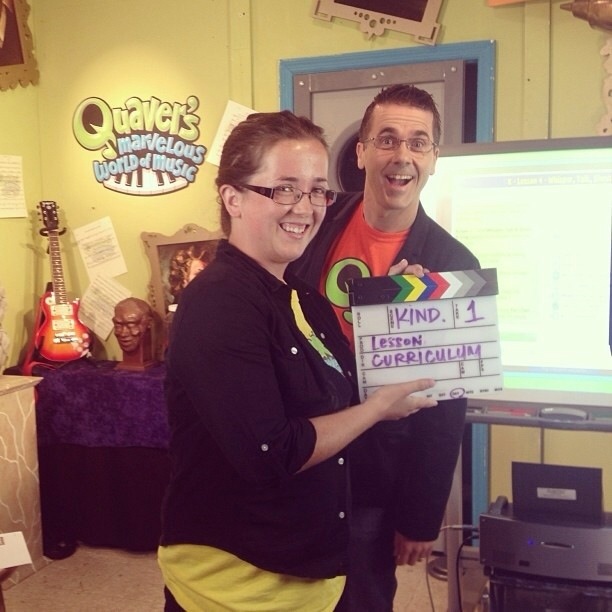
This week has been fantastic otherwise. I have been down in Quaver HQ in Nashville getting a crash course in video and audio production, talking about social media plans for the year, having some fun with the Quaver crew and getting waist deep in their new curriculum being released NEXT WEEK! Can you say, under pressure? Looking through the product going out on the 15th I must say the brochure they have out does not do the product justice, it truly is drool worthy when you see it in front of you. The connections it makes, the new songs it provides, and all of the tools included in it made my head spin in a good way. Just the way it is organized will make your OCD teacher tendencies jump with joy. Everything is there, everything is linked, your stressful planning times would be cut in half and there would be so much more time to just enjoy teaching. I hear some of you complaining though, “But I don’t want to go full Quaver I have my own things to teach and style. With the function to customize your lessons soon out, you will be able to make each and every Quaver lesson your own without having to become as nutty as Quaver himself (that man had me laughing until I was red in the face all day yesterday!)
The program itself is still going to be web based as the kids website and Quaver classrooms currently are but there is talks of many more apps to come for you devote iPad users, this hardworking company is going day and night to make sure Quaver has everything you ever need and their work over the past year truly reflects the many sleepless nights they have gone through for all their Quaver teachers.
Looking at the price of the curriculum might seem daunting especially for smaller districts with not a lot of extra funds to adopt such a big program. Take it from me, it is truly worth the price for what you receive, the company hopes with payment plans and the numerous resources included in it that it would be easier for music educators to convince administration to purchase it.

Convinced yet? As excited as I am? My head is spinning with ideas on how to use this program in unique ways, and even if I after I stand up as ask my school board and cannot get it this year for some reason ( I’m in a very small district with only 5 schools total, even our district doesn’t get a lot of money) I will still trying to post ideas about different ways of using it so stay tuned! Keep watch on www.quavermusicblog.com for official announcements about the curriculum, QTourials, and more,

Thank you to the Quaver Team for a wonderful few days in Nashville, I know it is a busy time but being there with you guys was amazing and I’m excited to have another Quavertastic year sharing about Quaver and creating even more creative ideas and activities that teachers can use the program for!

20130809-175348.jpg

Q Books: A Lapbook Resource

I have throughly enjoyed taking a two week break from blogging, I have found myself itching to restart though and glad to be back on a regular schedule! In the two weeks I’ve been offline I have been going low tech in hopes to create a plan B resource for when technology fails, because we all know you will have those times when your WiFi is the only WiFi that goes down in the building in the middle of a lesson on computers! 

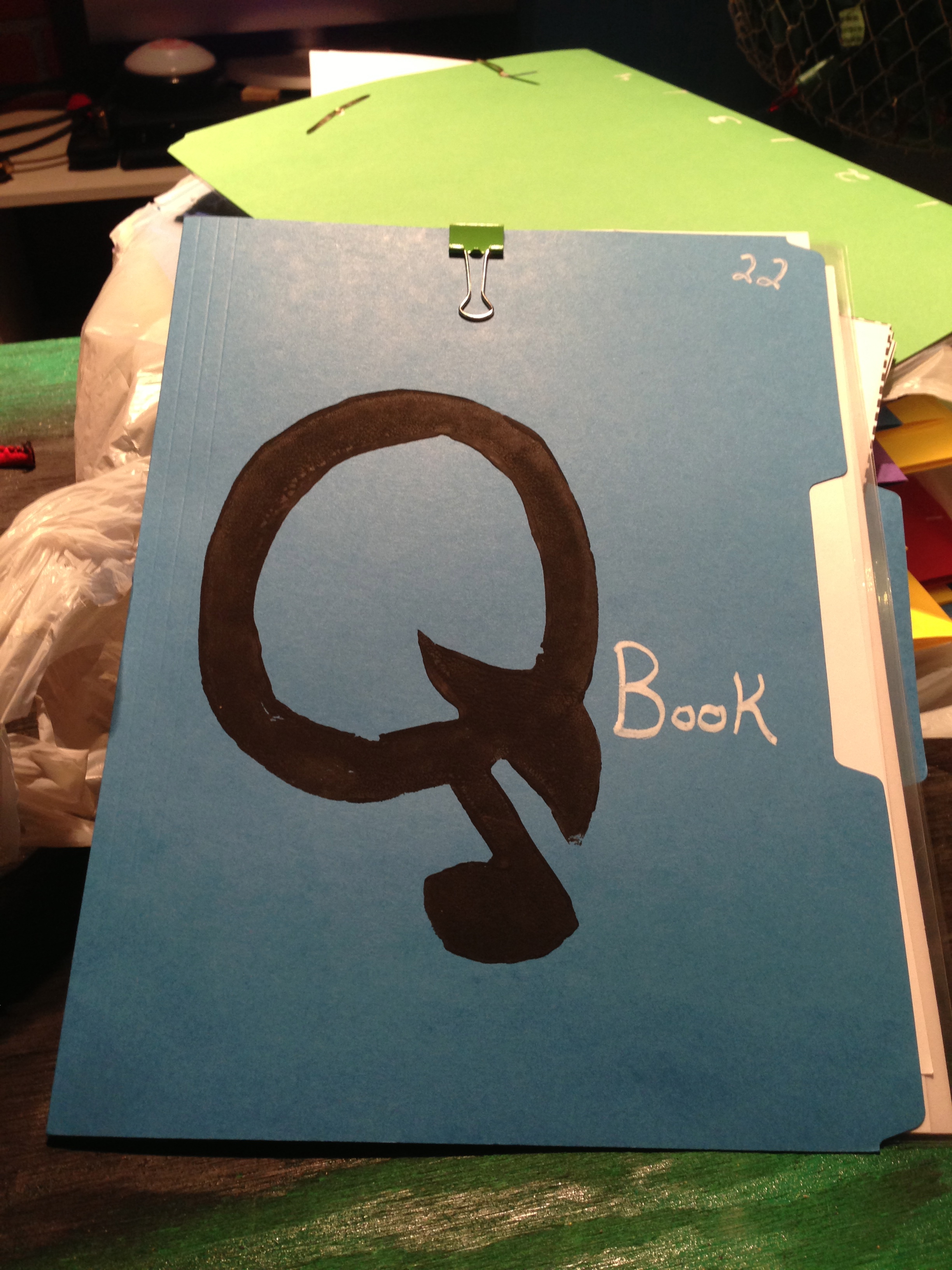
While on Pinterest one day I came across a few pins on the subject of Lapbooks. A lapbook as defined by Wikipedia as: a type of single-subject book created by a student, generally as a supplement to a curriculum. Lapbooks are normally found in a homeschool environment but are becoming more widely used in public schoolsI took this idea and running with the goal of creating a go to low tech resource for my students I created a Q Book. My version of a lapbook that uses mostly resources from www.Quavermusic.com and supplementing some resources from http://www.123homeschool4me.com and my own creations. Why did I call these Q Books? I’m a Quaver Teacher, its how I roll ;-).

IMG_0923

I have a full class set of 25 of these folders fully created, each with the same resources so every student gets their own. Each folder itself is constructed of heavy card stock and in order to decorate each cover somewhat the same I turned to paint pens and a Quaver Q stamp I made myself out of wood and sticky back foam sheets. Inside each folder is currently 10 different objects the students can use for a variety of activities ranging from flash cards to laminated keyboard practice sheets. 6 of the resources are from the Quaver site, 1 is from 123homeschool4me and 3 I created. The great part about these folders is I can constantly add more to them whenever the need arises!

Here is what I included:

IMG_0924

These are the smaller pieces in the folder. I took a ziploc baggie and stapled it to the folder itself to hold these items. Inside the bag are 2 sets of Solfedge flashcards I made for students to practice with independently or with a partner. They could make patterns or just show each other a card and have an Orff instrument in front of them to test the pitch. I also have laminated red and green cards for students to put out to show me if they are good to go and are green or if they need assistance so they put out the red. Last, I have a set of rhythm flashcards found in the Quaver Duration classroom for students to practice composing and reading rhythms.IMG_0925

The next 2 things are two different flashcards that I hole punched together and using a brad, attached to the folder itself. The first set is another set of rhythm cards from the 123homeschool4me site for students to practice saying longer rhythms and maybe to start them into rhythmic notation where I would clap/play a rhythm and they would have to show the correct one on the set to me. (Assessment! Yay!) The second set is from the Quaver Dynamics classroom. I teach dynamic symbols in my upper grades and I thought these would be killer for a listening activity and mapping dynamics on a longer piece.

IMG_0926

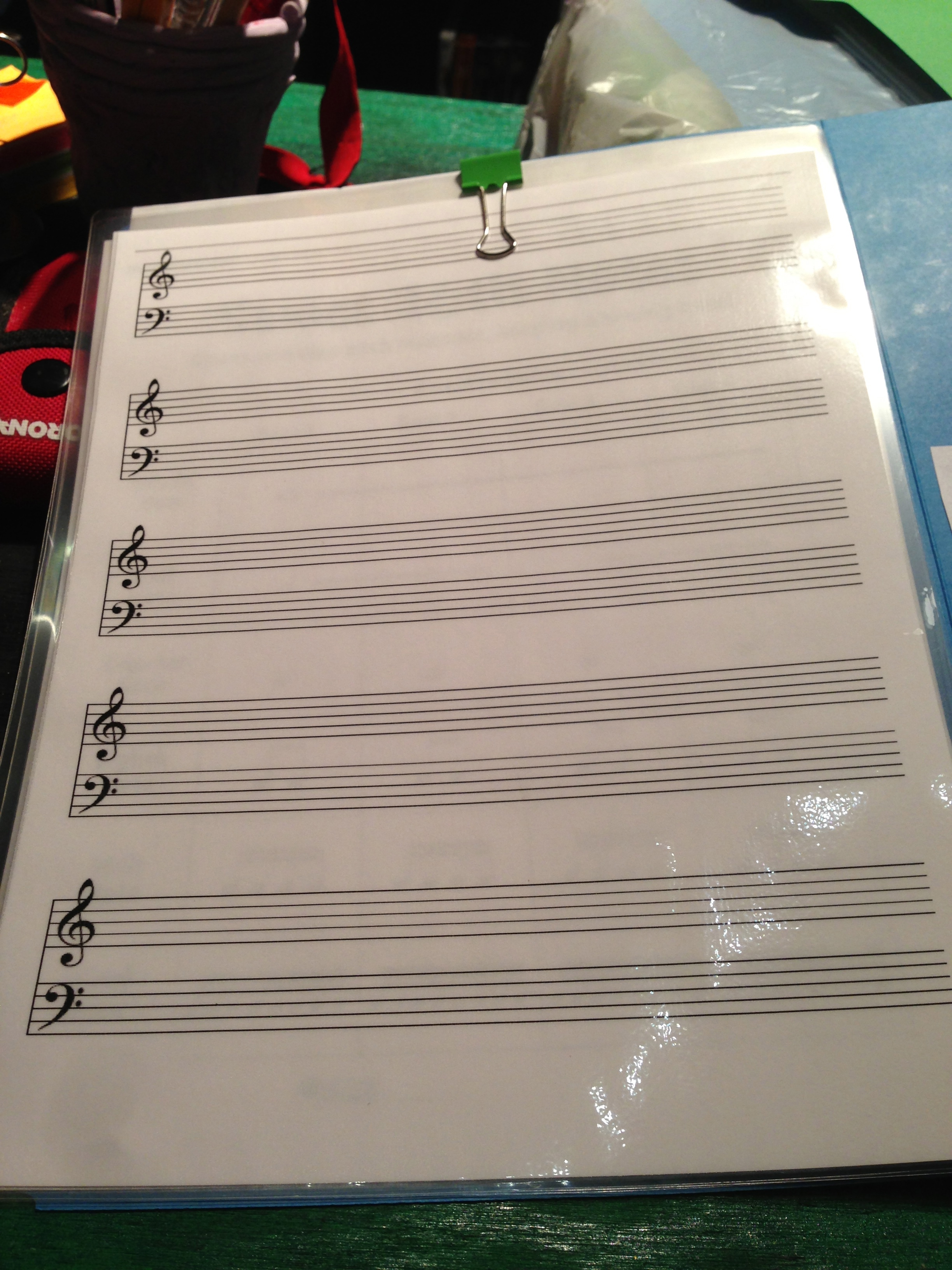
What CAN’T you use a laminated piece of staff paper for? I’m still looking for the right dry erase markers to include in these folders but every student having this in front of them is going to be so helpful when talking about composition and allowing them to practice the basics themselves while we are talking about it.

IMG_0927

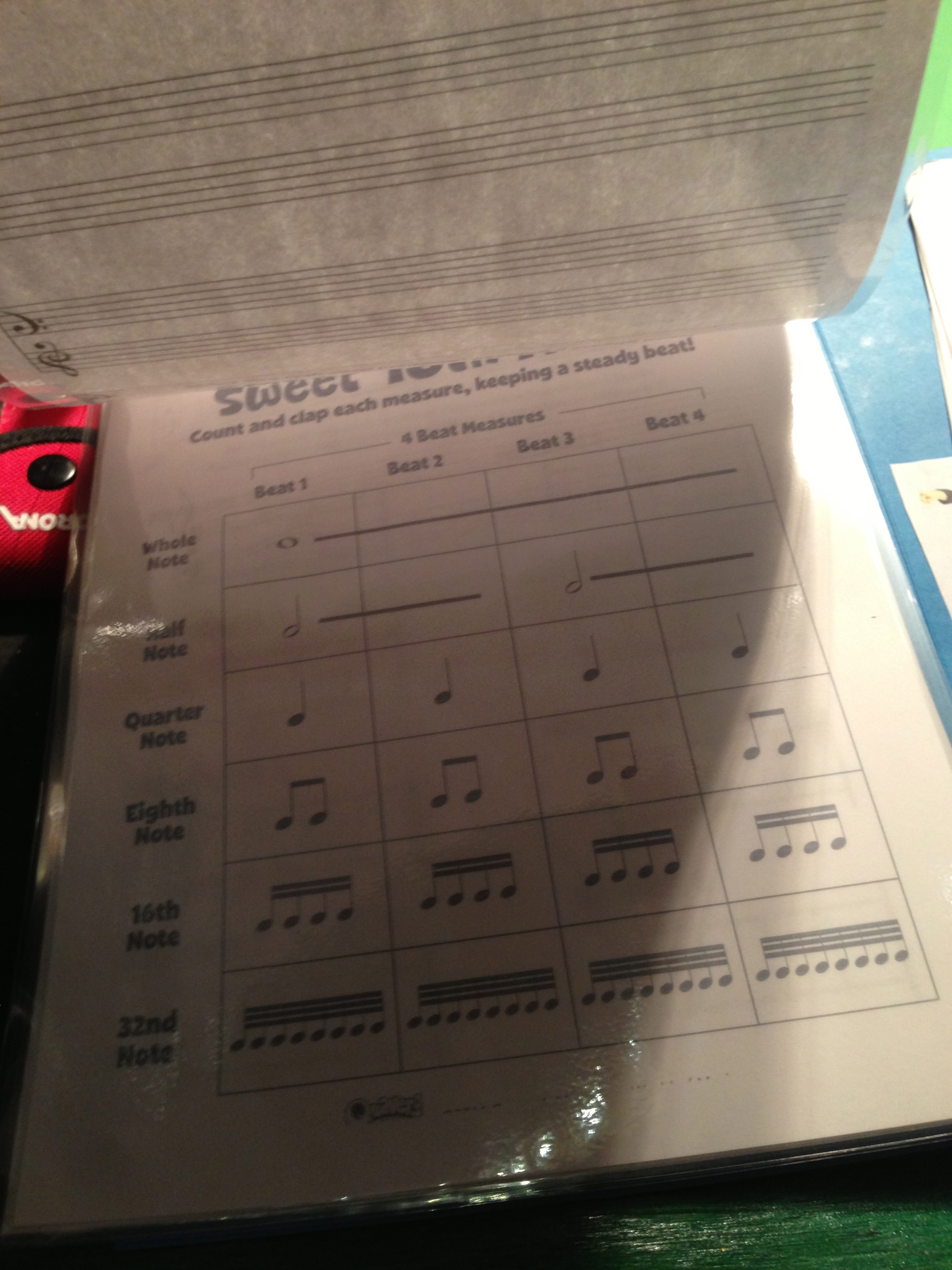
This is the Sweet 16th Note worksheet from the Quaver Duration Classroom. I talk about how a note is divided all the time. Every time I have this discussion in my room I can see some lightbulbs appear over some heads. I liked this visual and had to include it.

IMG_0928

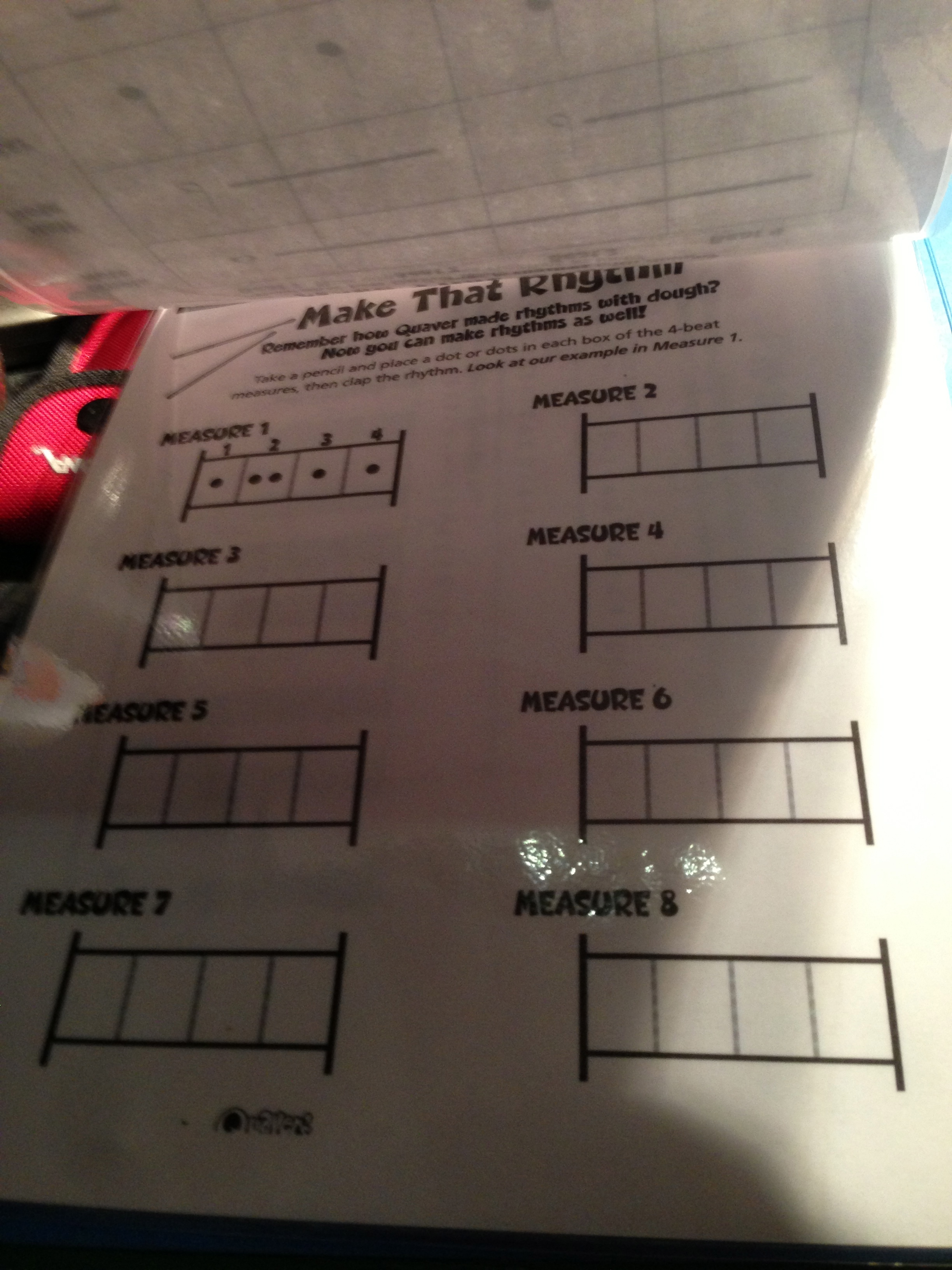
This is the Make That Rhythm worksheet from the Quaver Rhythm Classroom. This is laminated for lots of practice. When I start talking about making rhythms with my students I use dots instead of notes. I find they grasp the concept better because they only have to worry about the dots and not the note names.

IMG_0929

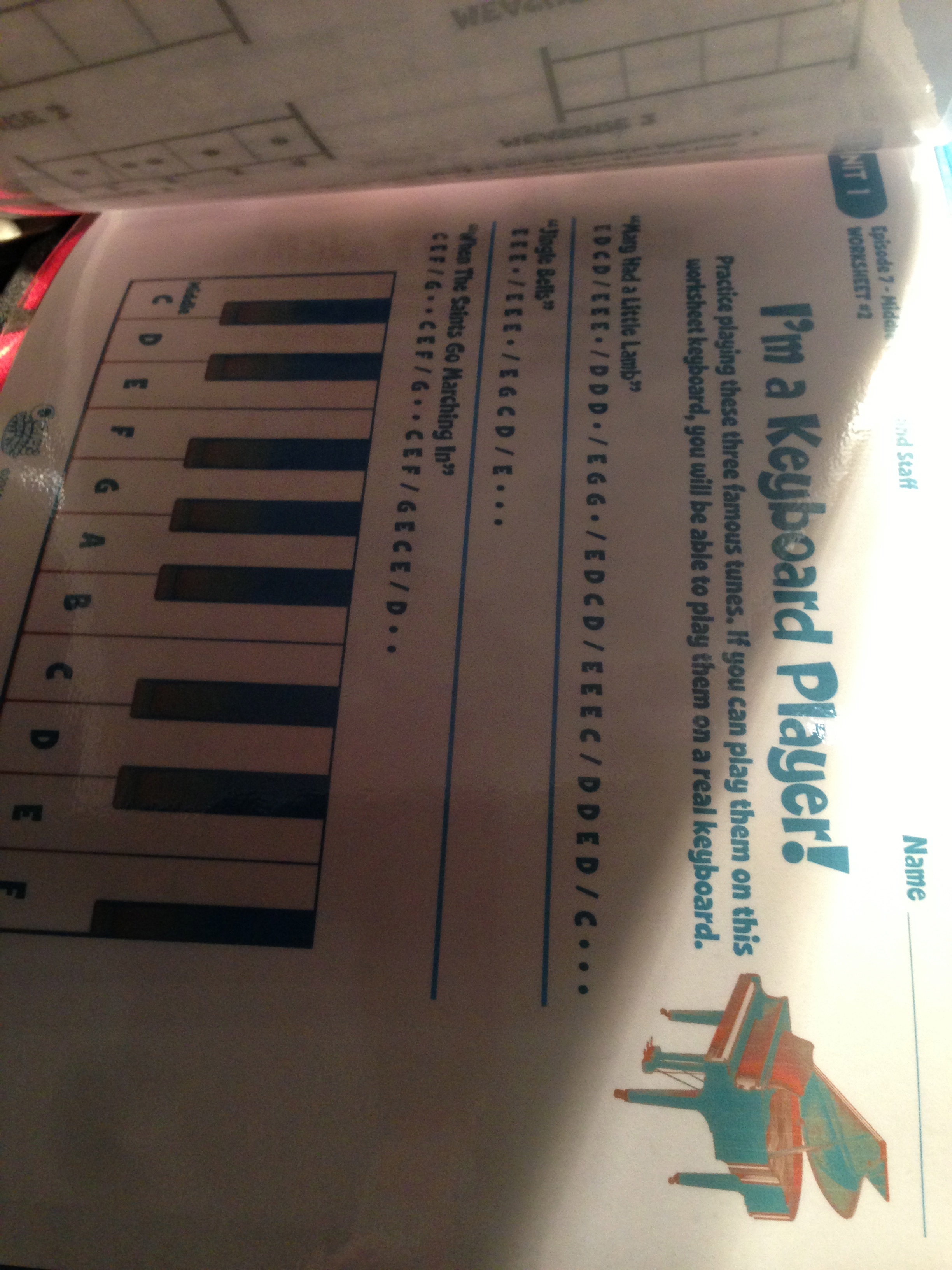
I’m a Keyboard Player worksheet from the Quaver Middle C and GrandStaff Classroom! My students are constantly asking for piano lessons but I only have 1 piano! I felt this could be a great independent filler activity and fantastic practice so they can bring a song right to the piano.

IMG_0930

I got very much into using Solfedge signs with all my grades this past year. Including this was a big must. It will be great for practice.

IMG_0931

This is the back of the folder! Remember those flash cards? I drew a measure ruler for students to use when composing with those cards! A 4 measure rhythm? Yes please!

So that is my brand new low tech resource I am so proud of. I hope to come up with more things to add to them during the school year as the need arises, right now all that is missing from these are dry erase markers and possibly a magazine rack to store all of them in. I’m sure you’re probably thinking now, so when are those links coming? I want to print these out and try it! Well, 123homeschool4me.com has a GREAT lapbook resource for music so you can grab those duration cards.  Have a Quaver music account? Go and grab them! You need to purchase the Quaver Classrooms mentioned in this post in order to use the printables. Email info@quavermusic.com for more info on them!

What would you add to these books? Share your ideas! I’m looking for more to include in these Q Books!

CCSU Class: The Tech Geek in the Front of the Class

This past week I have been down at Central Connecticut State University taking my first grad course EVER. It was called Technology in the Elementary Music Class Room with the wonderful Professor Amy Burns :). I’m sure many of you are wondering why me of all people would be taking a technology class, don’t worry I had a good reason for doing so. It has become apparent to me over the past few years that I have been gaining a lot of knowledge about technology and its uses in the classroom I wanted to take this class not only because Amy was teaching it but also because I wanted to focus on the philosophy behind why we integrate and be more prepared to say with confidence why we should integrate if I get thrown into teaching a professional development opportunity in my area (we all know this is probably going to happen soon.)

The most important thing I took from this class was the SAMR model by Dr. Puentedera. Amy added an E to the beginning making the model E-SAMR

Substitution

Augmentation

            Modification

            Redefinition

*Experimentation

This is a fantastic way to step through the meaningful integration process bringing technology into lessons that not only is beneficial to students but will also make sure they remember it for a long time after.

I learned some great new tricks about Garageband and Audacity on our second day, (I’m still fairly young and can still pick up new things!) One big thing I realized was that Garageband podcasting is such an unused but amazing tool I could be using in my classroom. I can see my 5th graders doing their own in the future. I made a movie using the Garageband Podcast area about my recording studio:

To go along with this video another assignment I created was a wikispace about my recording room in my classroom: ESSPSSRecording  a place for my students to post work and get it anywhere, and for there parents and my administrators to see what students are doing in class! I have realized that I am REALLY bad about updating my current wikispaces and hope to use this new space more and display even more student work so they can access their creations and compositions.

Making tech more interactive is the ultimate goal for any teacher. I hate having to have my poor 5th graders sitting down and doing their digital portfolio work. Changing it up is they key, sure it takes time but never get into a comfortable rut when it comes to technology. My main goal this coming year is to change up what I do, sure this past year was very stressful and busy, but now I’ve over come it and it’s time to shake things up and create a little excitement! The Smart Notebook program might be a new tool to use. Even though I do not have a Smartboard I can put it on my iPad and use those tool that way to bring more song and movements into my room

On Thursday I gave a quick presentation on Quaver Music to the class (and the class after). I’ve realized that I cannot just talk about Quaver for just 15 minutes! I gotta work on my speel, but another product of this class was a nice small power point going over Quaver that I can use again if I need to: Quaver Powerpoint. Quaver is an amazing tool and I’m chomping at the bit to try to even get a look at their new curriculum, for now I’m loving the technology integrated into this resource.

We also discussed the 1st Draft of the NCCAS Standards, I have been staying sort of in the shadows with this topic since they came out, but after we talked about them yesterday, I just couldn’t help but post a blog about it yesterday: My Reaction to the New Standards. It was interesting to see everyones reaction in the class, it seems the consensus is that the standards need work.

Our final project was to create a lesson using technology. I decided to try out the Smart Notebook program since I have never used it before and built a lesson for my second graders about Bugs, You can read about it in my lesson plan here: Bugz lesson and if you would like the Smart Notebook file you can grab it here: Bugz notebook file

This class was a great way to experiment with things I have not tried yet, I was able to figure different things to try out for next year and got a lot of work done this week that I probably would not have gotten done at home. Its also always great to talk to Amy too because I learn more and more about branding myself and dealing with the politics of music education, I’m just getting into all of this and can never have enough advice with these sorts of things. I am walking away with a nice page of things I can use for next year and some new ideas to put together this summer for the upcoming year. I also came out with some great ideas on how to organize my conference presentations I’m giving next year as well. NHMEA! I’m coming to impress in October!

photo

A Young Music Teacher’s Reaction to the 1st Draft of the NCCAS Music Standards

First, I just want to say I am not posting this to get anyone angry. I do not want to be pulled into war going on over the first draft of these standards that you can read here: http://nccas.wikispaces.com/Music+Standards. I am just a teacher who just finished her third year of teaching K-5 general music who has been trying to sit quietly in the background and get all the information I can about this topic before I make an informed opinion, and you know what? After reading everything that has been going on with these standards the past two weeks my thought is this..my opinion on these standards is incomplete. Why should I have a fully formed opinion on whether or not these standards are going to work if they are not finished yet? give me draft 2 or 3 and then I will make the choice of saying whether or not the next 30 years of my teaching is doomed.

These current standards up for public review are very vague, I will be interested to see where each important music skill is put into these standards and will be very interested if a standard class time for each grade level is put in here too so I would finally have an argument that my K classes are TOO LONG.  I love how creating has become an important skill in these standards, it is important for children to create music. I’m wondering if composing will be added as well because they are two very important but different skills for students to learn. I also wonder if the word guided will be put into higher levels as well, I know I find myself guiding my students through assessments even up to grade 5. Not every student cannot do it by themselves, they need a teacher guiding them along the way to success even past the Kindergarten level. How is responding going to work in class to? I know for a fact not even my 3rd graders can choose their own music to sing yet. Are there going to be people coming from the committee to state conference to present suggestions on how that should happen?

I know when I took a look at these standards for the first time I was scared out of my wits. How are we going to be able to make the change from the 9 national standards we were so use to and taught in college (I have ten in my state, the 9 plus one more) Those were easy to understand, they were simple, and they were direct. Are these standards going to be the same way in the final product? Are they going to be new teacher friendly and very accessible to even non music educators? I hope to see a very similar format to the old standards or I fear a lot of new music teachers coming up are going to be throwing them to the wayside because of their complexities and vagueness.

Being one with only 3 full years experience under my belt I don’t expect my voice to be heard very loudly. I have been keeping off social media until now about this because I was sure my opinions and reactions would be thrown out by teachers who don’t know me. I figure a lot of young teachers like myself have not spoken up for the same reasons. From what I read so far from Draft 1, I am scared about the future of music education. I hope my fears are going to be calmed by Draft 2 but only time will tell. I know there are experienced music educators on this writing committee who are trying their best to please everyone but I am sure there are no young educators in that group so not many of their opinions about OUR future have come up. Give me a completed draft and I’ll be a voice, I’ll be in this game for much longer than most who are currently involved. Give myself and all the young educators out there confidence to say we are ready for the future with these new standards and give us a forum to discuss this and I’m sure you’d be surprised on what you hear.

IMG_0692

Taking School iPad PD to New Heights

  Before the end of school one of my principals who has been following all of the technology related things I do inside of school and out approached me about coming up with new professional development opportunities for the iPads. He is interested in getting more iPads for the school for next year and wanted to bring more unique opportunities for teachers to learn how to integrate them into their classrooms. I was very thrilled to have this project put on my shoulders, it’s exciting to finally use what I’ve learned and what I’ve been doing on a national level in my school district. I really want to do a good job with this to impress him, so I decided to put my current ideas out there and get some feedback! 

When planning PD opportunities (I run Music Ed Motivation Day too) I think about how I want the attendee to walk away. Are they going to have their minds completely blown, are they going to walk away confident, are they going to have good resources to use? Starting from the result to the beginning helps me form how I want get across the end result. It was a cool challenge to work on this from a different aspect other than a music technology standpoint. I broke it up into 4 different categories:

  • Basics of iOS Computing
  • Hardware
  • Apps For All
  • Activities to Integrate/ Creating School Wide Rules and Procedures

What I was thinking was to take these 4 categories and use them as topics for 2 or 4 different meetings. Each meeting optional and you can pick and choose based on your needs, there are many techie people in this school and I don’t want to waste their time with basics if they already know it.

The first two categories would be for beginners to attend mainly just going over basic iPad operation such as turning it on, going between apps, the different settings, and what kinds of different hardware can come with them and different ways to project the iPad for a whole classroom. These would be really basic for those who have not had much practice on the iPads, going over accessories, and basic operation with plenty of practice and possibly a little project would be the main points for this section.

The second two would be more for the advanced who just want to gain more information, share what they know, and create new resources to use around the school. These last two would be more focused on creating a sharing environment for technology so teachers would get use to sharing what they know with others in the school they might not see everyday. We would create a sharable document of apps divided up by subject and grade level, plan lessons to do in class that would involve integrating iPads in a meaningful way, and create a set of common rules and procedures for using the iPads in class so students have the consistency when using technology anywhere in the school.

With these meetings I thought about the one thing I hear a lot of teachers say after a PD experience, “How am I going to continue getting this help?” so I thought about extra support too in-between everything. Other than the obvious inperson assistance and by email. I also considered two other options, one being a pinterest board I have started with lots of pins about iPads in education. Pinterest has been rumbling between the teachers in school this year and I thought it would be cool to use it to my advantage. The link to the board is here: http://pinterest.com/musiccargirl14/ipad-pd/ if you would like to be a pinner on this board please leave a comment and I would love to add you so you can help contribute to make this a top notch resource.

The other PD option I was thinking about was integrating the iPad club that had started in my room prior to the end of school. What I was thinking was continuing that tradition but having it open for teachers to come in and join the students as they explore the apps so they become more comfortable using it with students in a small setting and they can use it in a larger setting without hesitation.

IMG_0449

    Those are my beginning ideas, I still have a lot to think about and mull over but what do you think? If you had the opportunity to create a unique PD experience with iPads what would you do?