NAfME Nashvile (Shameless self promotion)

Sunday I leave for Nashville to go work at the Quaver booth AND to present two elementary tech sessions as a clinician! I’m very excited to be presenting again (and thankful to have a company that supports me when I do so). Especially at a new conference I have never been to before. I originally put those proposals into the pot last year thinking I would regret it if I didn’t at least give it a chance. I had no idea that both of my sessions would be picked up for the national conference! Taking some presentation tactics that I’ve learned from being with Quaver, I hope to make these presentations informative and exciting. So if you are heading to NAfME please stop by my sessions! or even visit me at the Quaver booth. I would love to meet some of my online friends who I have not had the pleasure of meeting in person yet. I’ll be at the Gaylord Hotel from Sunday until Wednesday morning, send me an email to dwinalc@yahoo.com and let me know you’ll be around! Or follow my shenanigans on my Twitter account: Musiccargirl14 

My sessions:

Monday, Oct. 27             8:30 AM – 9:30 AM

Recording, Mixing, and Composing with Elementary Students

Learn how to use technology tools to teach and incorporate recording, composing, and mixing music with elementary students. Many tools exist for students at all levels to make music and create professional quality recordings while learning the building blocks of music and getting excited about composing.

Presented By: Catherine Dwinal

________________________

Tuesday, Oct. 28             10:00 AM – 11:00 AM

Technology in the Elementary General Music Setting

Join us to learn about available music technology resources for use in the elementary general music classroom. Learn how to integrate iPads, netbooks, websites, and apps into your lessons and how social media can be used to create your own Personal Learning Network.

Presented By: Catherine Dwinal

IMG_1934

See you in Nashville!

Spooky Centers

You know its been a productive week when its already Friday and you’re lying on the couch cuddled up and half asleep. As Halloween approaches I love the spooky atmosphere that arises, the smell of ghouls and goblins is in the air! Around this time I would probably be getting ready to do a round of centers, so I came up with 4 spooky themed centers for you to use in your classroom!

Five Little Pumpkins Stop Motion-

Have you heard of the song 5 Little Pumpkins Sitting on a Gate? Teach that to students before you have them do this center. Have 5  little paper craft pumpkins and an iPod Touch or iPad with the app Stop Motion Studio on it to do this center. Use these directions:

“Its time to make your own movie! Open up the Stop Motion Studio App. Start moving the pumpkins around one little frame at a time taking pictures along the way. After, record your voices singing the song 5 Little Pumpkins as your video moves and then play to see your masterpiece!”

Danse Macabre Listening Map-

Give each of your groups at the center a piece of blank paper and a writing utensil (A tech alternative would be using the paint program on a computer or other device and having them draw on the program instead of a piece of paper). Ask them to divide the paper into four sections by folding it and then draw the four pictures representing the different movements of the piece in each section (Ghost, Footsteps for Dancing, Fiddle, Skeleton). When ready, start the song ( http://youtu.be/YyknBTm_YyM). When each section is played, have them make a tally in that section of their paper. After, have them discuss their findings and then collect the papers before they move on to the next center. The tally marks are NOT going to be exact numbers, just look to make sure they were understanding and actively listening!

A map example

Ghost of John on Xylophones-

Using Orff arrangements I got off Patti DeWitt’s program I would normally leave laminated copies out with xylophones and mallets at a station. For this, have an arrangement of the song “Ghost of John” (One of my fav halloween songs to teach!) ready and have a few copies laminated for them. Students pick parts and practice them independently. If they were a higher level group I would allow them to put everything together and play it. If they were lower level I would go over and lead them into playing the song.

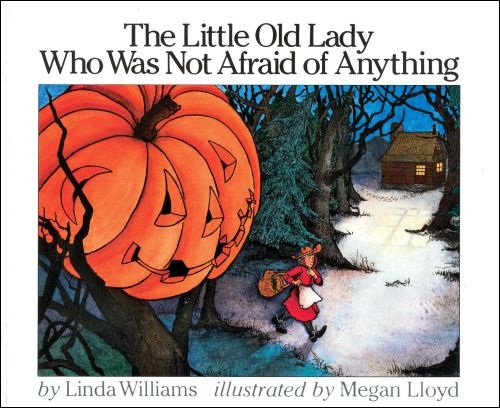
The Little Old Lady that Wasn’t Afraid of Anything Story-

Such an adorable story! You can find the book: Here. Have one student choose to be the reader while the others are the foley artists. They need to come up with a sound for each of the pieces of clothing that follow the little old lady. I would have a box of auxiliary percussion out for this and let the students choose their sounds out of there. As the reader goes through the story, they must replace the words like “Clomp Clomp” and “Boo Boo” with instrument sounds. It is a great little activity to get the students composing and story telling.

Litle-Old-Lady-Who-Was-Not-Afraid-of-Anything

What are your favorite spooky activities to do this time of year?

STEAM Project: Building a Working Musical Instrument

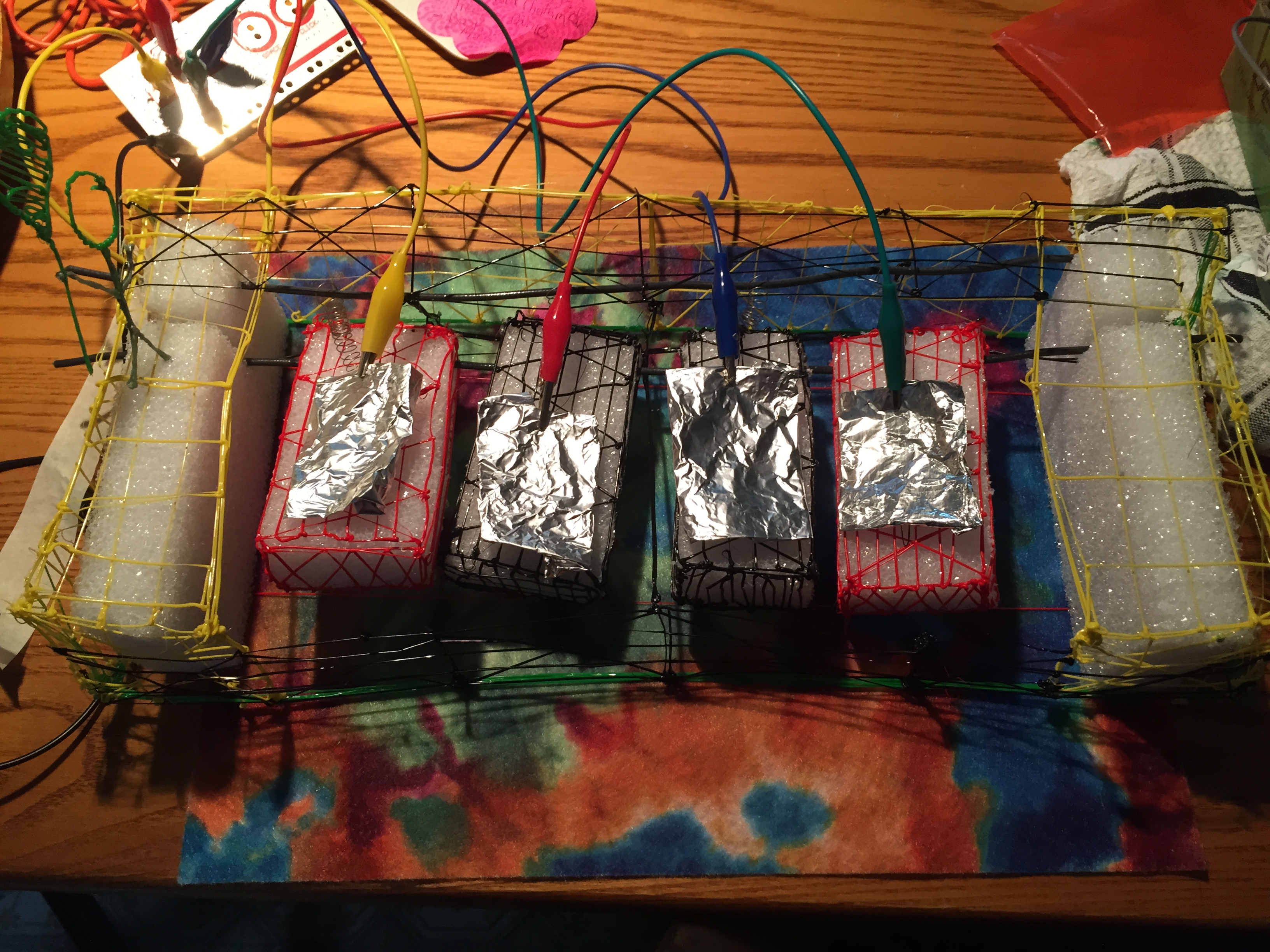
It’s done! It’s done! My first big project with my 3D Doodler pen is complete! I free hand 3D printed a working model of a musical keyboard. It was a big task and it looks like a 3 year old made it but I did it! It incorporates all components of STEAM as aligned in the project book linked below.

IMG_3428

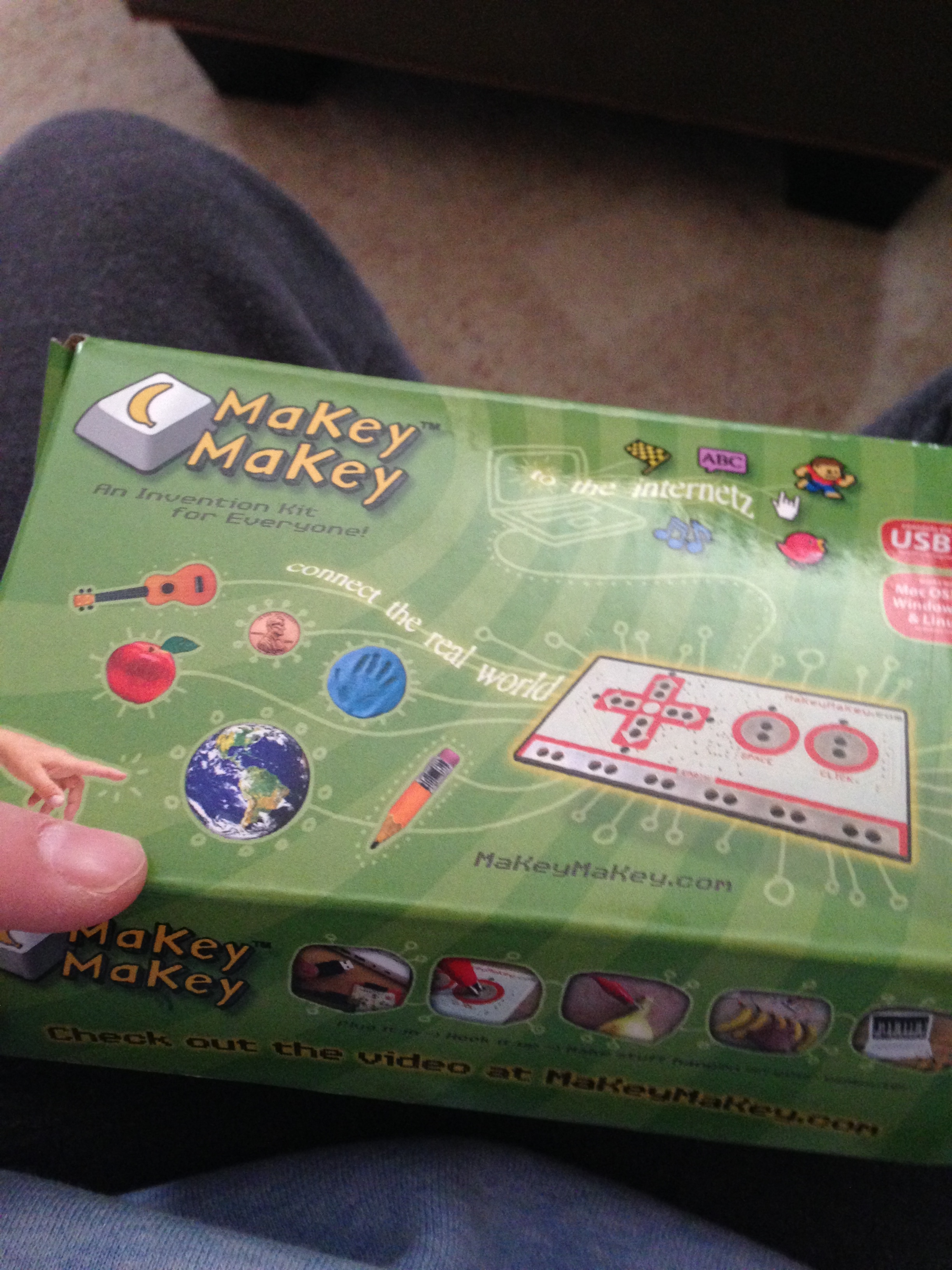
  Using my 3D Doodler, styrofoam as a support, 2 pieces of 12 gauge wire, aluminum foil, 4 small springs and my Makey Makey I built it into several pieces and then by heating up the plastic I stuck them together. All 4 keys move and when I ground myself to my Makey Makey they can make sound!

   I was thinking while this was coming together that since it looks like a 2nd grader made it. This would be a cool project to do. SO I made a project book to go along with it. You can access it here:

https://docs.google.com/document/d/1ozVKZUeLT0KT3vy4hQOzm-K4_IffYqospXHp9HKzeZw/edit?usp=sharing

    Feel free to download it and make it your own. Its yours to play with! The only thing I ask is that you share what you do with it afterwards.

IMG_3429

How would you incorporate all of the components of STEAM into your lessons?


Composing and Creating: 3 Resources to Get You Started

mmmm smell that? Smells like fall. I feel I’m appreciating fall more . Maybe it’s taking time to stop and smell the roses (or pumpkin spice!) that has let me breath a little deeper, but, who knows. I’m smiling a little more, taking more time for myself, and have the ability to not get as stressed on what normally you would consider a bad day. 

In just a few short weeks I will be down at NAfME Nashville giving two of what I hope to be amazing presentations about elementary music technology. I’m really using all my brain power for these two!! One of my presentations is focusing on recording and composing.  This week I thought I’d get you started with 3 resources I used in my classroom to get my kids composing and creating their own music. I always thought that students would best learn about music by creating their own.


Garageband– this $4.99 app or free desktop software to Mac users is probably one of the most popular music creation tools out there.  I used it almost every day to record and mix new songs in class. Want a simple activity to bring right into class? Using the loops feature, select a series of drum loops and put them together. Go in to class and have students write down some facts about a subject they are learning or maybe create a poem. Teach the students how to rap using the background beat you’ve created and the lyrics they just wrote.

IMG_0554

Creation apps-

 These apps are fantastic to get kids creating independently or in small groups without much instruction from the teacher. These are great to give students some much needed creativity time and then come back together after to share the music they worked so hard on. 

Toca Boca– $2.99, drag wacky little characters into different circles and create a jam session. Users can also select one to solo as the rest of the ensemble plays on!

Moozart– $1.99 Old MacDonald had a QUACK..BARK BARK MEOW MEOW RIBBIIITT.  That’s right, simple composing with barnyard animal sounds. Fun,creative, and gets the kids giggling!

Singing Fingers – Free  Fingerpainting on the iPad. The trick with finger painting on this app is that it records everything you say. Having kids singing a song or solfege while painting and then retracing what they sang and painted lets them listen to their music making creating fun!

Quaver– You knew this one was coming. There are several apps on the free kid’s website alone that promote composing and creating, from the Creatives in the QStudio to SongBrush. Students have a wide variety to choose from when making music on Quaver Music.com.  Want a simple activity to bring right into class? Open up QComposer and have students sit in a circle. Go around and have each student tell you a note to add to the melody.  At the end, play it for them and have them reflect on what they created together. Add a bass line if you have time!


ArMGEWmCQAA0uab.jpg-large

How do you get your students to create and compose in your classroom?

Build a PLN Web Quest

 Wow, it’s Friday already! It’s been a busy week on the sales front. It’s also been a busy week in the music tech front for me. I have several projects I’m bouncing between that are taking up a lot of my spare time but I am so lucky to be in a position now where I can stay up a few extra hours working and it doesn’t effect my day life. One thing has been on my mind lately (I swear I’m not hinting to anything I’m working on! 😉 ) is web quests!  

I was talking to a teacher the other day about PLNs and came up with an idea. I have so many teachers who tell me how afraid they are of being online and building a PLN or they just don’t know where to start.  So what I’ve done is created a simple web quest to get started with your online professional community!

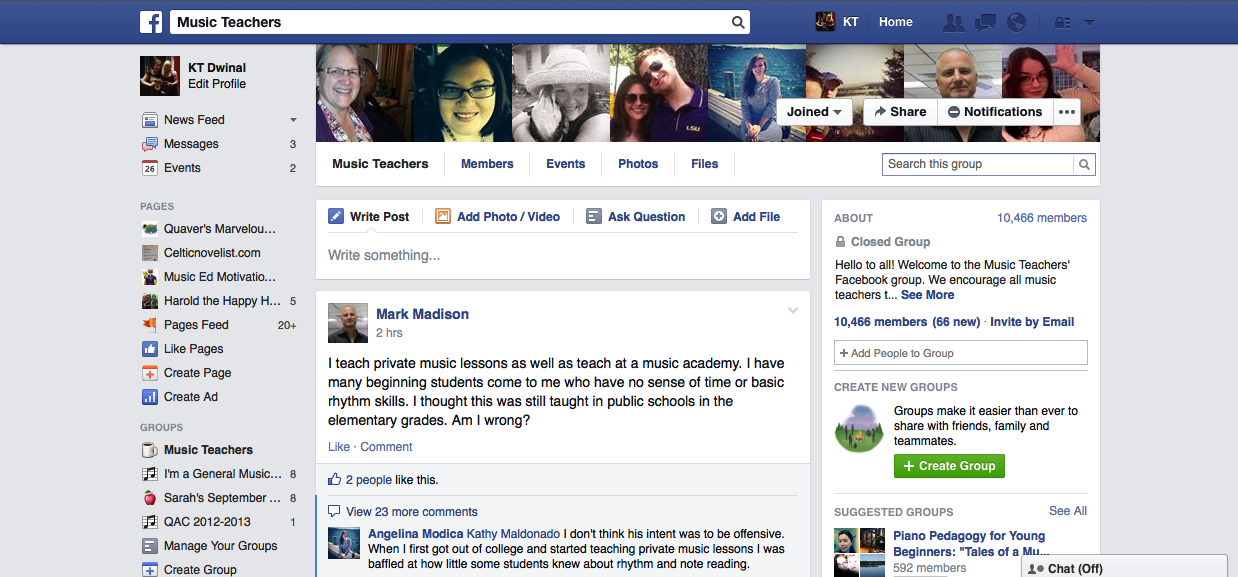
1.) Let’s start with something easy. You have a Facebook account right? That’s the place you tend to go to take those Buzzfeed Quizzes and talk about your day to the rest of the world. I want you to do something a little different. Go to https://www.facebook.com/groups/musicpln/  and request access. This is a fantastic group of over 10,000 that are constantly talking. You can find a plethora of information in just one feed. When you are approved:

Challenge:  Pick one post and respond to it, jump into the conversation!

screenshot_157

2.) Here’s the scary part. When I get to this point with some teachers they start screaming and run for the hills. That’s right, it’s time for a Twitter account. If you do not already have one go here: https://support.twitter.com/articles/100990-signing-up-with-twitter to learn how to sign up for a Twitter account. This will soon be a powerful tool to get you connected with thousands of other educators just like you! Here is the direct link to sign up for a Twitter account: https://twitter.com/signup (Remember to dress up your profile! No one likes an egg head!)

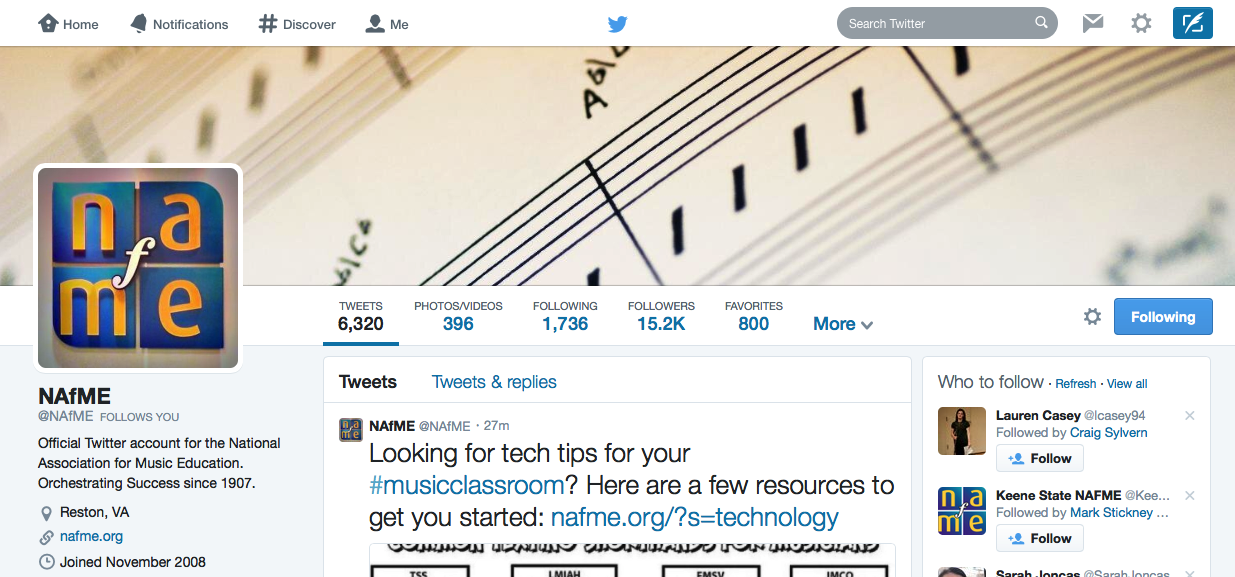
3.) Here’s the next step, FOLLOWING PEOPLE. *Gasp!* I know you’re shy but making new friends on Twitter is as easy as going to their page and clicking “Follow”, You can try it out with me! www.twitter.com/musiccargirl14

screenshot_156

You can find some of the top music educators in the world that are active on Twitter on this list that was created by the great and almighty Chuck Norris of Music Tech and Music Education Dr. Joe Pisano (I hope he reads this post): http://mustech.net/projects/musictwitter/

Challenge- Find 5 music educators on the list and follow them! Start off slow if you are new to Twitter, the more people you follow the more confusing it would be at first!

4.) You ready for the easiest part of this whole thing? Look to the left of your new Twitter account to find that box that reads “Compose New Tweet” that’s where you actually Tweet! Think of something positive that happened today in your classroom and Tweet it to the world.


Photo on 9-26-14 at 4.54 PM #3

Never Tweet Angry!


Remember these rules about posting to social media:

  • Never mention a student’s name! It’s safer to keep their identity a secret.
  • Never post imagines of student’s faces without permission. I never posted faces. If I had a great picture of students that I want to share, I always sent it to my school district’s webmaster. She always had permission to share. I never wanted to risk it.
  • NEVER POST ANGRY. Are you pissed about your day? Get away from the computer and go for a walk. Make sure you turn off your phone too. Don’t make a bad mistake.
  • Always Tweet like your Administration is watching..because..well..they probably are!
  • Make friends! If you are following someone else’s feed and see something cool. Always respond! You’ll never build a PLN with a one sided conversation unless you’re like One Direction or somebody like that..

5.) There are hundreds of Hashtags out there. These begin with a # symbol and when you send out a tweet with that tag all of the other people following the hashtag will be able to see it. This is a great way to ask questions on Twitter and get answers quickly, you can also make new friends.

Challenge- Tweet something using the hashtag #musedchat . Watch the conversations roll.


Bonus Challenge- On Mondays at 8pm eastern #musedchat turns into a giant conversation with music educators from all around the globe following the same tag at the same time for an hour! Use a website like www.tweetchat.com to follow the conversation and try to jump in!


 This you’re ready to take on the challenge of connecting with your peers from around the globe? It’s time to get started!

Building New PreK Resources

So I have offered to use my lunch time for an hour or so a week to volunteer at a local preschool to teach them music. I’m very excited to have a little time to still teach. I can build my own lessons, I won’t have any paper work to do, and I can just focus on having  fun and teaching fundamental music skills to the adorable little guys. The greatest part of all of this is that it won’t take away from my day job, if anything it will enhance it. As I set time aside to prepare some resources to bring in, I remember what I discovered teaching PreK a few years ago (YES, I actually have experience teaching PreK!) keeping them moving, but keep it simple. Chants are  fantastic especially to help with those who are working on their speech, and lots and lots of story telling! I still have a lot to learn about PreK, but I’m excited to take a little time out of my busy schedule each week to be able to explore more.


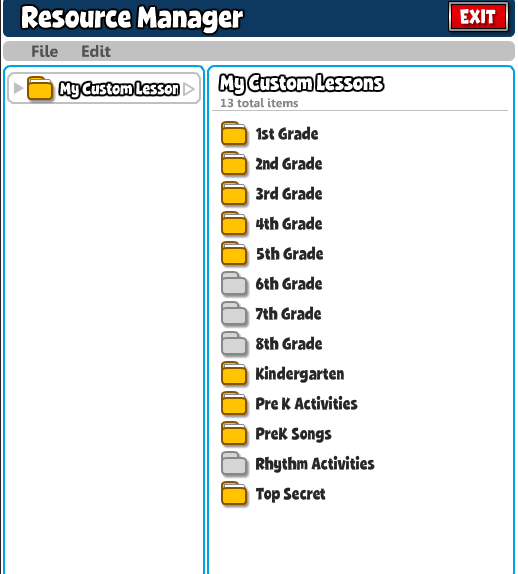
Quaver Resources-  Now Quaver is a K-6 resource and curriculum (soon to be K-8) but this doesn’t mean I can’t take some of the easy materials and use them with PreK classes to start introducing the concepts they’ll actually be learning in Kindergarten, I just used my teacher way of thinking and took a look at what was there and planned for PreK minds instead of Kindergarten.  I created two folders in my Resource Manager and labeled them PreK Activities and PreK Songs and added a lot of ClassPlay songs, movement activities, and interactive material that I’ll be using with the students to enhance my short little lessons. They won’t take up my whole class, just add a level of engagement and fun to the lesson.

screenshot_151

Pinterest-   Click Here to Visit my PreK Pinterest board I started this to gain some fun activities to bring to teach the students about music. Nothing huge, just new movement activities, games, and fun things to make to amp up the learning. Reply in the comment section of this post if you would like to be added as a contributor to this board!

screenshot_150

iPod Touch- One of my most important parts to my new set of tricks. I took an old iPod touch I had lying around (I always taught with my school one last year It never left my side,) and restored it new to be able to load it with just the things I could use for this. My top 3 playlists that always go with me to every teaching device are:

  • Greg and Steve- a duo that sings perfect movement songs for little students.
  • Hap Palmer- His songs are simple, fun, and interactive. I used several of his pieces each year and they were begged for again and again.
  • 101 Children Songs- A playlist I found at a book clearance sale. This playlist holds many folk and recognizable teaching songs for PreK-Kindergarten.

My Top 5 Apps I always add to any teaching iDevice and now have on this old iPod Touch:

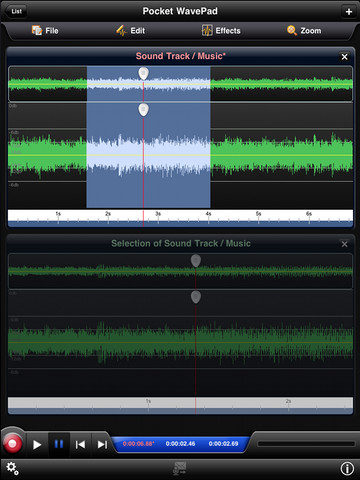
  • Pocket Wavepad (Free)-  A great and easy to use recording app. It is always so easy to get this app open and record the students singing so they can her themselves later, or you can send home to parents or even give to the Class Teacher.

mzl.hnjveloe.480x480-75

  • Freeze Dance ( .99)- It takes any song on your iPod and turns it into a game of freeze dance. You set the parameters and the app starts and stops the song for you. This eliminates the students trying to see you pressing a button because even you don’t know when it’s going to stop.
  • More CowBell ( Free)- Who DOESN’T need more cowbell? So easy to keep the beat!
  • Virtuoso ( Free)- I know I won’t have access to a piano where I am, if I need a pitch there it is.
  • Hand Drums ( .99)- Another great way to keep the beat or even introduce the students to what the percussion instruments sound like.


What resources do you have for your PreK classes, I’d love to have some more!


Resources to Start out the School Year

I know up here in New England its the first few weeks of school and everybody has their nose to the preverbal grindstone getting organized and settled. This was the usual time I would be working on setting routines and expectations, and getting my tech tools ready for the new school year. Since I’m not back in the classroom this year, I thought I’d share some of the resources and tools I would use from day one of the school year to day one hundred and eighty. 


TeacherKit / IDoceo– Two fantastic grade book apps for your iPad. I used TeacherKit because it was free and provided what I needed, but IDoceo is another great app that costs $7.99 in the app store.  With grade books, seating charts, behavior notes, and recording capabilities, these apps are certain to make your school year more organized and a little less stressful

IDoceo ($7.99): Download Here 

Teacher Kit (Free): Download Here


IMG_0554

YouTube Play Lists- I always had a big list of Youtube clips I wanted to show during different lessons throughout the year. My most popular and the one I used the most was my Movement Break list, but I also had ones for chorus recruitment, past performances, holiday themed, orchestra, and more. Check out my Karaoke and Movement Break lists here:

Movement Breaks: Visit Here

Karaoke: Visit Here


Pinterest Boards- During the summer I would fill my boards with hundreds of new ideas I collected. I would make sure I tried at least 5 new things off my boards each year whether it be a new class management strategy or a new game. I posted some of my favorite things on these three boards.

Cool Classroom Ideas: Visit Here

Tech Stuff: Visit Here

Songs for Class: Visit Here


WebQuest Book-  Not exactly a resource to get ready, but certainly all there for me. My students did a lot of Quaver web quests  as extra credit, class activities, and part of projects. I put together this quest book last year filled with all the quests I would use throughout the year. You can download it here:

PDF: Download Here

iBook: Download Here


Musedmot- Throughout the year this year I plan on having small PD events through Musedmot that will get people chatting, talking shop, and having a great time together while learning new things. Keep your eye out on the Musedmot Twitter and FB for more information on events coming soon.

Twitter: Visit Here

Facebook: Visit Here

 How is the beginning of your school year going? I’d love to hear from you!

Engineering Music

Its been a very short week in my new world. Lots of things have come but luckily I come out with a smile on my face. When weeks like this come up, my brain starts churning and really cool ideas start to bubble up. The winner among it all is a new project taking up my work bench, if I can make this work (let me rephrase, WHEN I get this to work,) I hope to have an artistic and engineering masterpiece. 

photo 1

Think you know what Im attempting? Take a good long guess…


A working freehanded 3D printed model of a keyboard!

I’ve been trying for a long while to figure out how else to integrate this 3D Doodler Pen that I acquired a few weeks ago into a more musical setting, what better way to do so than print an instrument? I’m integrating STEM and the Arts seamlessly into one giant project that will hopefully impress when finished.

photo 3


I’ve drawn up my plans, I hope to make this 14 X 6 not sure of the exact height yet but will know more when I create the inner workings. What I have planned is to freehand the actual parts of the keyboard using my Pen and that way it is mostly drawn and formed plastic, the only piece that will not be plastic  is the spring system I am designing in order for the keys to snap back into place like a real keyboard when played.

IMG_1789


Did I mention this keyboard will be functional? Using my Makey Makey kit, the Alligator clips will be wired to the keys and will have aluminum foil pieces attached to the base, so when the clip touches the foil, the piano sounds will come to life!

When it all comes together, it should be a 5 key working keyboard. I might even go a step further and try to use Scratch to program my own sounds, but we’ll see about that!

All the materials and equipment I am using so far:

  •  3D Doodler Pen
  • Makey Makey
  • Scissors
  • Ruler
  • Pen
  • iPad (Drawing app for design)
  • dowel
  • springs
  • laptop

That’s all I have right now on my equipment list. I don’t think I’ll be using any more. Trying to keep it as simple as possible!

   This project will integrate:Science, Technology, Engineering, Art, Music, and Math into one amazing project. 

    I’ll post pics along the way, the more feedback I get on this, the more I’ll consider creating a project workbook and assessment for actual classroom use. So pass this along and let me know if I should put some time into those pieces.

     Right now the base is hardening and I am starting work on the keys. Next step is to complete the 3D form of the keyboard and finish the keys!

What do you think of my crazy idea? Would this be a possible class project you would try?

Carnival of the Animals

  One of my favorite pieces to teach was always ‘The Carnival of the Animals’ by Camille Saint-Saëns. I think this stemed from my student teaching, we did a whole unit on the piece and it was one of those things that carried over into my first job. I spent about two weeks of my kindergarten lessons going over it with my  little guys, we watched short videos, listened to snippets and related it to animals, read books, did movement activities all relating to the song. By the end of the short unit, my students were able to identify  certain movements and tell me the animal related to it and describe a piece of music without lyrics by how it sounds (fast, slow, high, low, etc.)

Below are some recommendations for activities when teaching Carnival of the Animals to younger students:

Book-

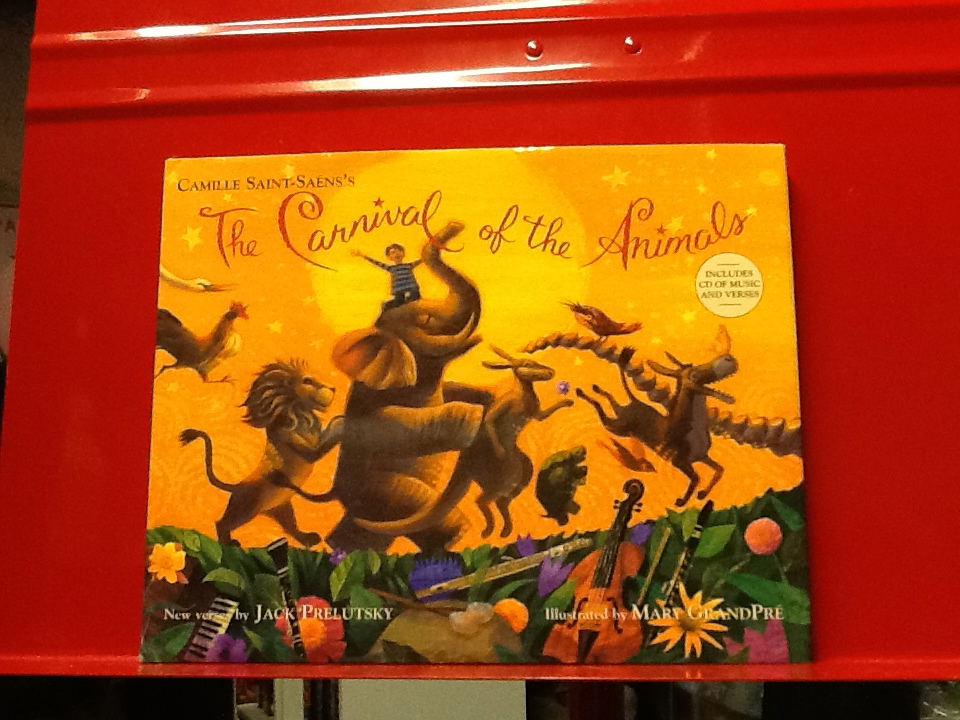
The Carnival of the Animals by Jack Prelutsky  My favorite book to read by my favorite poet, Jack Prelutsky. I would only read a couple of poems at a time because they are so long, but with this book they can be easily segmented and not ruin the story by dividing it up. The CD that comes with it is fantastic as well. I loved to let Jack read for me and then the students would move to the music afterward.

IMG_0111

Video-

Carnival of the Animals with Bugs and Daffy this is a cute video with characters all children should know anyway. Bugs and Daffy go at it while teaching kids about the Carnival of the Animals.

Apps-

  Carnival of the Animals by France Televisions Distribution SA

    Carnival of the Animals by Naxos

For the tech savy, these apps are great to sit down and go through with a class or to let students explore on their own or in small groups. Each app plays the music and talks to the students about the animals.

Movement-

The movements in this piece are great to add props to. Students can dance around with scarves to ‘The Aquarium’  or throw bean bags in the air as the ‘Kangaroo‘ bounces around.

You can also have them meander around your room as the movements are playing as the animal the music is portraying. This is a great way to assess if they can identify the animals with the music yet.

Listening Activities-

Four Corners– I put pictures of the animals around the room and would play certain movements of the piece. The students would walk to the picture that they think was playing and stay there until the right answer was revealed. (Another great assessment) We would have a discussion about making your own choices as well and being safe while moving around the room.

What do you hear?- Very simple activity, I would play a movement and then have them come up with describing words about the movement and we would right them on the board and then talk about them.

What’s your favorite piece of music to teach your students?


Apps to Add to Your Collection

So I went a little app-happy a few nights ago and added a handful of amazing new apps to my collection. I chose the 4 that looked the most awesome to share. Most of these will fit with a younger crowd, but I am particularly excited about the ukulele one which looks great for the 3rd and up grades who are taking on the Uke in classes. iPads are such a great tool for creating, composing, and exploring music. Apps like this are just making mobile devices in the music classroom even more of a necessity. 

blogimage

Scratch Jr.– This is the ultimate app for teaching younger students the basics of coding. With its child-like design, the user can quickly understand how to create the sequence at the bottom that would tell the cat character to do what the user would like. This would be a great tie in to the music classroom by relating it to form and composing a song. You could also have students animate their own cat and then compose music to go with the animation.

Music Learning Lab– This app would be a GREAT independent activity. It takes the user through 14 lessons of basic music theory creating a solid  theory foundation, while earning things that will unlock in the Create and Play areas. A great app for the young students who want to know more. Would be great for a center in the classroom, or to use as an activity for a troublesome student who might not be able to join in with the group that day in class.

Green Screen– Basically does exactly what it is called. This Green Screen app allows users to create a full length video and digitally input a brand new background to create a movie masterpiece. This would be perfect to film music videos or even just film your students performing in class and put a cool background in the back that is guaranteed to impress!

Ukeoke– My new favorite app, no question about this one. Learning the Uke never has been so fun. Kind of similar to the JoyTunes family of apps but this cool program teaches you popular Uke tunes! With great tools such as ability to record yourself, slow down the songs, tune, and practice the chords before the song. I could see this app not only as a great independent or group activity, but also a whole group game, a supplement for private Uke lessons, or just a take home for a really motivated student.

Photo on 8-22-14 at 7.16 PM #2

What apps are you ready to use for your new school year?