A Newbie State of Mind: Day 1 at TI:ME/TMEA

Usually when I attend a conference I’m sitting in every session known to man kind. Just hoping to pull all the information I can from every presenter I know. Today was a complete 180, I was on the presenting side..I was the one letting others in on what I know. I don’t know if it’s the way I grew up or what but I’ve always had the principal to “respect my elders” now, this covered from those who were just a year ahead of me to those who were 50 or more years ahead. I’ve always looked to those who have had more experience than I and have always put them first and have always thought “they know more about everything I already know”. I know what you’re thinking “Catie, shut up” but it’s honestly what I have sunk into my head. It’s a notion that I might have to get surgically removed because, it’s not based on how long you’ve been around, it’s WHAT YOU KNOW. If you have the experience and you have the knowledge, you are supposed to go for it.

I’ve been teaching 3 years, just 3 and have several years experience in computer support and I now can say I’ve been a clinician, and I’ve had the privilege to present and hang out with some of the top music educators in this business. It’s a blessing and I feel so amazing to get to know them and learn from them. It’s really so cool to have your work and your thoughts recognized too.

Today has been all about making new face to face connections with online friends, reconnecting with friends from last year’s conference, and trying to give good information on what I do to great people! What’s up for tomorrow? FUN and MORE LEARNING!

812555_849144925047_257821547_o

TI:ME /TMEA Coloring Book

Yup, I’m trying to be silly and frankly my brain is not on right now due to our wonderful Noreaster Day that Nemo brought on New England. I decided to make a coloring book using this spiffy feature on my new awesome Epson Artisan Printer I received for Christmas. This is for those of us that will be spending most of the day in the airports early next week. I know I’ll be bringing mine with me as I travel most of the day on Tuesday!

It includes everything from the TMEA and TI:ME logos to a color your own bow tie to honor our TI:ME Teacher of the Year and bow tie fashion guru Richard McCready.

Feel free to print it out and color in its amazingness. Downloading to the iPad is also an option although I’m not quite sure how you would color it unless using the highlighters on the iBooks app. If you find an app to do so please post your findings in the comments section!

It is in PDF form under the following link (be warned it is a little light but leaves more room for those who appreciate the art of coloring outside the lines):

TI:ME / TMEA Coloring Book

Here is a downloadable PDF version on the front page of my website:

www.cdwinal.com

*Special Request: If you do use this coloring book I would appreciate photographic evidence!!

Coloring Book


The End Result Part 2

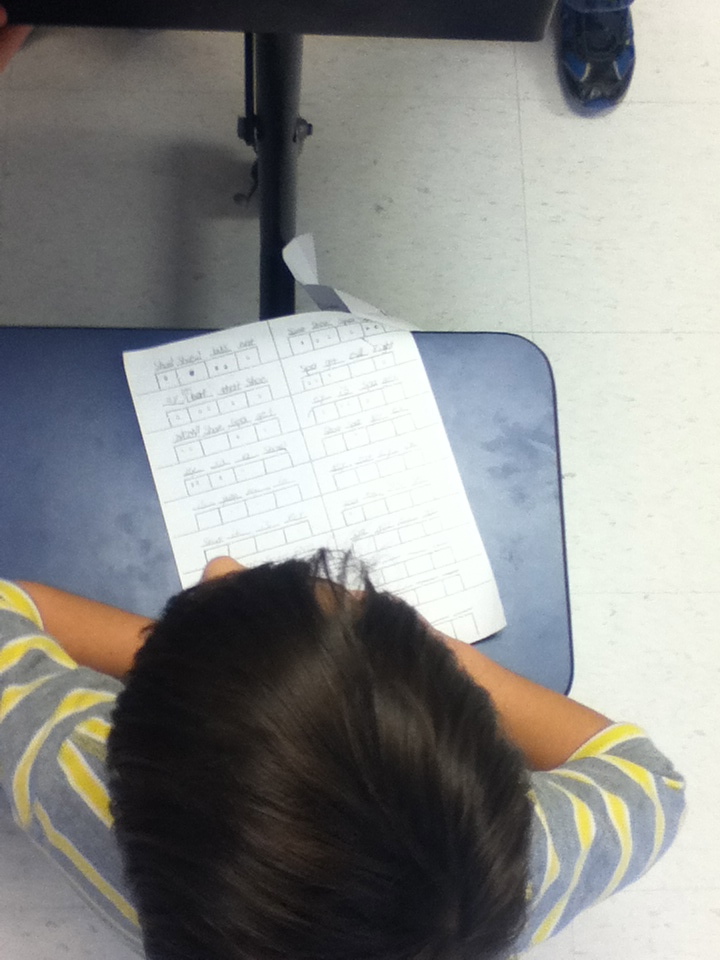
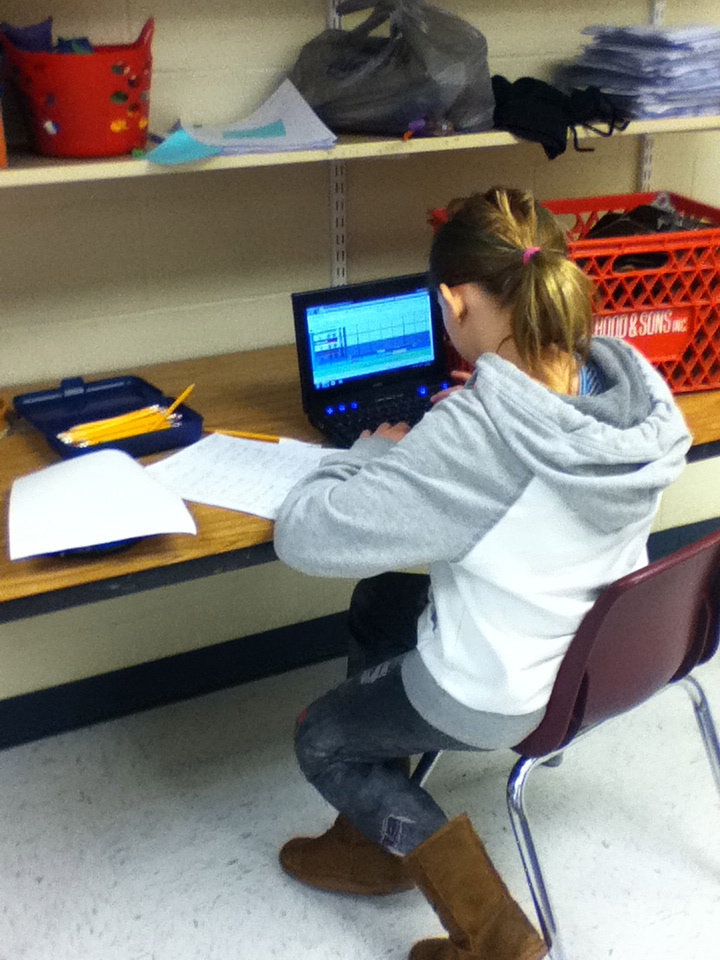
    I finally have part two of the end result with my Silly Rap Rhythms with Quaver project. This whole thing turned out to be a huge hit at both schools and now after doing it for both  I’ve learned what does work and what does not work when teaching how to do the project and setting the students up for success. 

    Since this was the first year for this project I also was experimenting with how to differentiate between grade levels for next year. 3rd will just be working on recording rhythms and a simple lyric set, 4th will record rhythms with lyrics and a QBackbeat, and 5th will record lyrics, rhythms, and Q Rap Loops. Also, the end step has now become changing the dot notation from the worksheet to actual notes and rests on QComposer (I told my 4th and 5th graders to change all of their 16th notes into 8th notes since Qcomposer only goes to 8th.) 

It’s time to put the project away for the rest of the year and begin others for me! Do you like this project? are you trying it out? If you are I’d love to hear how it’s going!

Be warned, with this school I tried to use the word silly as much as possible and I have to say these examples are very awesomely out there!

Worksheet Examples

ESS                       PSS

I Did Homework!

   So it’s been a while since I’ve taken a class that has tried to give me homework (I’m saving up my homework energy for grad school!) Last month I won the lottery to get in to one of district professional development opportunities entitled “Learn it and Earn it”. This class gives its attendees a brand new piece of technology and they have to attend 3 classes on this new technology in order to keep it for good. The money for this comes from our professional development funds our district provides to each staff member. I received a new iPad mini from this class and am one session away from it being mine!

Our homework for next class on the 31st is to create a short video or digital story on our iPad minis that we could potentially use in our classes. I love using Youtube videos to enhance my lessons and creating another video I could use was awesome, I’m starting to think about more videos that I could actually have students make or make with students.

Using the iMovie app and inspired  by Quaver Music’s song “Whole Half Quarter and Eighth” I decided on the subject of identification of notes and rests. The following is my current video, if you have any feedback before I turn it in I would love to hear it!

*Music by Quaver’s Marvelous World of Music www.quavermusic.com

**This video is unlisted in Youtube and is only available through this blogpost


Music Ed Motivation Archives! January 19th!

Thank you for everyone who moderated and participated today! You guys rock! I don’t know when the next date will be, it might be in 6 months, it might be next January! I’m easily persuaded if anyone ready wants a say in the next date! 

Twitter Archives from Today!

Our First Session was archived from our Moderator Jeff McCoach (@MrMcCoachBand) – Student Recruitment 

Our Session on Teacher Evaluation was archived by Heather McEndree (@MusicHeather) – Teacher Evaluation 

To see the rest of the Twitter archives from today check out – #musedmot Archives

Our Google Plus Video Hangouts were fantastic! I would Like to thank Caroline, Carol, and Rick for moderating them!

Caroline’s Notes from her Hangout on – Music Practice  

Stephanie Sanders Shared forms she uses with her students for practicing  7/8 and HS Symphonic Band

5/6 Grade Band 

My Notes on our Top Websites and Apps for class

Top Websites:

1.)  Quavermusic.com

2.)  http://listeningadventures.carnegiehall.org/ypgto/index.aspx

3.)  www.buttonbeats.com

4.)  http://www.vicfirth.com/education/rudiments.php

5.)  http://www.wesleyan.edu/vim/

6.)  www.dsokids.com

7.)  http://www.testing1212.co.uk

8.)  www.isleoftune.com

9.)  http://www.nyphilkids.org

10.) http://www.incredibox.com

11.)  www.Inudge.net

Top Apps:

  1. Orchestra App
  2. Piano Dust Buster
  3. Recorder Master
  4. Grade Book Pro
  5. Class Dojo
  6. Coach’s Eye
  7. Wavepad
  8. Evernote
  9. forScore-music reader
  10.  Tenuto
  11. Toca Boca Band
  12.  Vid Rhythm
  13. Garageband
  14. Rhythm Cat
  15. Dragon Dictation
  16. Splashtop
  17. iStopMotion
  18. iStopCamera
  19. ToonTastic
  20. MadPad
  21.  BeBot
  22. Jordan Rudness apps

Carol had a great session on iPads!-  iPad G+ Hangout

Here is the link to our Youtube Playlist and Hangout video! Hangout Video /  Youtube Playlist We Created 

Thank you to Rick for a great session on Cross Curricular Work!

 Another even more successful event, and a BIG thank you to the new PLN members who  tried out G+! I hoped you enjoyed it! Please be sure to check out our pages on G+ and Twitter, we will continue to stay in touch on those accounts and will try to organize some more practice G+ hangouts for interested parties!:

Google Plus Page 

@Musedmot Twitter Page

Musedmot Pinterest Page!

Musedmot graphic

#musedmot? What’s That?

A day long web day for music educators from all over to connect through different platforms of social media and talk about what we do. The idea was brought up sometime last year and on a dare (yes I was challenged!) it came to life.

We started strong in June of 2012 with a full schedule, and came around with a small event in September. Now it’s time for our winter event on Saturday January 19th! We begin with discussion topics and reminders about #musedmot in the best group on the Facebook, the MPLN Facebook group. If you are on Facebook and not in this group this is a travesty and needs to be corrected! Ask to join in today!

Continuing on to Twitter, and using the hashtag #musedmot you can use tools such as Tweetdeck or Tweetchat to keep up with the hour long talks. When the crowds switch over to Google Plus, the #musedmot hashtag become a back channel for discussion during our G+ time. New to Twitter? Take a peek at their Twitter guide 

After we begin the discussions on Twitter, the exciting part of jumping over to Google Plus begins. Every hour the moderator for the chat on our schedule starts up a G+ hangout and invites those who have signed up on their wall post (There can be up to 10 people on a hangout!). There is a specific topic that the attendees video chat about for that hour before moving on to the next video chat hangout! G+ Starter Guide

When the schedule is done and we are all tired, we party till the sun comes up (well not really, but you never know! could happen someday!)

For our January 19th date we are in need of some help! Moderators and ideas to fill our schedule are needed before the 17th!

Moderator Requirements:

-Motivated

-Willing to lead a discussion

-Excited

You don’t need to be an expert to be a moderator, just be excited and willing to lead a discussion on any topic in the realm of music education that gets you worked up and excited! Feel free to leave a comment if you are interested! You get lots of help to run a hangout!

We are also taking suggestions on how to fill our schedule. It becomes hard to find moderators and coming up with ideas for schedule slots that do not require a moderator would be such a big help!

Find the full schedule and more information on our official page here! www.cdwinal.com

Our G+ page is starting to get some attention! Add us to your circles for updates and tech help! Musedmot G+ page

Or you can follow my new #musedmot Pinterest board! Pinterest  

       Share this post and spread the word about #musedmot! The more the merrier!

Musedmot graphic

Movement Break Video Ideas

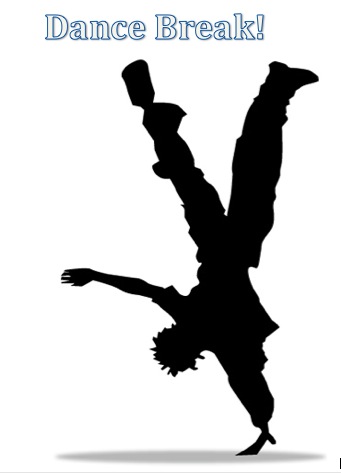
  You wait..and you wait for class to settle, but they just cannot seem to get their wiggles out. You know what it’s time for? A SHAKE BREAK. That’s what I call it when I might be in the middle of instructions and realize the poor students just need a minute or two to get their wiggles out before we go back to playing our instruments or listening to directions for activities. I have a lot of great kids in my classes who just seem to fall into bad behavior choices because they can’t sit still. Kids have to move, my K-2 kids are down for 5 minutes and up for 5 minutes, then repeat until our 40 minutes of class ends.

DanceBreak

My mission lately has become to find more up to date dances they can do. I’ve turned to Youtube and have created a playlist of dance videos to do as a class. They all either show or explain how to move to the song and are simple enough for my kindergartners to complete. None of them are over 4 minutes long, I’ve even begun to share this list with classroom teachers who use it when the students need a movement break in class or need to move during indoor recess!

Movement Break Youtube Playlist

          Do you have any favorite dance songs you do with your classes? I’d love to add more!

Anatomy of a Web Quest

With in the past year or two I’ve written a number of web quests for various sites that I have done with my students. The ones I’m probably best known for are the found at Quaver Music Blog ,  This week I thought I would share what I think about when writing them. I have been writing web quests for a while now and found a couple more that were sharable (this weeks post is like a cereal box with a prize at the bottom of the box! :)) 

Usually you find Web quests as research project directions. They guide students around a series of websites to complete activities or research on a certain topic. I write web quests for my elementary school students as a “mission” staying on one website and providing a “to do” list of activities that focus on one concept that they might be working on. Making these web quests take some thought. You have to really know every inch of the site you want the students to go on and be able to get creative with each of the steps. Here’s an outline I use for writing them:
IMG_0002_2

Concept: I try to keep it broad, gives me more options for steps.

Website: Choose a site with a lot of components so you have plenty of options for steps.

Introduction: I sometimes have one and sometimes I don’t depending on the quest. When I do have one it tends to be silly, over the top, and engaging for the students to draw them in to the quest.

Step 1: It is the simplest step out of all 3. This one I will make a simple find the answer or play a quick game. Really think about the level of your students through each step. Not only their level with the concept but also the level they are at with a computer. The inability to use a trackpad very  well can really slow a student’s progress.

Step 2:  I usually tend to make this step some sort of reading or building block to step 3. It sets the bridge from easiest to most difficult steps.

Step 3: This is the test to see if they have understood everything. For me, I usually write this step as directions to create their own music that covers the concept. This is the most time consuming step but usually provides a result the students will be proud of.

After you are done: The last step is just incase you have a few students who  whizz right through everything. Usually a game or a higher level of musical composition difficulty (If you’ve read my Quaver quests I haven’t put these in. I usually write these on the board later in the lesson after I’ve gaged where students are. I don’t want to throw too much at my little guys!)

 I’ve got a bunch of quests in a nice library, have your own and want to share? Post yours in the comments! I’d love to eventually build a little library of them for everyone.

…Want a little extra? Here are 3 never before seen web quests I’ve written for you!!

Dsokids.com -Composers

1.) I was a child star, I started playing and writing music before I turned 6. I wrote  over 600 pieces before I passed away at the age of 35. One of my famous pieces is The Magic Flute..who am I?
2.) I started learning to play the piano from my family before writing music. My most famous work is all about animals..who am I?
3.) I was in the Air Force before studying at Julliard and UCLA. I spent time as a jazz pianist before starting my work as a film composer. Some movies that have my works in the include: Harry Potter, Jaws, Indiana Jones, and Star Wars..who am I?
4.) Lets go play some Baseball! Join some of your favorite composers in a game of Beethoven’s Baseball!
Incredibox.com
Music does not always have to include instruments you know. Did you know your voice is an instrument too? Some songs only have voices in them, we like to call those songs Accapella
1.) Watch the video of the Accapella group Straight No Chaser . How many different voices do you hear? Do they all sound different?
2.)  Build a song without the main melodies in pink and purple. With just the building blocks playing is it still a song? Can you compose a beat that you could sing with that?
3.) Now it’s time to really build your group and get going. Use any of the dudes you want and share with Miss Dwinal afterward, can you beatbox alongwith these gentlemen?
Quavermusic.com

0

    Debussy, Vivaldi, and Beethoven decided to throw a party while the shop was closed last night, those rascals! Now they have disappeared from their posts and are hiding some where in Quaver’s world. Can you help find them?

1.) Debussy‘s piano teacher thought he was a genius when it came to playing piano, while in school he failed many piano tests but when he switched his focus Debussy found he excelled at composition. Where would Debussy be hiding where he could compose at the piano? When you find it help him write 2 measures to start of his next masterpiece!
2.) Vivaldi is quite a character, his personality most certainly reflected in his music with so much contrast . Where can you go to learn more about him and his music? He must be hiding back in his own time! Find him and read more about his wacky personality in his book!
3.) We all know Beethoven lost his hearing when he got older, my hunch is he is trying to retrain those ears. Where will you find him? Go there and play some of the games with poor deaf Beethoven.
4.) Wow, you found all three of our friends! Reward yourself with a hidden composer slide puzzle in the shop.

Christmas Joy

After a week of two hours delays, sugared up children, and assemblies. I sit here with a smile, a heating pad, and a burrito the size of my head. It’s a great feeling to be done for a few days, get a break, and enjoy the holidays. Today I thought I would share videos off of my ever growing YouTube playlist that I have used with my holiday themed lessons this week.

Muppet Carols– I like to play quick games of, Guess that Carol! and have short sing-a-longs with these videos to teach my students the classics that they should know if they celebrate Christmas! and c’mon..IT’S THE MUPPETS!!

Carol of the Bells

Joy to the World

Twelve Days of Christmas (With John Denver)

Movement Break-  I love to dance in class and lately I’ve turned to YouTube to teach the students and I more dances, this video is from Just Dances Kids 2 and is a great dance to the tune of Jingle Bells.

Jingle Bells Dance Break

Shake Break – Have a class of sugared up kids that just cannot sit still? Try this shake break before moving on with the lesson!

Nutcracker- Teaching your students about the Nutcracker? Check out this video, it is a great example from the Dance of the Sugar Plum Fairies.

Dance of the Sugar Plum Fairies 

Happy Holidays!

My Sister and I dressed up for the last day before holiday break!

My Sister and I dressed up for the last day before holiday break!

Frosty the Snowman Center

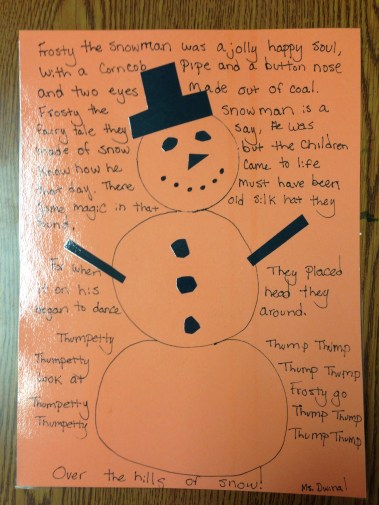
It has been crazy with introducing centers to my new 3rd graders and reminding my 4th and 5th how they go. This week has been some old favorites and a couple new favorites including this lovely Frosty the Snowman craft.

Frosty

           This craft is easy enough to complete in 15 minutes. I have all of the materials out and ready for them to use.

Materials:

  • Construction Paper
  • Coloring supplies
  • Scissors
  • Glue
  • Snowball stencils (Cutout from construction paper and labeled)

I came up with this center because I realized the sad truth..not many of my students knew all of the lyrics to Frosty the Snowman.

Here’s what was written on their instruction card:

1.) Pick a piece of paper, whichever color you like the best.

2.) Trace your snowman on to the paper using the stencils I left out for you

3.) Cut out a hat and some arms. Draw on your face like I drew on mine. Glue them in the right spots.

4.) You can copy the lyrics to Frosty right off of my example! Write yours in the background like mine.

5.) Finishing decorating your snowman anyway you want.

You will eventually acquire a pile of awesome Frosty the Snowmen:

IMG_0066

   This new center was a total hit, some groups asked for me to put my iPad in between them so they could listen to the song while working, some even just started to break out into song. I even caught several students passing by me in the hallway singing it together. Copying the lyrics is a great way to memorize them and making artwork like this with it is not only fun but educational!

IMG_0067

After everyone is done, you could have a hallway like mine! AAHH! Snowmen Invasion!!