Sharing Student Work : A PSA on the Importance on Sharing

Sharing my students work when I taught was always important. Not only did it show the world what my students were doing, but it also gave them more pride in what they did knowing others were going to see it. We often video taped and recorded performances and we also Skyped and sent our recordings and links to others to view and comment on.

     I always and still think it is very important to share work because it inspires other music educators AND shows the community what you do in your music classroom and how important it is. Social media is a great way to quickly give hundreds or thousands of people a quick glance into the daily goings on. The new trend out there is to start a classroom Twitter account and share from there. I have even seen teachers allow students to take over the account, tweeting about what they learned for the day.

      From displaying work on bulletin boards to social media accounts, sharing is really caring. Showing the world how awesome your classroom is. Don’t be afraid to share!

IMG_0067

3 sites to try out:

YouTube–  Did you know that you can upload videos to YouTube and keep them out of the public eye? The “Unlisted” option when uploading will hide your videos from everyone except those with the link. That way you can film projects, performances, even cute moments and send links to the people you want to see them, keeping the videos still tucked away. I use YouTube a lot to store my videos so I can share with whom I need or would like.

Facebook Music Teachers– Music Teachers sharing with other Music Teachers in a closed and safe group. It is a great way to get others to see your work and get ideas for their own classroom, but also to get feedback on the great things you do!

School Social Media accounts-  Not all districts have social media accounts such as Facebook or Twitter, but if yours has one, that is the best place to share student work and the on goings of your class! I had a rule of “No faces no names” on my personal account but my district could share! If your district does not have any accounts, what are you waiting for?
securedownload

How are you sharing?

Interactive Boards

I hear from two types of teachers, those who have interactive boards, and those who don’t, though the latter had slowly started to diminish because they are becoming more and more a staple in the music classroom. Administrators and tech departments are seeing a need and finding a better use of them in music. Why? because music teachers are awesome, creative, and can come up with the coolest ways to use them. If you don’t have one but want one, as I’ve said before, show your administration you have a need! Talk about how you would use it, show how your lesson would be improved, maybe even come up with a list of cheaper alternatives to present that will work equally as well.

With the ability to interact with what is projected on the screen, teaching, composing, and creating music have never been so much fun and with the tools now available, music teachers can now push the boundaries of what technology can do in the classroom. Doing things from creating beat boxing groups to writing notes and pressing play, and even immersing yourself in a game of identifying musical symbols. The possibilities remain bound only by one’s creativity.

IMG_0004_2

Smartboard – One of the most well known interactive boards, Smartboard has the ability to be hooked on the wall, on a stand, or you can go with a Slate. You can create your own Smart Notebook files to do with classes and even use others that are shared on websites such as the Smart Exchange

If you’re looking for a great go to book about how to use a Smartboard in the music classroom check out my friend and superhero Amy Burn’s book Help! I am an Elementary Music Teacher with a Smartboard!  

Promethean–  These are absolutely gorgeous. With a crystal clear picture, sensitive touch, and ability to have more than one student using it at the same time, this board is amazing to see in action. Did you also know that it reacts to your touch not by touching the screen but by sensors placed around the front of the screen? Too cool right?

Mimio A cheaper alternative to a Smartboard or  the Promethean Board. The Mimio attaches directly to a whiteboard and plugs into your computer which also has to be plugged into the projector. Very useful, especially if you tend to switch rooms every year and want to take it with you. They can be easy to set up as well once you get acquainted with it.

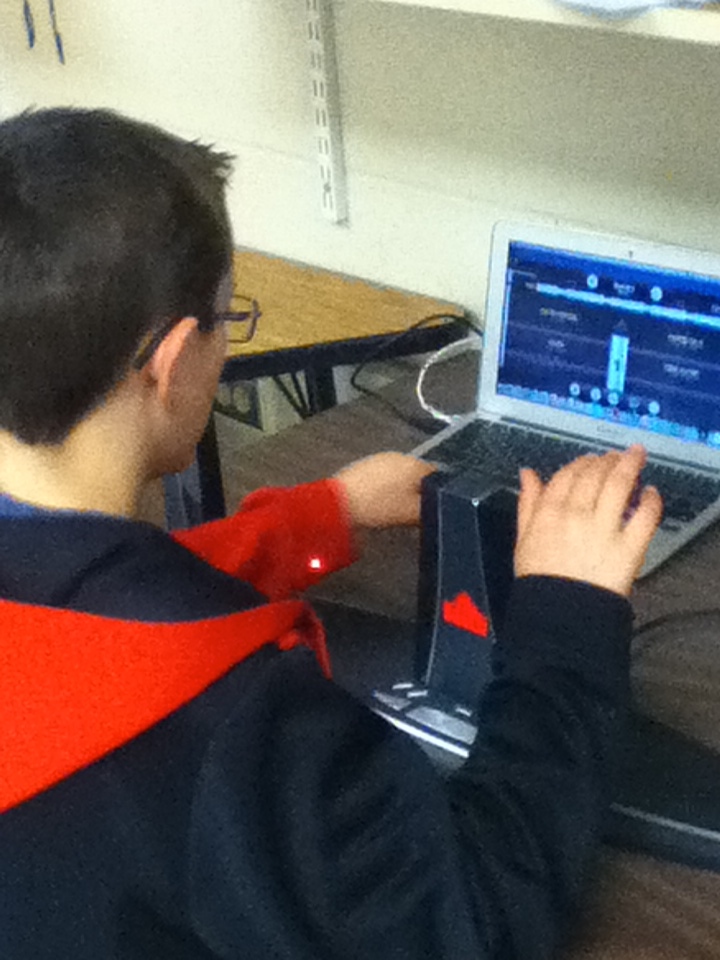
Wii-mote Board – A really cheap way to get an interactive board if you are tech savy enough! Using a wii-mote and an IR Pen you can use the available software to interact with your computer. Can be easy for a Mac user, little more difficult for a PC user but still completely doable! I sometimes will travel with my Wii-mote and IR pen to presentations just to show how easy it is to create an interactive board with a little creativity and brain power.

Splashtop– Did you know I never had an interactive board when I taught? I had an iPad though, and by downloading the Splashtop Streamer and App ($4.99 in the App store.) I was able to turn my iPad into a giant remote for my computer. I would walk around wirelessly and have students interact with what was being projected on the screen.

What do you use in your classroom? If you do not have one which would you want to use?

Putting Music to Your Tall Tale: Storytelling in the Music Room

Stories just aren’t for the library or regular classroom. They fit into all areas of the school environment from Art to PE to even Music. Meant to engage students and teach lessons that the audience will remember for a long time. Telling stories predates writing. Meant to pass down history and share and interpret experiences; story telling is an ancient and time tested way to teach the lessons we learned to a younger generation. 

Some of the best memories I recall from when I was younger were the times I would listen to our local story tellers. It was enchanting to listen to the pictures they painted in my head. Weaving tales of giant blue ox and glass slippers with magic, mystery, and inspiration. I always loved telling stories to my students, when ever I needed to get a point across I would pull a tall tale from my head, bringing in singing, dancing, and acting. I could engage a room of 5th graders if I wanted to!

Music tells a story, It always has. Even if there are no words, through dynamics, tempo, even articulation, it expresses to the listener what the composer is trying to convey. Musicians are storytellers.

Here are some ways I use to incorporate storytelling into my lessons:

Freddie the Frog- I was and still am a big user of Freddie the Frog in my lessons. I love the way he weaves musical concepts into story and becomes a fixed staple in my students lives, so much so that he is asked for over and over again. One of the activities I would do with him was to re read his first book Freddie the Frog and the Thump in the Night to my 3rd graders who were learning about how to read the staff. The class would then go around the room taking turns adding one note to our class melody by telling me the note name and letter. After everyone had a turn, the class would then challenge me to turn our melody into a Freddie story because each note represented a place on Treble Clef island. I would then go through our melody making up a story about Freddie’s day with Eli before we labeled the melody for solfege to sing it and then move it to instruments.  Students could understand the melody so much more relating it to our friend Freddie.

Puppet Pals– A free app recommendation that lets the user pick different characters and add scenery and then create their own story. Has a recording feature to capture student work! Would be a great activity to have students write their own story and then set music to it.

Isle of Tune– A music generator that looks like a neighborhood! Place trees, houses, cars, everything you would need to create your own block. After, as students are listening to the music it created, have them write about their new musical neighborhood. They create their own stories about what they made on the screen.

Book Creator ($4.99)- Another app recommendation, students make their own books. They can create their own stories and set music to it or put their knowledge of a subject you have been teaching them into the book showing off everything they’ve learned. You could create some great books about composers for a composer unit!

securedownload

What stories will your music write?

A Pirate’s Life for Me

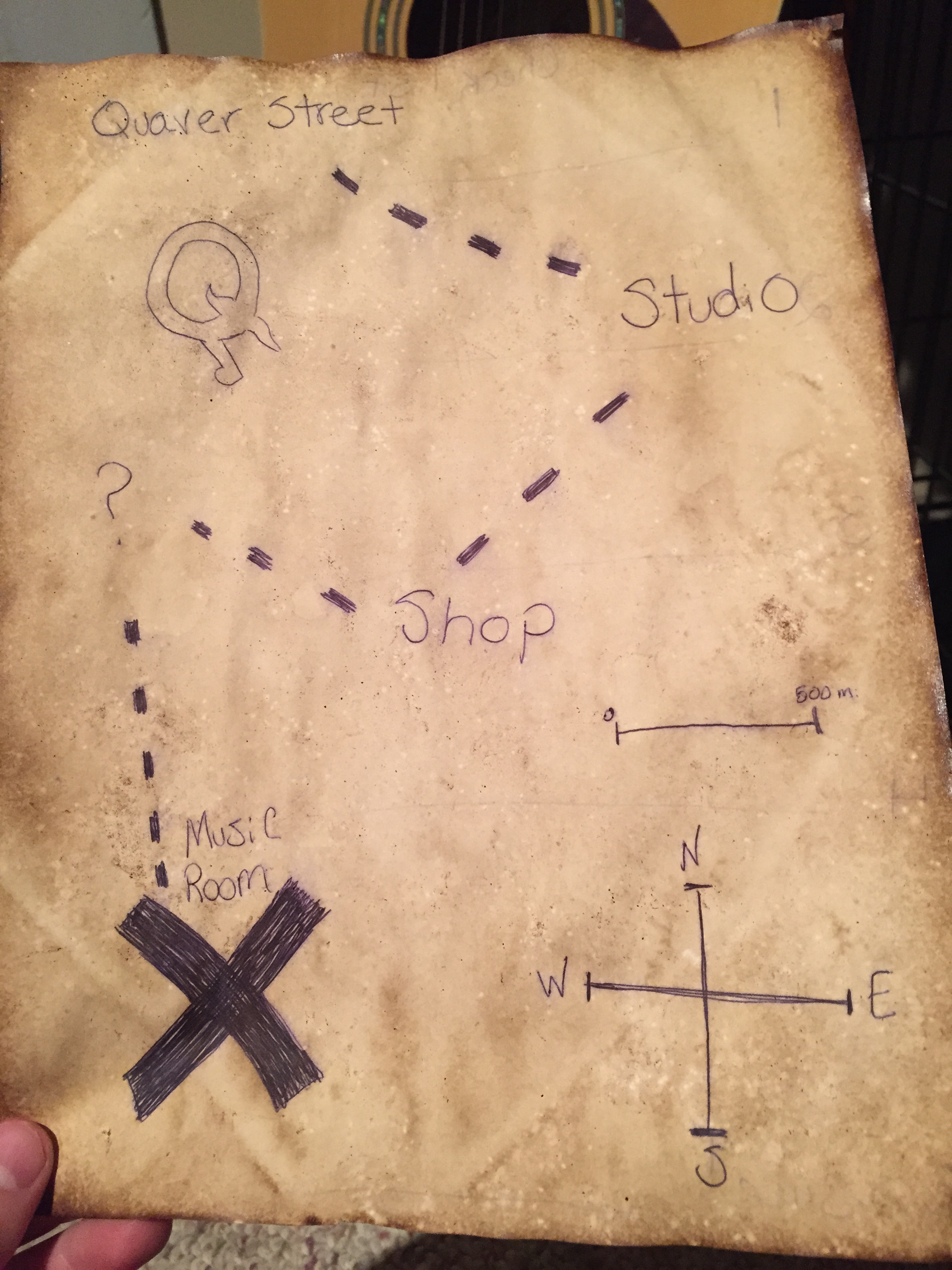
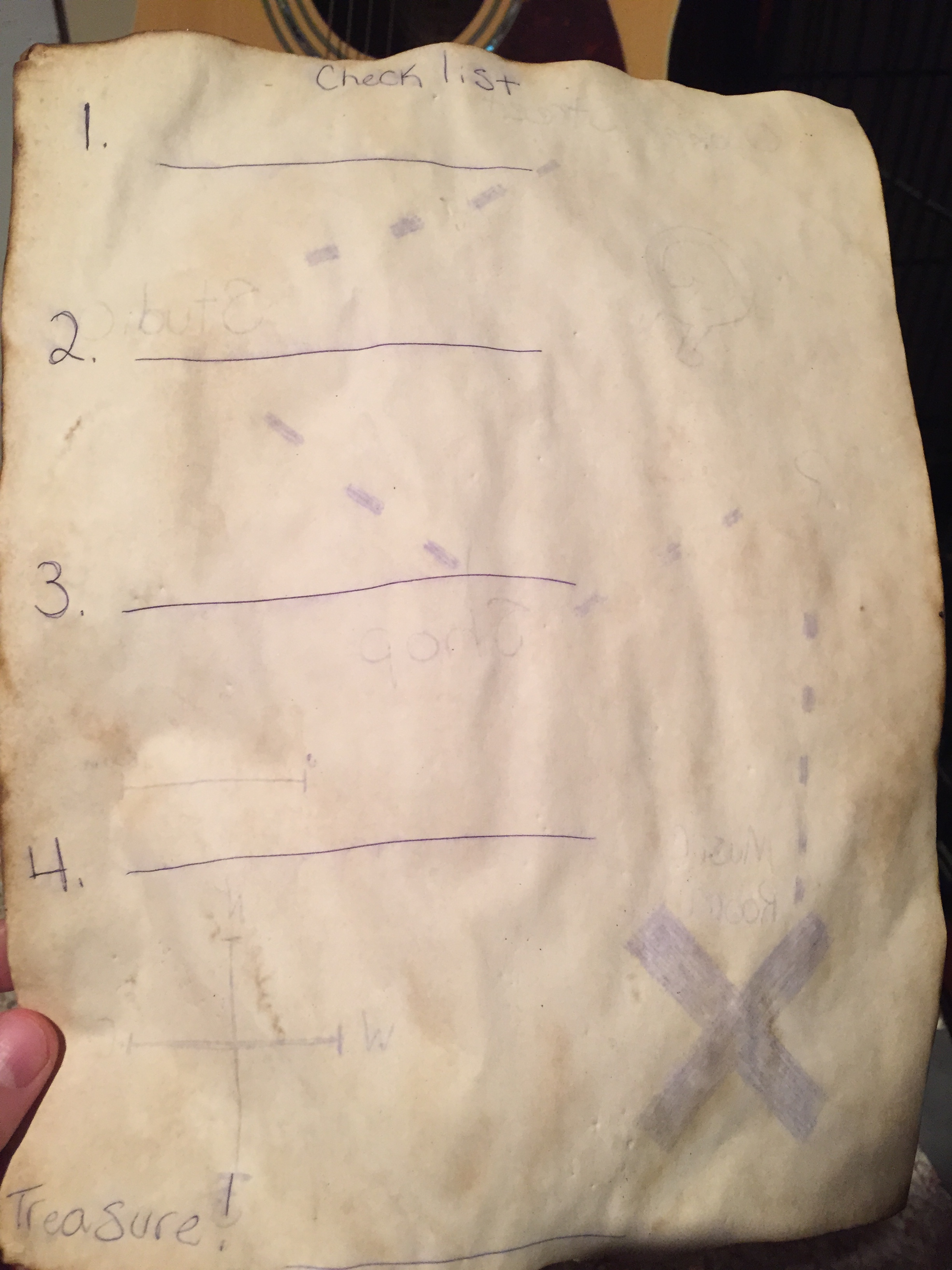
  Can you tell I went on a Pirates of the Caribbean binge this week? In honor of my search for relief from my pirate rush I made a map and tried antiquing paper to create a cute treasure map using this blog post from a VERY clever mom: http://oneclevermom.blogspot.com/2012/06/mermaids-and-pirates-party-how-to.html. Then I thought to myself, what could I put on this treasure map? How about a QuaverMusic.com treasure quest? Course you could do anything with this sort of paper. Add some excitement to a lesson, maybe introduce your students to the music room with a found treasure map? Endless possibilities!

securedownload-2

To start this quest, head to QuaverMusic.com and create a free account on their kid’s website:

1.) Pirates use to sing songs call Sea Shanties. They were songs that helped them work hard to keep the ship moving. The most important part about these songs were that they had a strong beat. Follow the map to the Studio and make a beat on QBackBeat that is worthy of a sea shantey!

2.) Yo ho yo ho a Pirate’s life for me. Pirates spent most of their lives on the water. Find the right tool in the Shop to draw your own waves that will make some beautiful music. Write 3 describing words about what you hear.

3.) Pirates overran the Caribbean from 1650AD to 1720AD. In the Phonebox, what two stops can you go that happened in that time period? Choose one and read the book in the venue.

4.) Lastly, in order to find what you seek, listen to this riddle to continue on your winning streak:

   We have three heads and only you can tell us what to say,

                   Our bodies are long gone but we are here to play.

Treasure!) Once you find the things you are looking for, head to the arcade in the Music Room for a great reward. (Let them play a game as a reward for a job well done.)

securedownload

Happy Holidays to all and to all a good AARRRRRRR

December Music Ed Blog Carnival

I am SSOO sorry I am so late with this. The past few months have really slipped by me. Unfortunately this is a fairly short list but I have added some inspirational tweet quotes and resources to get you in the “it’s almost vacation!” spirit.

___________________

Matthew Thibeault – A great video post by Dr. Thibeault about algorithms and the future of music education.

The Singing Classroom – This is an older post but so important, talking about why music education matters in such passionate and eloquent words.

ITeachPiano– How do young music students acquire high levels of expertise in instrumental music? A piece from ITeachPiano.

Things for Strings– A collections of awesome music theory worksheets that are sort of comic book style. Posted by ThingsforStrings but you can visit the original website at tobyrush.com

Vocal Warmups– Blog by Kelly Parish about free vocal warmups for the younger children that out of this world!

____________________

securedownload

Notable Tweets:

 ·

 I don’t think there is a subject that you CAN’T connect music to.

“Grades can cause kids to do inauthentic things.” They’ll avoid risks, avoid making mistakes. Why do we expect perfect?

Innovation distinguishes between a leader and a follower. – Steve Jobs .

POTUS: we have 2 step up our game, close tech gaps, pay teachers well, offer prof devlmnt, “yank our schls N2 21st c”

A1 “Pirates are daring, adventurous, and willing to sail into uncharted waters with guarantee of success.” quote

_____________________

 Resources Shout Out:

Carnegie Hall Toolbox– A free online collection of teaching and assessment resources for K-5 music educators.

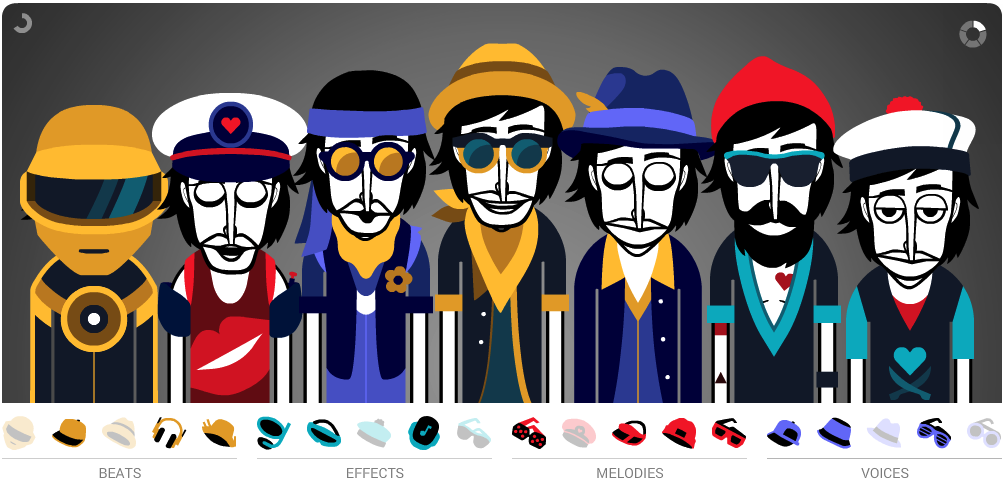
Incredibox V4– New version of the ever popular beat boxing tool is out!

_______________________

screenshot_180

 If you are interested in hosting a music education blog carnival, click here! The next issue will be hosted by Amy Martin!

Jingle Bells for PreK

As the holiday season is upon us. I miss having to practice holiday carols day in and out truly getting into the Christmas spirit. Being able to still teach PreK has given me an opportunity to still keep a little of that in my grasp. Word recognition is big for the little guys I see. Being able to recognize words, emotions, sounds, all of that. So what I have written is a short story where they have to recognize the words jingle and bells and be able to play them when the story cues them to.  I’ve made jingle bracelets like this:

IMG_3990

 For them to participate with. I just took some sewing elastic and cut it into strips, strung a bell on it, twisted some ribbon with it to make it look pretty, and tied it together (Thank you Julia for the idea!). The kids can now just slide it over their wrists and voila! Jingle bell bracelet. You can do a lot of little things with stories like this. 

So here’s the story:

Lily was trying to sleep in her bed, she was excited for Santa to come tomorrow night!

Lily heard a noise coming from outside her window. It sounded like bells!

She went to her window and opened it, hanging on her window sill were jingle bells!

She picked up the bells and shook them. Can you shake yours?

Lily went to sleep with her jingle bells.

When she woke up she went downstairs and saw her Dad shaking milk for his cereal. Lily shook her hand like Dad, did her jingle bells make sound?

Her Mom had music playing, when Lily danced. Her bells jingled!

That night, her Mom and Dad took Lily to a Christmas concert. The band started to play Jingle Bells, so Lily played along with her bells!

That night, as Lily was just about to fall asleep. She heard a jingling downstairs.

Running down the stairs she peeked around the corner and who did she see next to the tree? SANTA!

She waved letting her jingle bells sound. “Ho Ho Ho!” Santa smiled and said. Lilly laughed.

Santa put his finger to his lips letting her know it was time to sneak back to bed.

Lily put her bells on a chair giving Santa one last wave and tiptoed back upstairs to bed.

She went to sleep excited for tomorrow.

   Ask questions, have them do different movements, even beat activities. I’m going to tell this story like a real story teller so the kids have to imagine their own picture and pay more attention to me. I love story telling, I could captivate a whole room of kids with one of my stories. It’s all about performance.

What kinds of fun activities do you do with your little guys this time of year?

Bringing a Performance to a Digital Life

  I will now officially declare it the most wonderful time of the year. I do love Christmas music, but I don’t like it playing until I’ve eaten my turkey and my pie. Now with 18in of snow on the ground and Thanksgiving officially passed. I’m dreaming of those magical sing-a-longs where the Night Before Christmas was always read, music filled your ears, and hot cocoa and cookies were a plentiful. I’ll always miss those, performances were always a rewarding time. I got to see my students show off their hard work to all their family and friends. Music is so much performance anyway, each show was like the end of a chapter and beginning of another.

    You might see the same show a hundred times, but its always different based on the music teacher that puts it on. We all have our different strengths, one might be good at props, one might be a master at stage movement, me? I was a pro at the digital portion. I could whip together movies, cut tracks, project in the coolest ways. It sort of upped the level of performance. I focused on the singing first and foremost but it was all up in the air after that. I had extensive experience as the Tech Director for my Mom’s Sign Language chorus she did for several years, so I took my knowledge from what I did there and experimented with my own shows.

There are 3 main categories I had of digital extras in a show: Projection, Lighting, and Audio.

Projection Ideas: It’s so easy to get creative with just a projector. Some of these ideas can translate so well into your classroom too.

  • Back projection: Did you know you can flip your screen around and project backwards? No need to have that clunky projector out front and have to weave your way through the crowd to operate it in the middle of the show. Keep the projector behind stage and out of sight,put up a thin white sheet as your screen, and it will give you a cleaner image and not get into your performers eyes.
  • Split screen: I did this once with a little help for a performance. Two projectors, two screens, projecting from one computer. It was fantastic, and let the audience on both sides of the room see the picture clearly without straining their necks.
  • Backdrops: Instead of taking all of those hours painstakingly painting sets that may never be used again or feeling the pang of guilt asking a friend or colleague to do it for you, why not project your backdrop on to your curtains instead? Saves those long nights and you can change up the background for each song if you like!
beatlesbackground

design by Lundberg Graphics


Lighting:

  • Black lights: You can do some pretty cools stuff with black lights and white clothes or glow in the dark paint. One year we had all white gloves and blacked out the gym, with the blacklights on, the students did a killer sign language routine just showing their gloves dancing by themselves. You can have masks, clothes, even puppets grooving along.
  • Shadows: Creating an eye catching focal point by putting a screen up and having students dancing behind it. Change the colors, make it flicker, it will create a one of a kind experience.

Audio:

  • Cutting up tracks: A perfect way to alleviate the stress of playing piano during the actual show or trying to find an accompanist who can play at the same caliber as you can. If a song I was having the kids perform didn’t come with a backing track, throwing it into audacity and inverting one of the channels to take out or quiet down the lead vocals was always the way to go. You can find instructions here: http://audacity.sourceforge.net/help/faq_i18n?s=editing&i=remove-vocals
  • Remixing: Putting together medley’s, showcase student work, be able to create your own back tracks for your show. More than once did I put together student compositions to play as people were walking in and redid some classic songs to give our show a new twist!

 As you go through your own holiday performances, think, can I use technology to make my life a little easier before the holiday break? Think simply, think creatively, and be festive!

Leading the Collaborative Charge: Cross Curricular Projects

I remember the days in elementary school, when the whole school would work on project together. We came together with an idea in mind and did a plethora of activities with different teachers all corresponding with that theme. In the end, we learned, we laughed, and we worked together to build one big final product that was over the top and awesome. Even when I taught, I had some spectacular specialist team mates who were a blessing to collaborate with. We did a few fantastic projects that incorporated all over our areas and what came out of it was wonderful. We completed products that were recognized as quality work within our district. It helped show everyone that the arts had an important place inside the school that could not only stand alone, but be able to work together flawlessly with any subject.

So what are some things that could be done? If you wanted to work together with your colleagues what could you do?

First it’s always about the overall theme and final product. What do you want the students to accomplish? What do you want them to learn and get out of it?

We always started by looking at test scores. NEWAs to be exact, and figured out where the students were struggling. We based the project over that theme. That is what all of our parts built around. One year it was reading graphs, another year it was stats and probability. Each of us built what we were going to do around that relation. You could link it to anything, maybe you want to work with your science teacher about sound or maybe you and your history teacher want to teach the Revolutionary war  together.

   I’m sure you’re thinking..how did I relate math to music.. It really is simple. Do you remember all those Facebook and Twitter post pictures where it relates music to every subject? Those really are true, it is so easy to relate music to math, science, history, english, and everything else when you think out of the box. Its all about thinking about the final product before the actual project. What do you want the students to get out of this experience? For us it could be 95% of students would improve between a pre and post test, or maybe 80% of students would score 90% or higher in a predetermined rubric. 

IMG_0270


So what COULD you do? What are some simple ways to relate music to other subjects? You’ve figured out what you want them to know. Now its about what you want them to create using that knowledge.

  •  Learning about the Science of sound? What about a science fair? Work with your science teachers at the same time relating sound waves, how your ear works and all that. You students could create science fair projects around the same topic and you could hold a fair together and judge for the top prize.
  • What about creating an experience with your history teacher? I use to American Civil War reenact so I did a whole unit on Patriotic tunes and talked about fife and drum corps and how they were an important part to the military unit.
  • What about studying different areas of english literature and relating to the music of the period? Students could reenact the music of that time or maybe do a report on how the arts influenced the time period relating to the culture and how music fit in.
  • You could even have them studying poetry and take one of the famous poems they are reading and remix it into a killer song.  Whilst learning about the poet, pentameter, rhyming, all of the building blocks to a great piece.

There are many ways you can create a cross curricular project showing the relationship between music and many other subjects in school. It is a great way to show that music is an integral part in the school community and we aren’t going anywhere.


IMG_0589

What activities would you do that could relate music to other subjects?

Putting All Those Resources Together

Wow, the past couple of weeks have flown by. I remember complaining that the weeks weren’t fast enough, now they seem to go by too quickly. Probably what happens when you’re having too much fun right? I am so happy to get my few minutes at home today to snuggle with my dog and get work done and off my todo list before flying out again tomorrow morning . 

The buzz word for this week has been “interoperability” you’d be surprised how many times I have heard that word just this week. Relating mostly to technology systems talking to each other like how an app on your phone allows you to share to social media. Those two systems can all speak to each other. You can use them both instead of using one and then using the other to complete one overall activity. Bringing everything into one place making the use of both programs much easier and you get the best of both apps.

It made me think, teachers sort of have to do this everyday even if the resources they use do not talk to each other nicely. They have to pull together so many different things into one place for the overall goal of teaching their students. How can teachers make all the resources they have been given work together to create ultimate opportunities in their classroom? Probably one of the toughest jobs for a teacher is just to put all the information they have into one lesson to make learning awesome and fun.

So where do you go and what do you do to make all those new tools you get neat and organized? Here are my top 3 things

1.)  Get a Wikispaces page and drop links to all of your resources onto those pages. You can make the page private to just you or share it with colleagues. You could even make it public so students could go home and access what you used in class.

2.)  Dropbox which is an app, a website, and a program you can download that just acts as a storage device and you can access it from anywhere.  I had a folder in one that had all my songs for the week, another that held my lessons for the marking period, and another with just resources I acquired to use in class. All in one place and easily accessible!

form

3.)  There is also a handful of cool apps out there that can help organize your resources:

  • Planbook $5.99 on the App store is a full planning book on your iPad just at the touch of your fingertips. Great way to put in links to resources you want to share during class and then you can show the webpage links right off your iPad.
  • Goodreader $4.99 is a markup app that is perfect for taking PDFs and TXT files marking them up. You can take all your lesson plans and mark them up with notes for the next time you use them. Also a great app to download PDFs of conference session handout and mark them up right there.
  • Evernote Free, is the best notes and organizational program I can find. Available on devices and on the computer, you can  save articles, write notes, take important pictures, keep your favorite links and search for them all with their simple and powerful search engine, and it syncs to every device you have!. Evernote is the perfect place to put all your resources into one place.
  • Scanner Pro $2.99 – Make all the paper you have  magically disappear into your iPad by just taking a quick picture. Stores all of your paper resources into one place.
  • iBooks Free- Did you know you can store PDFs in iBooks? How about did you know you can even make your own book filled with resources in iBooks Author? Keep it looking sleek and all in one place with this fantastic app!

IMG_0002_2

How do you keep your teaching resources organized?

NAfME Materials

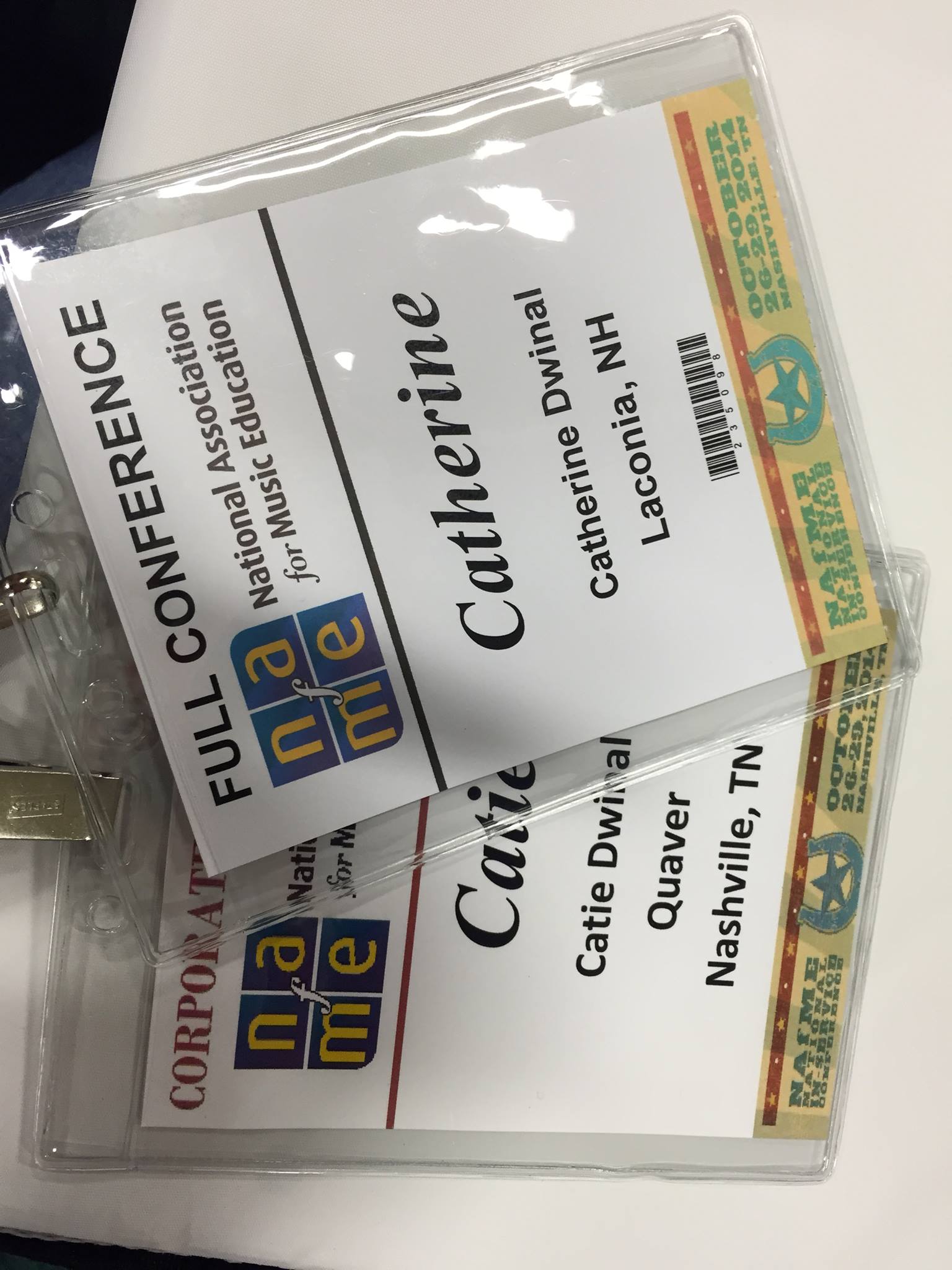
I had an absolute wonderful time presenting at NAfME this year. It was my first time at an actual national conference and I had a pretty decent experience. I worked the booth and did my presentations when it came time. It was a great mix of both my worlds and was a great confidence booster. To be completely honest, I was a little hesitant presenting now that I work full time for Quaver. It was completely up in the air whether or not my reputation as a music techie and clinician took a hit from the transition. It obviously did not from the attendance at both sessions and the overall positive feedback I got from both. I made many new friends whom I hope will keep in touch. I love to help teachers with technology and adore hearing from people. It’s my passion, it’s what I live for. 

10473886_10100229726762967_7130217111332664496_o

I double badged!

         The link below directs you to download each handout and presentation. Feel free to take and do with what you would like as long as credit is given where credit is due!

  Recording, Composing, and Mixing with Elementary Students:

                  Presentation:  Download Here

                  Hand Out: Download Here


  Technology Resources in the Elementary General Setting:

                  Presentation: Download Here

                  Hand Out: Download Here 

Did you go to NAfME? What did you think?  

1533733_10100230756793777_7176867237898728830_n